Manage App Builder in your workspace
Find any member's published app, take a site down with a reason, and create, rename, re-icon or delete the workspace's Marketplace categories.
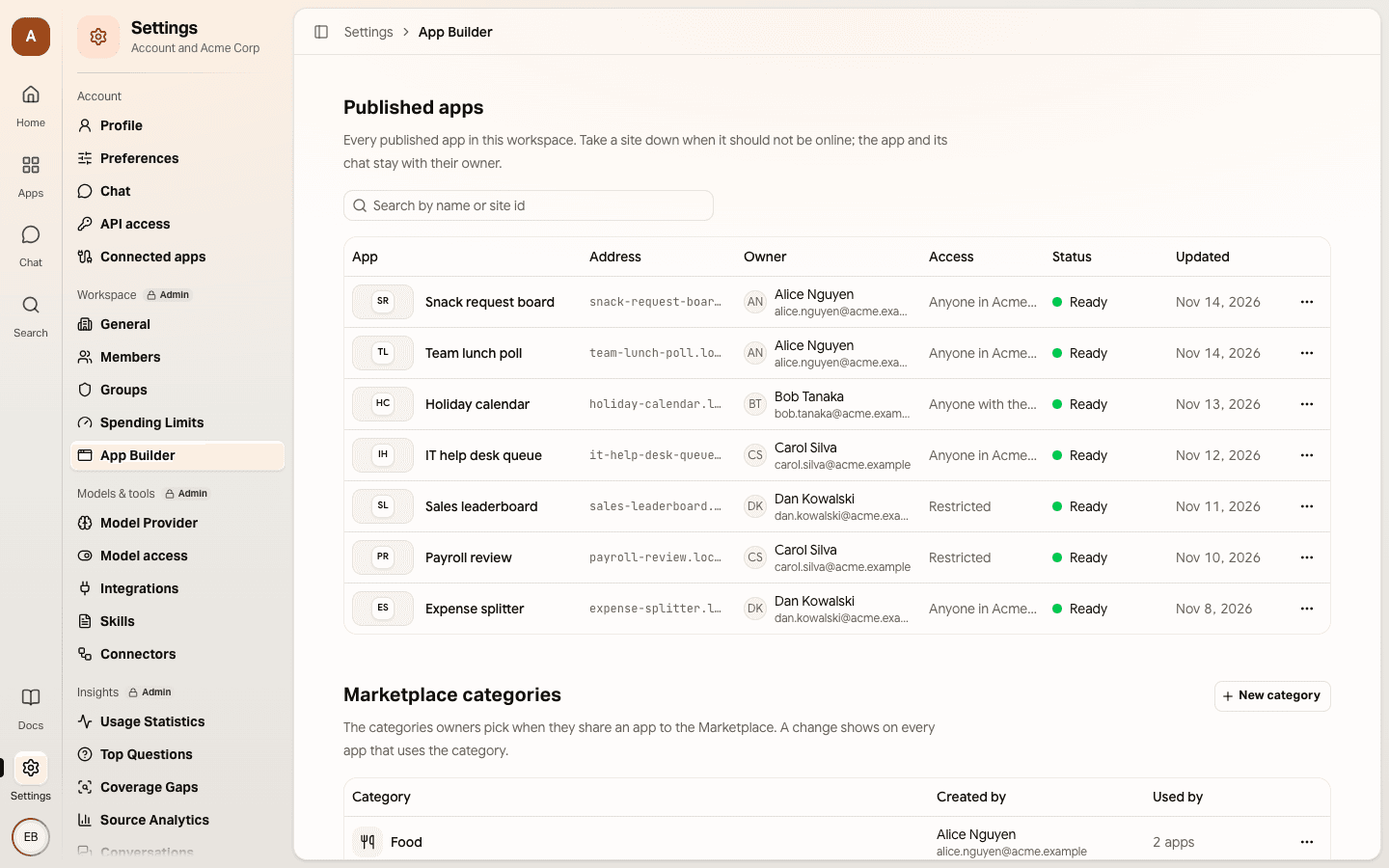
Settings › Workspace › App Builder is where a workspace manager looks after every member's published apps. It has two sections: Published apps, where you can take a site down, and Marketplace categories.
Prerequisites
- The Manage everyone's apps permission (
builder:manage). Workspace owners and admins have it; members get it through a group. See Permissions. - Without it, App Builder is missing from Settings and from ⌘K, and the page's address says "You do not have permission to manage App Builder in this workspace."
Open it from Settings, under Workspace, or type "App Builder" in ⌘K.
Find a member's published app
Published apps lists every published app in the workspace, whoever owns it, most recently changed first. Each row shows:
| Column | What it shows |
|---|---|
| App | The picture and the app's name, with its owner under it once the Owner column is hidden. |
| Address | The site's address. Click it to open the site. |
| Owner | The owner's name and email, or the email alone for someone with no name. |
| Access | Who can open the site: Restricted, Anyone in {workspace} or Anyone with the link. |
| Status | The latest publish: Ready, Publishing… or Last publish failed. |
| Updated | When the app last changed. |
The narrower the page, the fewer columns show: Access goes first, then Address, Updated and Owner, whose name moves under the app's. On a phone only App, Status and ⋯ show. The table never scrolls sideways.
Type in Search by name or site id to find an app by its name or the first part of its address, up to 100 characters. The search is kept in the page's address, so you can share it. With nothing found, the page says No apps match with Clear search. The list loads 50 apps at a time; click Load more for the rest.
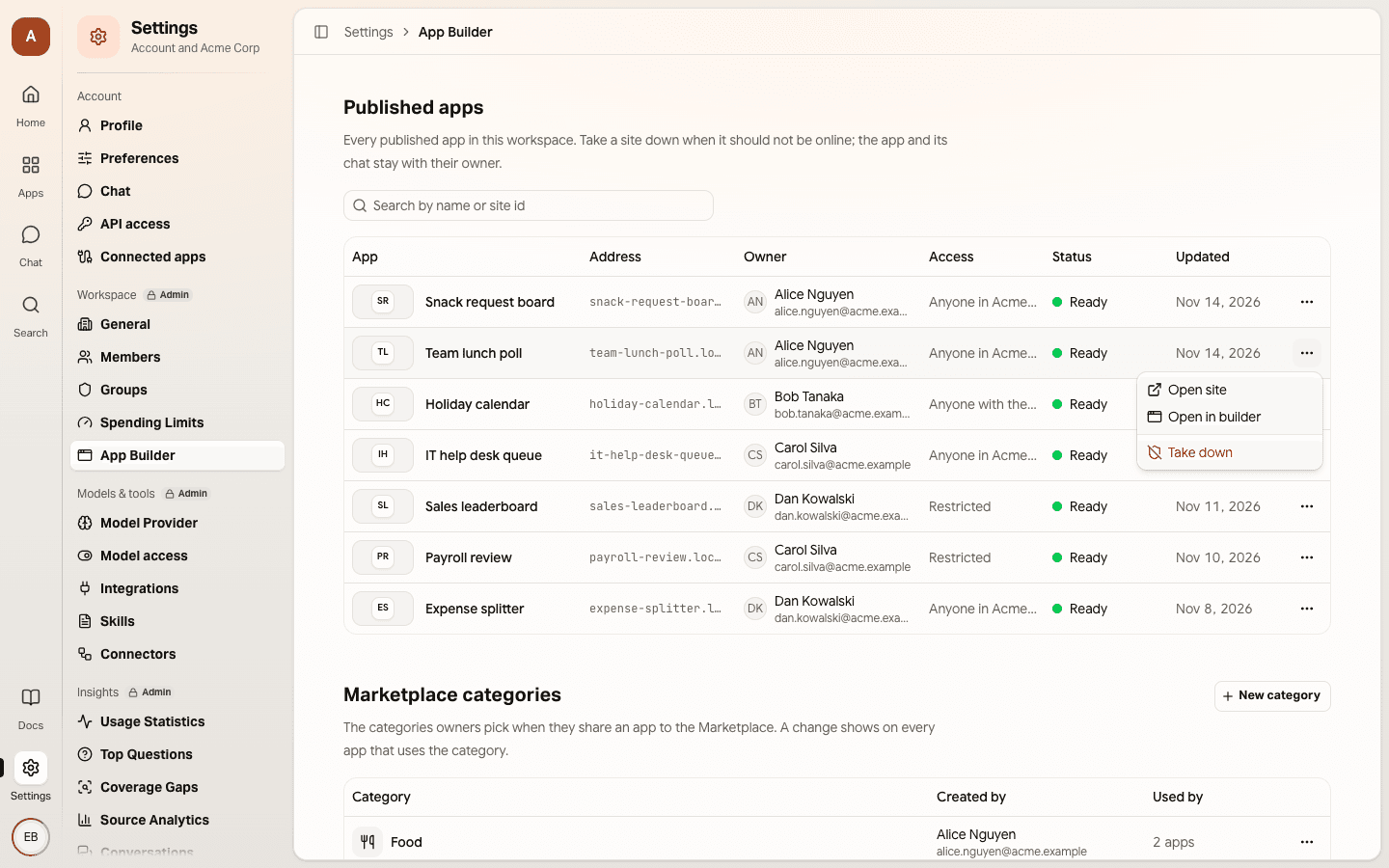
A row's ⋯ menu has:
- Open site, in a new tab;
- Open in builder, the app's chat and preview, where you can change, publish and share it as its owner can (see What a manager can do);
- Take down.
Only published apps are listed. An app that was never published, or whose publishes all failed, is not here.
| Message | Meaning |
|---|---|
| No published apps — "Apps appear here once someone in this workspace publishes one." | Nobody has published an app yet. |
| Could not load published apps. | Click Try again. |
| "Could not load more apps." | Loading the next 50 failed. Click Try again. |
Take a site down
Taking a site down puts it offline and deletes its data, and keeps the app with its owner. Use it when a site should not be online, for example because it shows something it should not, and its owner is not around to fix it.
- Click ⋯ on the app's row, then Take down.
- Under Why is this site coming down?, write the reason. The owner reads it. It can be up to 500 characters; the counter below the box shows how many you have used.
- Type the site id shown in the dialog, the first part of the address, such
as
snack-request-board. Capital letters count. - Click Take down. The button reads Taking down… while it works, and a toast says Site taken down. The row leaves the list.
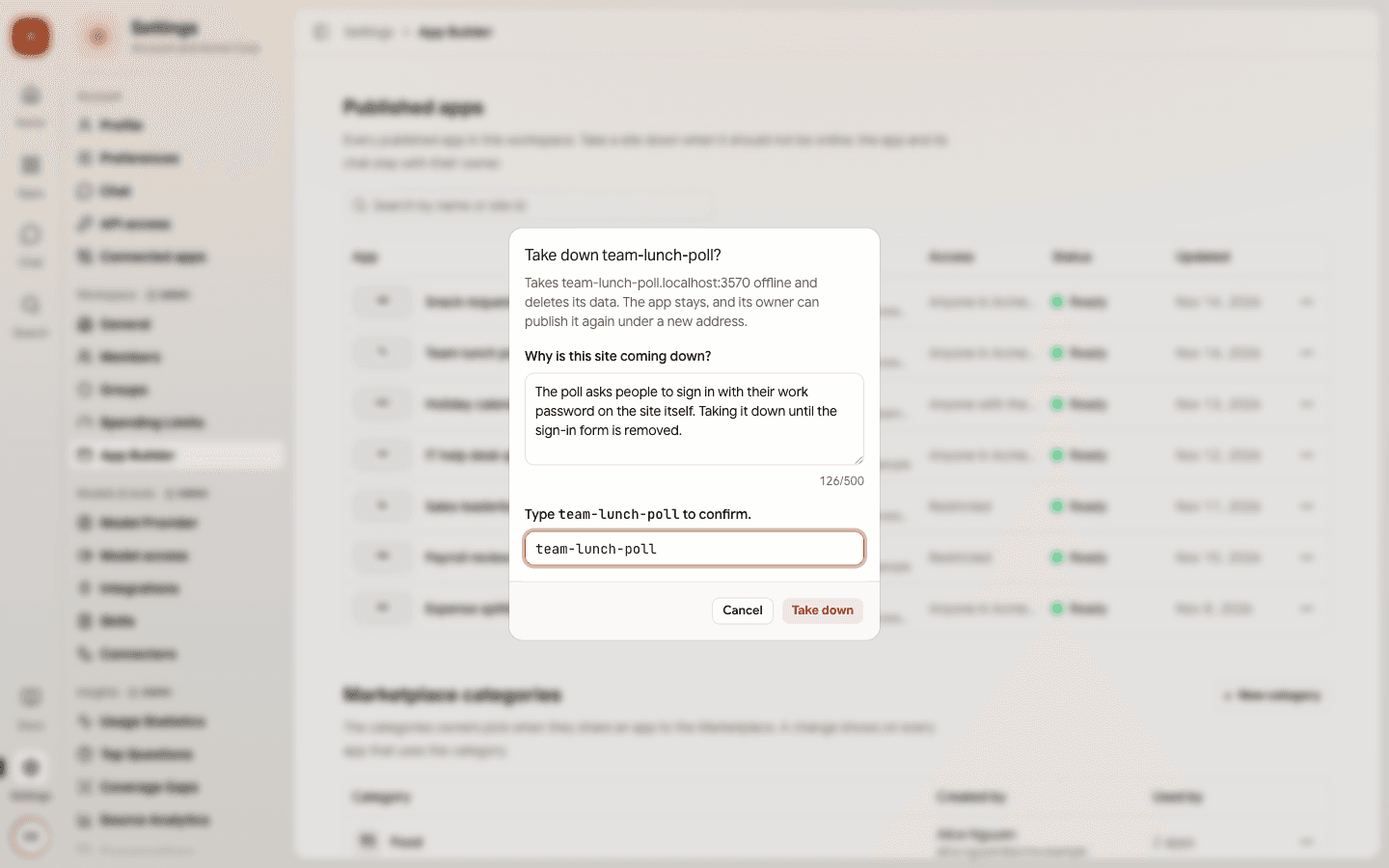
Take down stays greyed out until there is a reason and the site id matches. The dialog says what happens: "Takes {address} offline and deletes its data. The app stays, and its owner can publish it again under a new address."
What a takedown does
| Gone, for good | Kept |
|---|---|
| The site's address: it shows App not found, and is never given out again | The app, in its owner's sidebar |
| The site's database and its data, its visitors and its Analytics | The chat that built it |
| Its Marketplace listing, and everyone's favorites of it | The project and its versions |
| The people it was shared with | The workspace's Marketplace categories |
The takedown is recorded in the workspace Audit Log as app site taken down, with the reason.
What the owner sees
When the owner opens the app in App Builder, its header shows Site taken down. It opens Your site was taken down, with your name, the site id, when, and your reason, and says "The app and its chat are kept. You can publish it again under a new address." A takedown from the AINOX platform console shows "A platform admin" instead of a name.
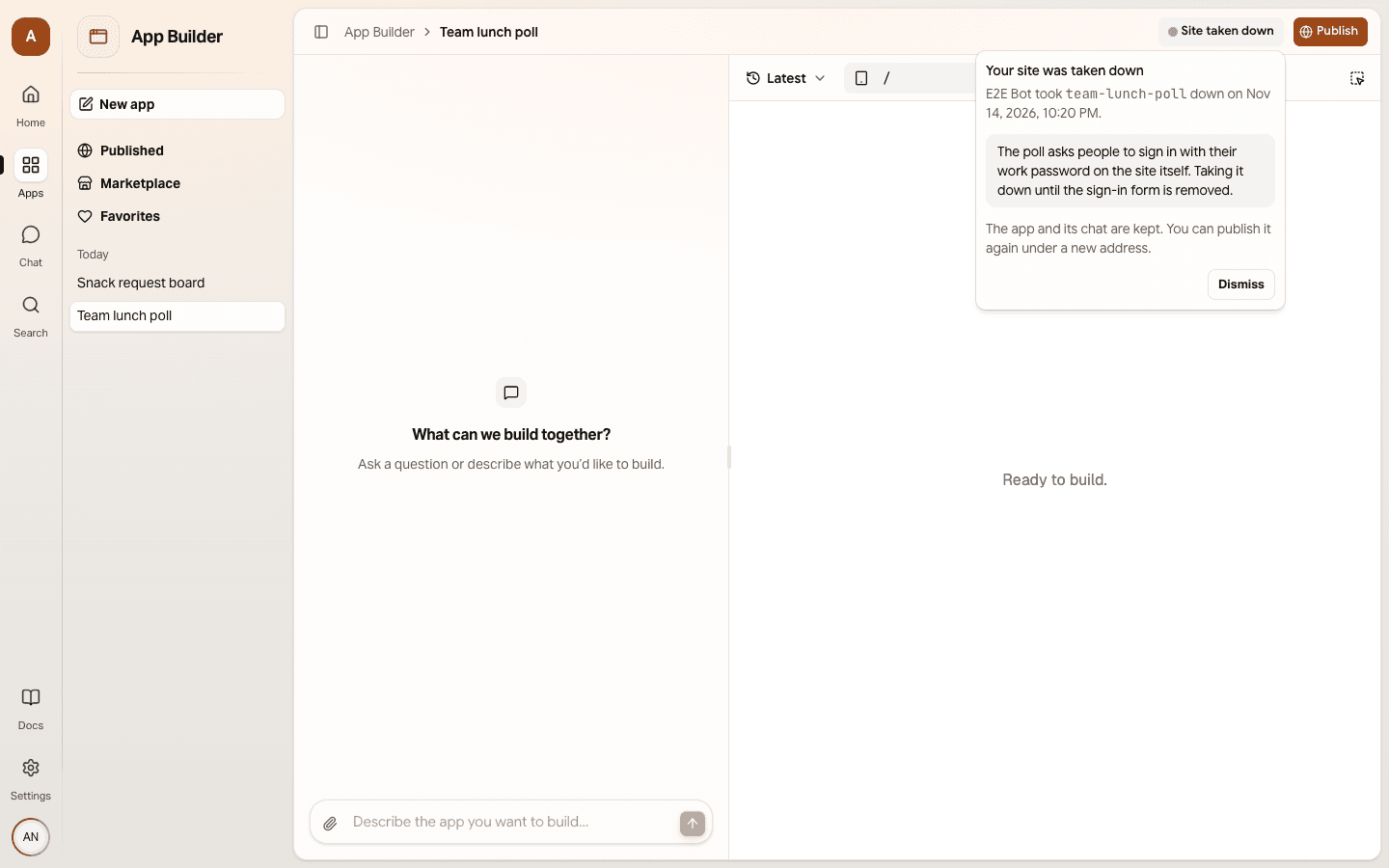
The owner can publish the app again at any time. The new site gets a new address, starts Restricted, and is not in the Marketplace until they list it again. The notice goes away when they click Dismiss or start a publish. See If your site was taken down.
When a takedown is refused
The dialog stays open and says why. Nothing has changed; fix what it says and click Take down again.
| Message | What to do |
|---|---|
| "Give a reason of 1 to 500 characters." | Write a reason. |
| "Type the site id exactly to confirm." | Check the id; capital letters count. |
| "This app is still publishing. Wait for it to finish, then delete it." | A publish is running. Wait for it to finish, then take the site down. |
| "This app has no site to take down." | The site is already down, or the app has none. Reload the page. |
| "This app no longer exists." | Its owner deleted it. |
| "Published apps can't be deleted until this server has an apps database. Ask your administrator." | A server setting: ask whoever runs your AINOX server. |
| "You do not have permission to take this site down." | You no longer hold Manage everyone's apps. |
| "Could not delete the published app. Try again." | Nothing was taken down. Try again. |
If the site goes offline but some of its data could not be deleted yet, the dialog closes like a success and warns: "The site is offline, but its data could not be deleted yet. It will be deleted automatically." Nothing else is needed.
Manage Marketplace categories
Marketplace categories lists every category owners can pick when they list an app, with who created it and how many apps use it, most used first. Created by reads Platform admin for a category an AINOX platform admin made from outside the workspace, as the workspace Audit Log does.
Create a category
- Click New category.
- Type a Name of up to 30 characters. The Icon is guessed from the name, in English or Thai, until you pick one of the 32 icons.
- Click Create category. A toast says Created “{name}”.
Owners see the new category in their suggestions when they list an app.
Rename a category or change its icon
- Click ⋯ on the category's row, then Edit.
- Change the name, the icon, or both. The dialog says how many apps the change reaches: "Changes the name and icon on the {n} apps that use it.", "… on the 1 app that uses it.", or "No apps use it yet."
- Click Save changes. A toast says Saved “{name}”.
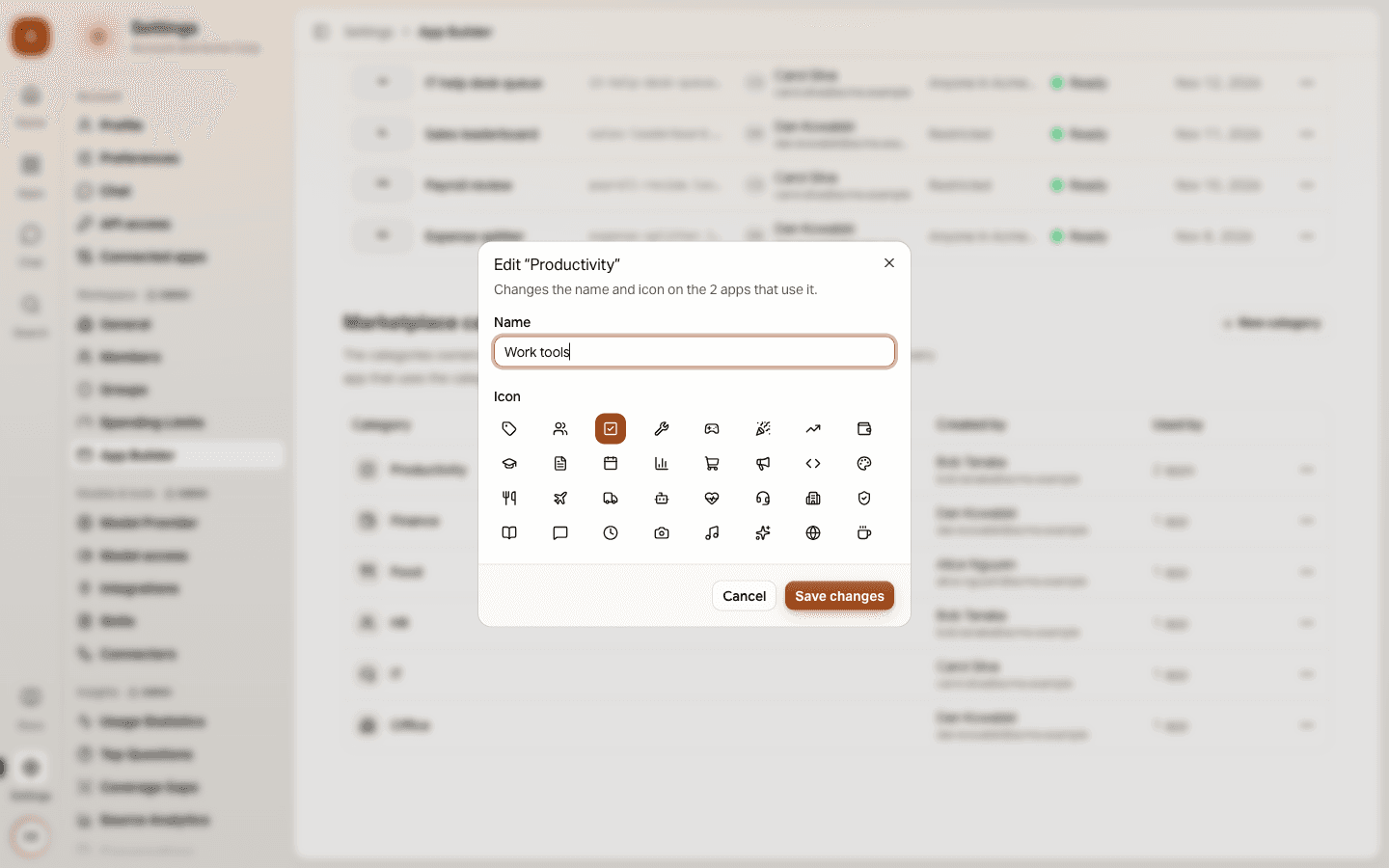
The new name and icon show on every app that uses the category, in the Marketplace and in Favorites, at once.
| Message | What to do |
|---|---|
| "Type a category." | Give it a name. |
| "Use 30 characters or fewer." | Shorten the name. |
| "“{name}” already exists. Pick another name." | Another category has that name, in any case. Pick another. |
| "This category no longer exists." | Someone deleted it meanwhile. |
| "Could not save. Try again." | Try again. |
Delete a category
- Click ⋯ on the category's row, then Delete.
- Read the dialog and click Delete category. A toast says Deleted “{name}”.
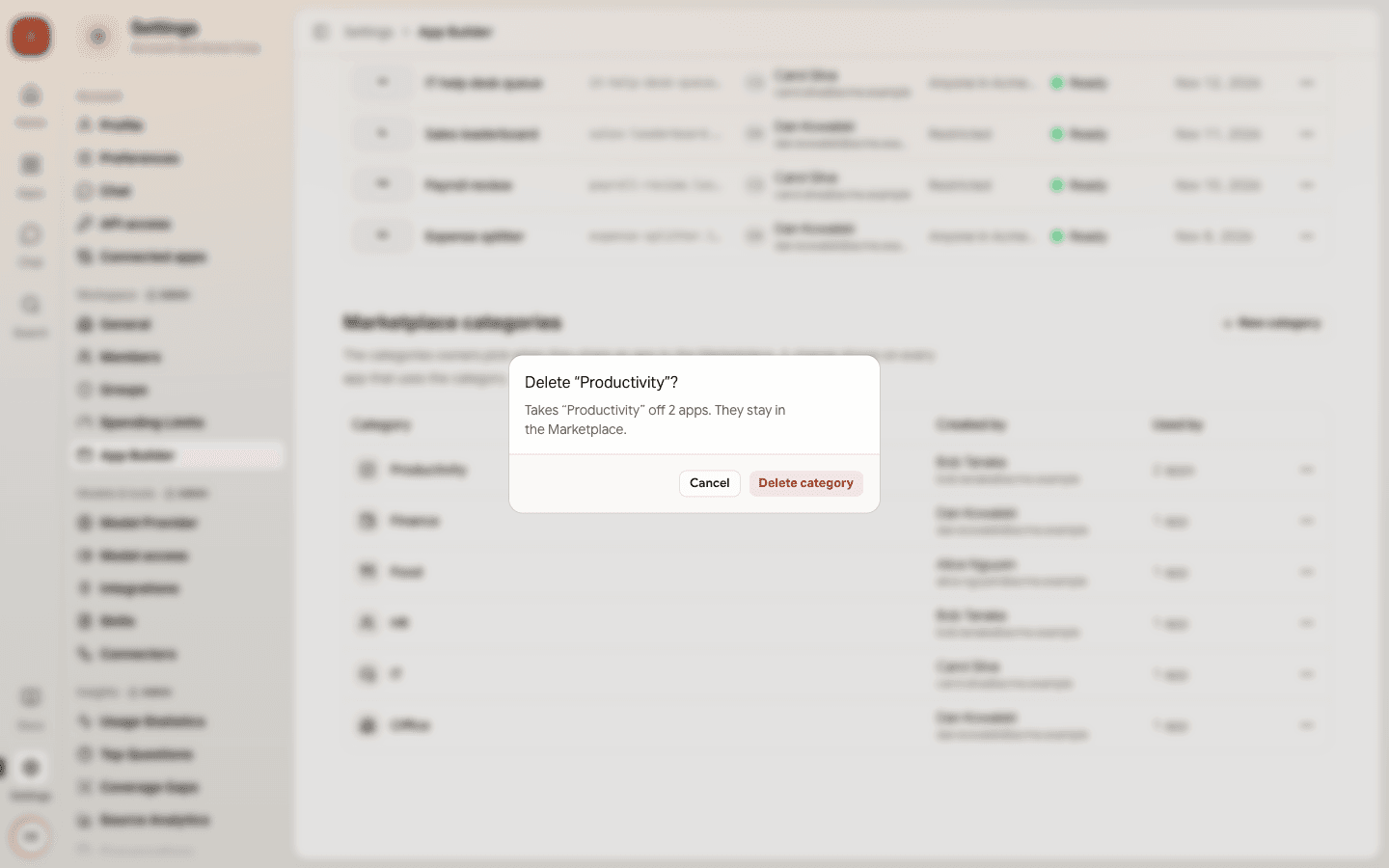
The category comes off every app that uses it: "Takes “{name}” off {n} apps. They stay in the Marketplace." The apps keep their other categories. An owner can create a category with that name again.
If deleting fails, the dialog says "Could not delete the category. Try again."
Every create, rename, icon change and delete here is recorded in the workspace Audit Log.
Notes
- Only the app's owner can rename or delete an app. To remove an app and its chat for good, ask its owner to delete it.
- With no categories yet, the section says No categories: "Create one, or one appears when someone shares an app with a new category."
- A takedown cannot be undone. The owner can only publish again, under a new address.