Your published apps
Find the apps you published, rename or delete them, and see each site's visits, data and changes.
Published lists every app you put on the web from App Builder. From there, each app has four sections: Settings, Analytics, Database and Audit log.
Prerequisites
- At least one published app.
- The sections open for the app's owner, and for members who hold Manage everyone's apps (see Permissions). Anyone else sees App not found.
The Published list
Click Published in App Builder's sidebar.
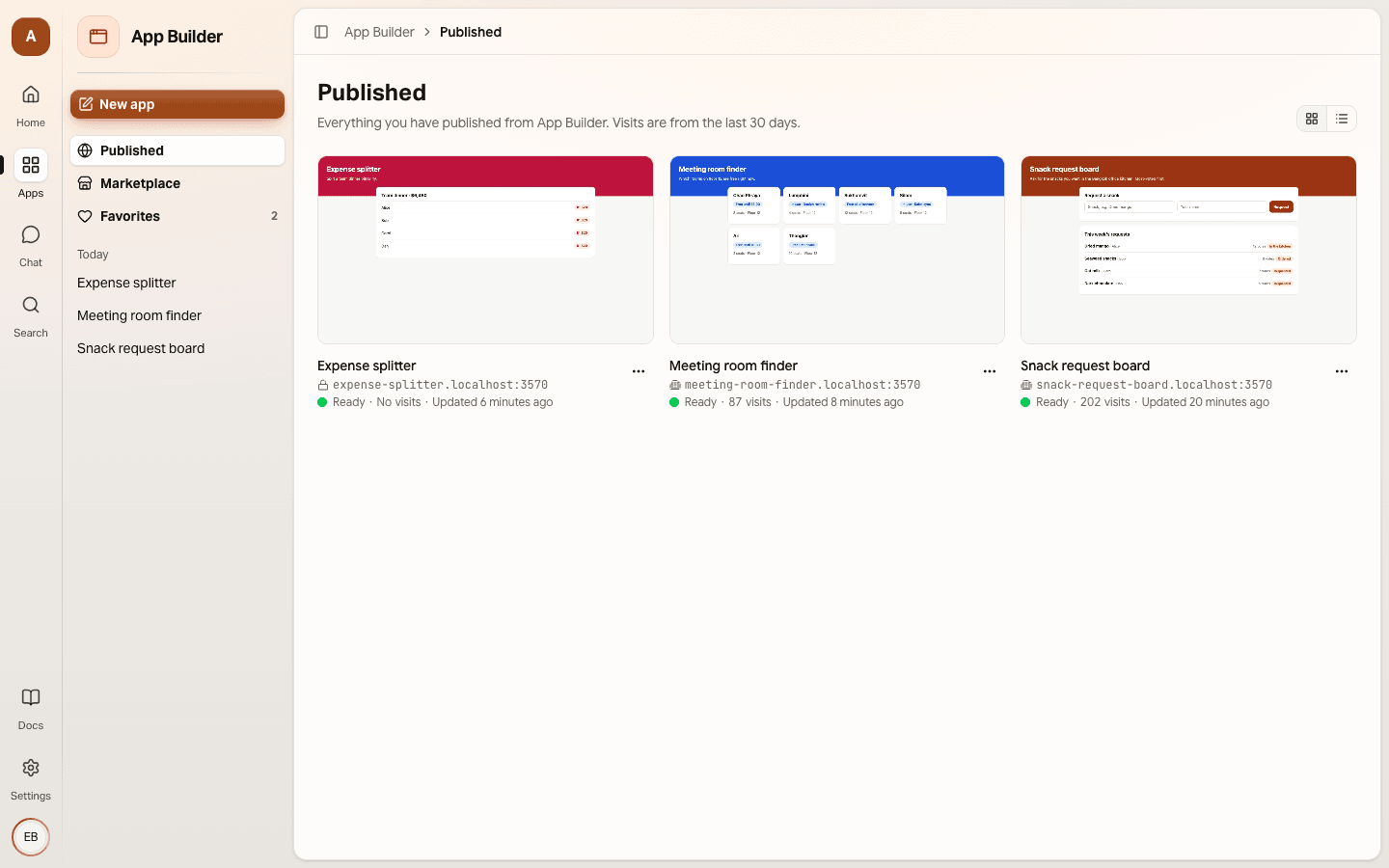
Each app shows its picture, name, address and a status line:
- the publish status: Ready, Publishing… or Last publish failed;
- the number of visits in the last 30 days, such as 202 visits, which links to the app's Analytics (see Analytics for how visits are counted);
- when the app last changed, such as "Updated 4 minutes ago".
The icon before the address shows who can open the site: a lock for Restricted, a building for Anyone in {workspace}, a globe for Anyone with the link. See Share your app.
The picture is a screenshot of the live site, taken automatically after each publish. Until it is ready, the app's initials show instead, over its address with a lock for a Restricted site or a building for one open to the workspace. You cannot upload your own.
The list shows your own apps only, newest change first, 24 at a time; scroll or click Load more for more. The grid and list buttons at the top right switch the layout, and the browser remembers your choice.
Click an app's name to open it in App Builder. Click ⋯ for its menu: Open site, Settings, Analytics, Database, Audit log and Delete.
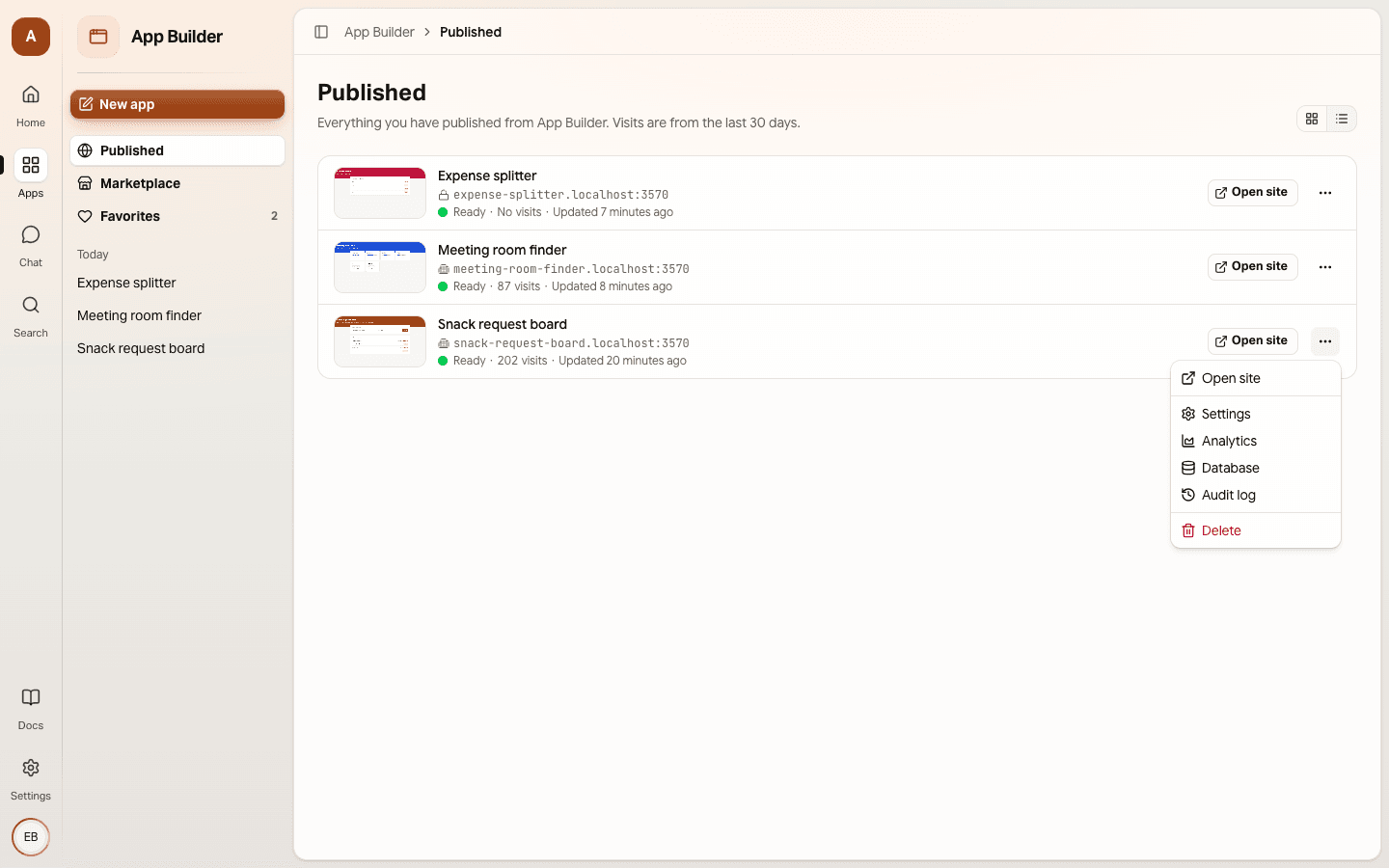
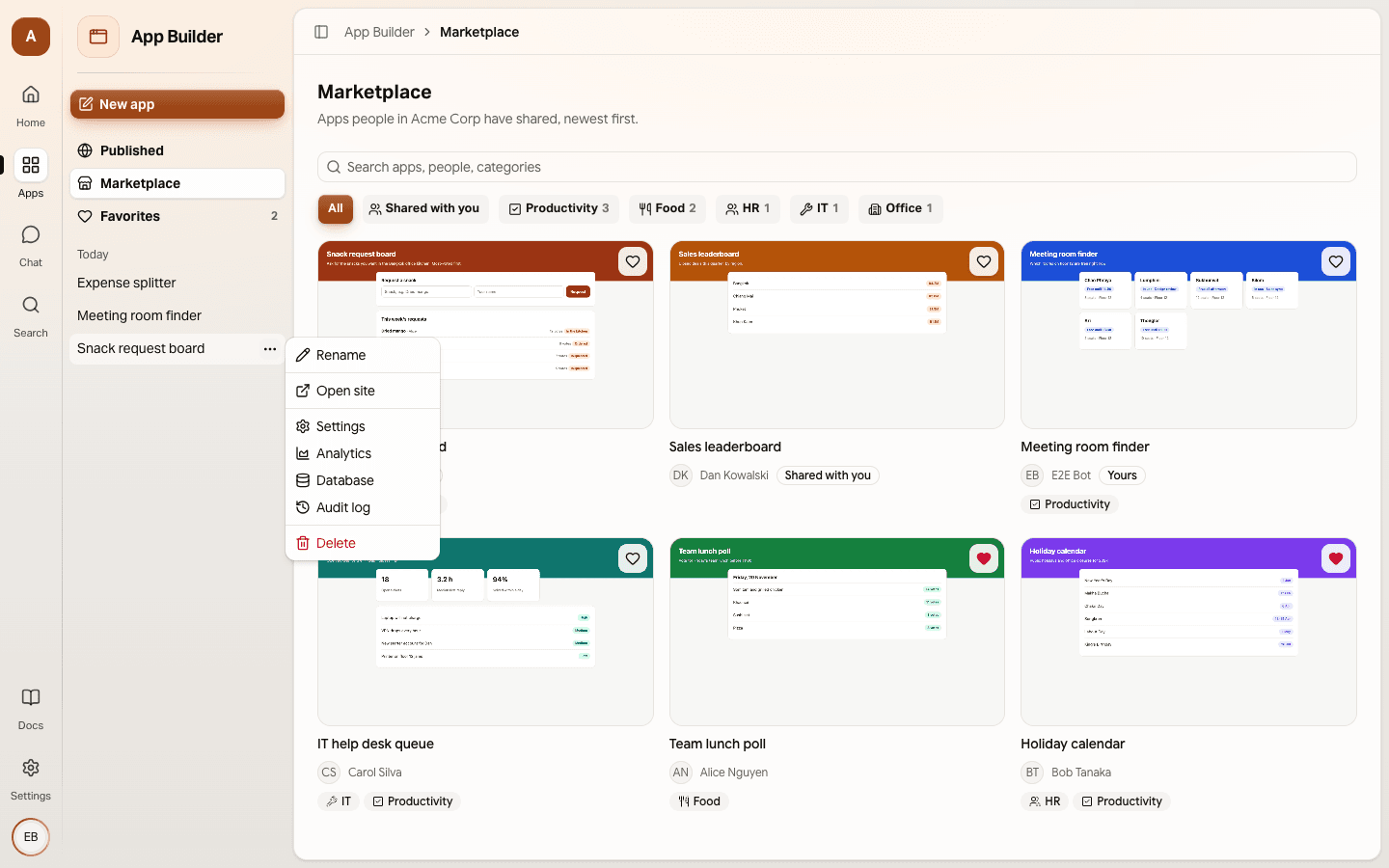
The same items are in the ⋯ menu of the app in App Builder's sidebar, together with Rename:
If you have published nothing yet, the page says No published apps with a New app button.
Settings
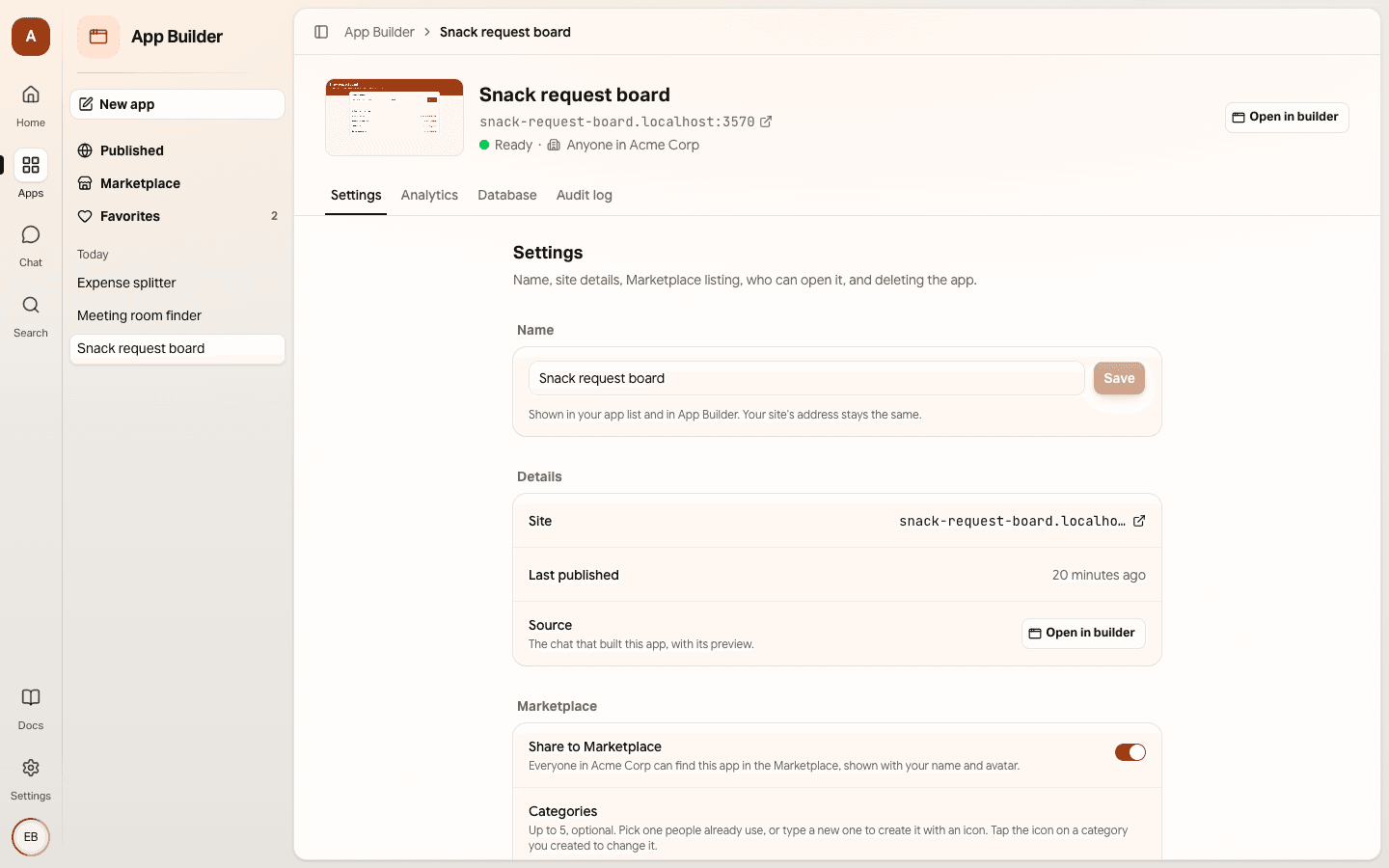
The header shows the app's picture, name, address, status and who can open it. Open in builder opens the chat that built it. Settings has these parts:
| Part | What it holds |
|---|---|
| Name | The app's name. Owner only. See Rename an app. |
| Details | The site's address, when it was last published, and the chat that built it. |
| Marketplace | Share to Marketplace and its categories. See List your app. |
| Access | Who can open the site, such as "You and 3 people", and Share. See Share your app. |
| Danger zone | Delete app…. Owner only. |
A member who manages everyone's apps sees "· Owned by {owner}" in the header, and no Name or Danger zone.
Rename an app
Type a new name under Name and click Save. Under the field, Settings says "Shown in your app list and in App Builder. Your site's address stays the same." You can also pick Rename in the sidebar's ⋯ menu.
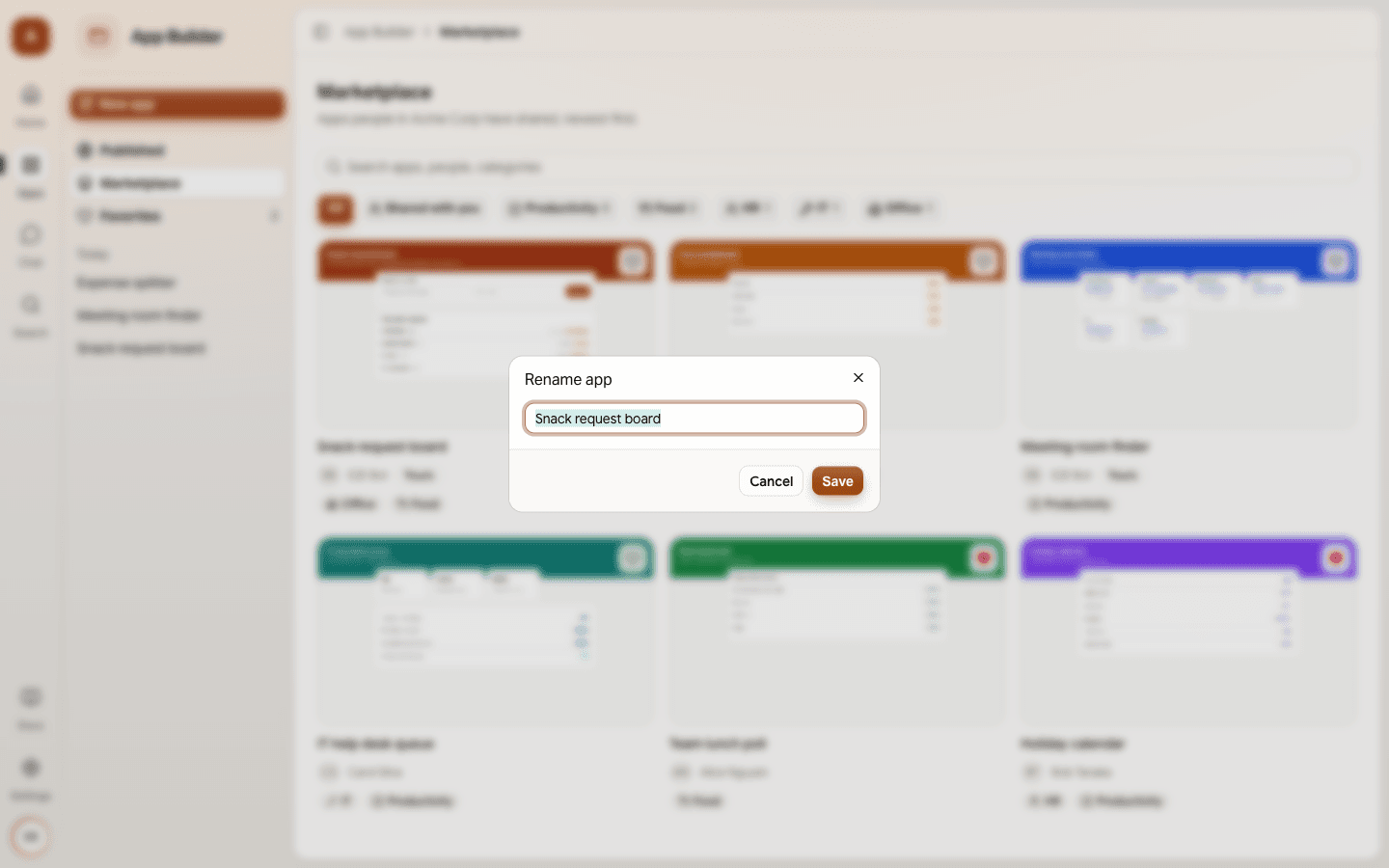
The name can be up to 200 characters. Only the owner can rename an app.
Delete an app
Deleting takes the site offline, deletes its database and its data, and deletes the chat that built it. It cannot be undone.
- Click Delete app… under Danger zone, or Delete in a ⋯ menu.
- Type the site id shown in the dialog, the first part of the address, such
as
expense-splitter. It is case-sensitive. - Click Delete app. A toast says App deleted.
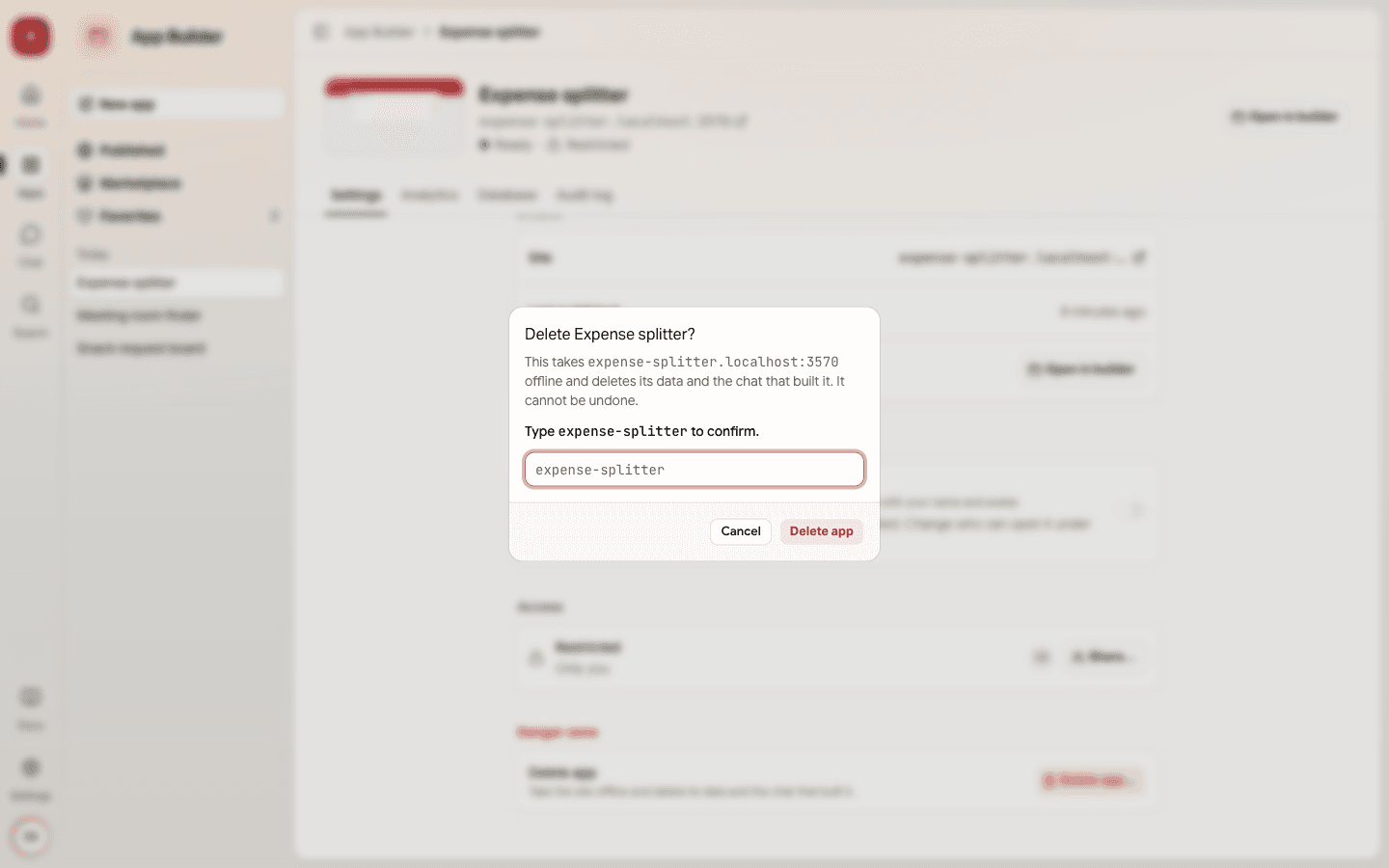
Only the owner can delete an app. If deleting is refused, the dialog stays open and says why:
| Message | What to do |
|---|---|
| "Type the site id exactly to confirm." | Check the id; capital letters count. |
| "This app is still publishing. Wait for it to finish, then delete it." | Wait for the publish. |
| "The agent is still replying. Try again in a moment." | Wait for the reply, or stop it. |
| "This app is already being deleted. Wait for it to finish." | Wait. |
| "The app is offline, but its data could not be deleted. Try again." | Try again: the site is already down. |
| "Only the app's owner can delete it." | Ask the owner. |
To keep your app but stop others opening it, set it to Restricted with nobody added, so only you can open it. Owners have no switch to take their own site offline; members who manage everyone's apps can take a site down.
If your site was taken down
A member who manages everyone's apps (workspace owners and admins by default) can take a site down from Settings › Workspace › App Builder, and an AINOX platform admin can from the platform console. They give a reason. See Manage App Builder in your workspace.
What changes for you:
- The site's address stops working, for good: a later publish gets a new address.
- The site's database and its data, its visitors and its Analytics are deleted. So are its Marketplace listing, its categories on that listing, everyone's favorites of it, and the people it was shared with.
- The app leaves Published. Its Settings, Analytics, Database and Audit log open App Builder instead, as for an app never published.
What you keep: the app, its chat, its project and its versions.
When you open the app in App Builder, the header shows Site taken down. Click it to open Your site was taken down: who took it down (the manager's name, or "A platform admin"), the site id, when, and the reason.
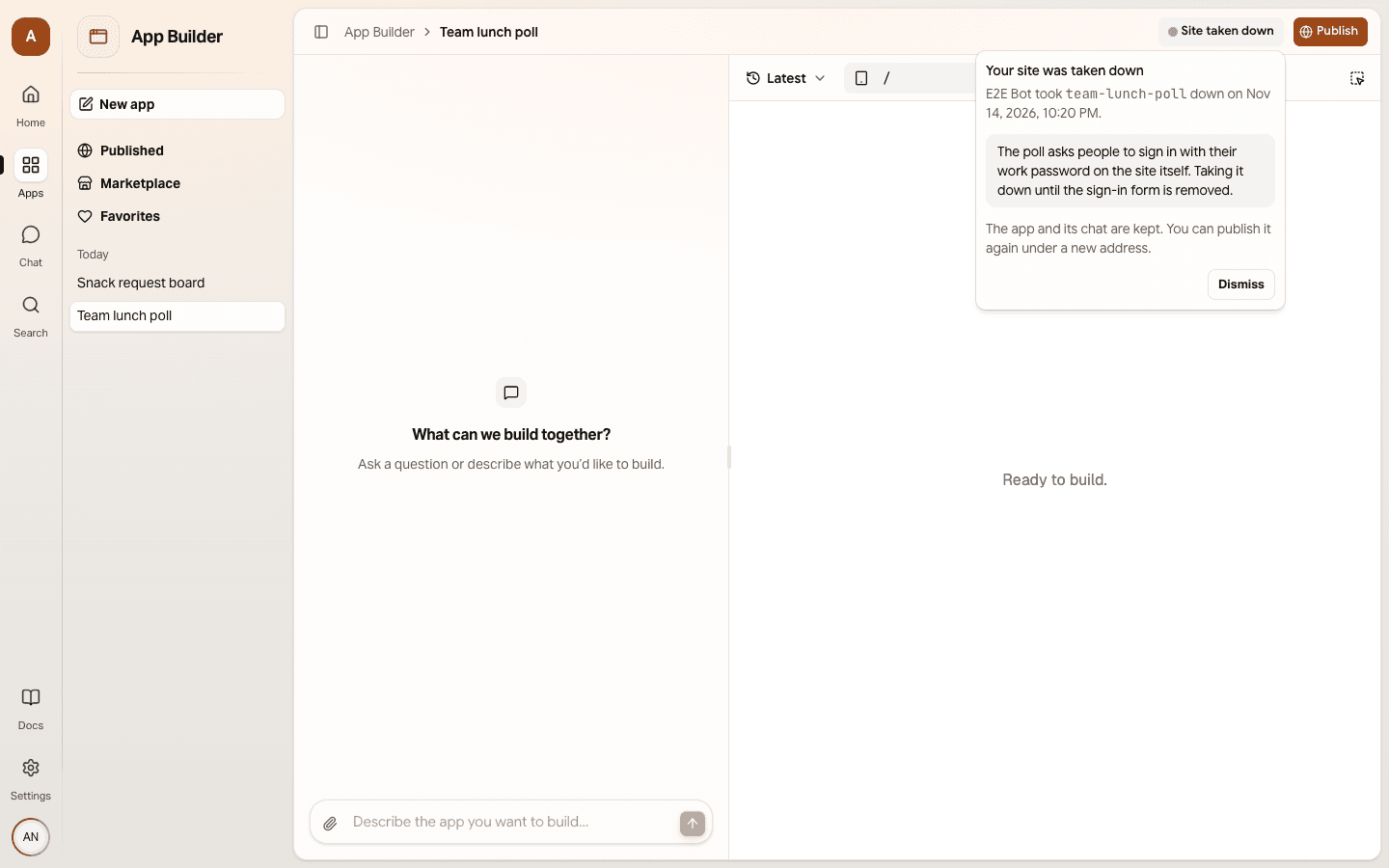
To publish again, fix what the reason says and publish as you did the first time: the site gets a new address, starts Restricted, and is not in the Marketplace. Click Dismiss to hide the notice; it also goes away once a publish starts.
Analytics
Analytics shows how many people visit the site.
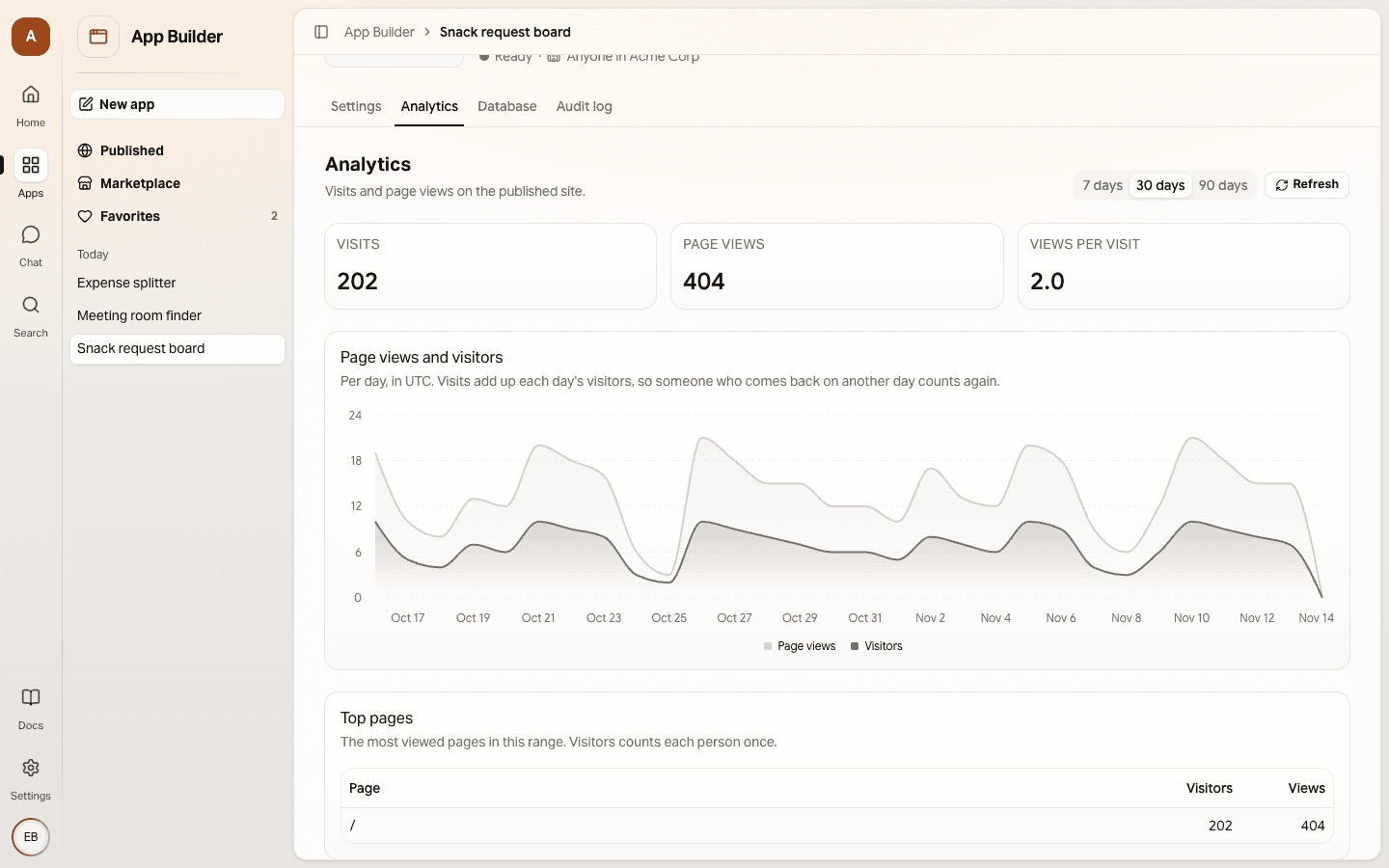
- Pick 7 days, 30 days or 90 days. Days are in UTC, ending today.
- Visits, Page views and Views per visit sum up the range.
- Page views and visitors charts each day.
- Top pages lists the 10 most viewed pages, with how many people viewed each.
A visitor is one browser on one network. Each day counts its own visitors, and Visits adds those days up: the same person on two days is two visits, as the chart says ("Visits add up each day's visitors, so someone who comes back on another day counts again."). The Visitors column of Top pages counts each person once over the whole range. No cookies are used. Bots, crawlers and headless browsers are not counted, and neither is the site shown inside another page.
With no visits in the range, the page says No visits yet.
Database
Database shows the live data visitors stored on the site, read-only.
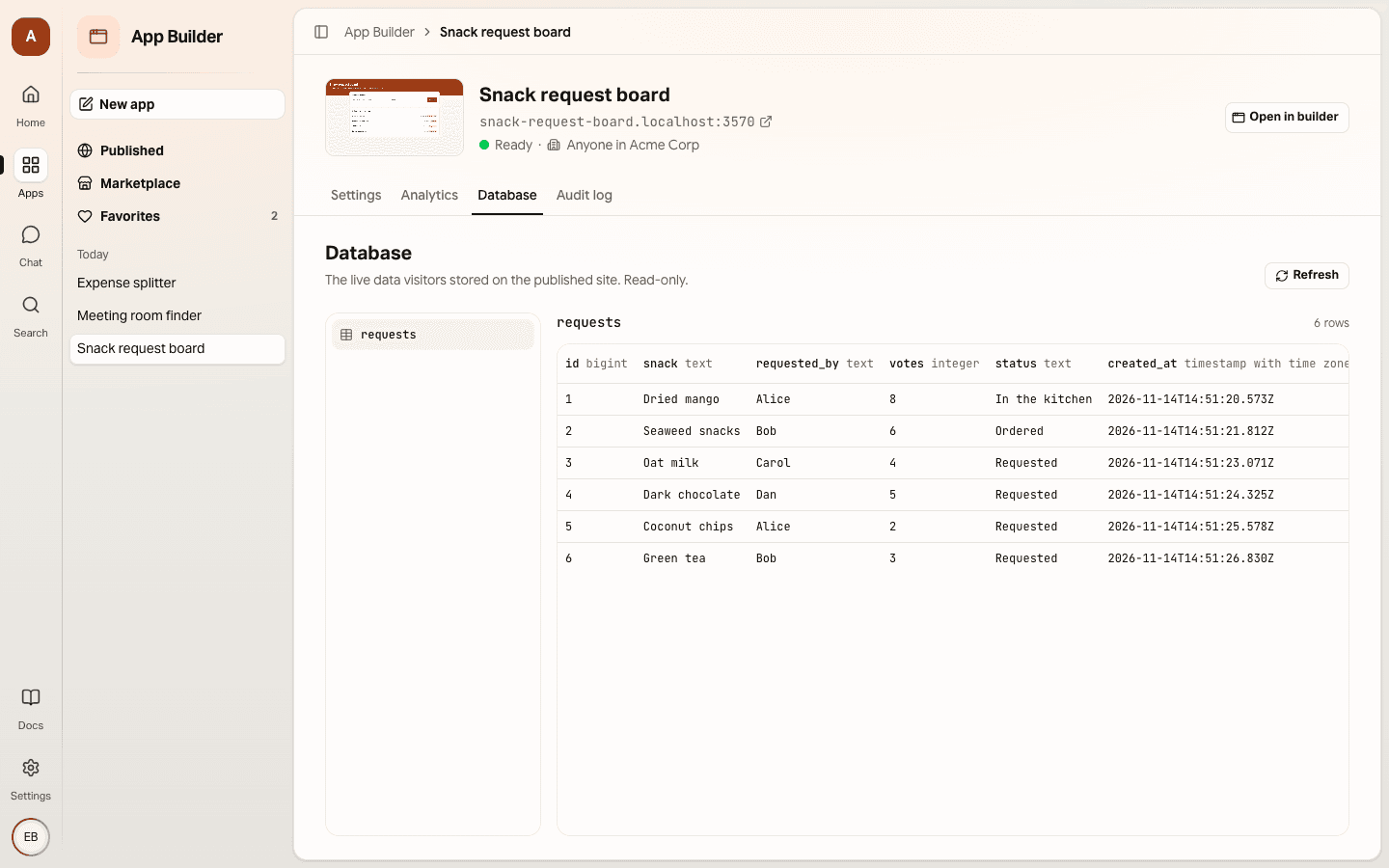
- The tables are the ones the app's migrations created. Pick one on the left.
- Each column shows its name and type. Empty values show as null.
- The first 100 rows show; above that the page says "Showing the first 100 rows."
- It shows every row, including rows the site itself hides from visitors.
You cannot edit rows here. Ask the agent to add an admin page to the app instead. With no tables yet, the page says No tables yet: "When the app stores data, its tables will show up here after the next publish."
Audit log
The app's Audit log lists every row visitors added, changed or deleted on the site, newest first. It is not the workspace Audit Log, which records what members did to the app.
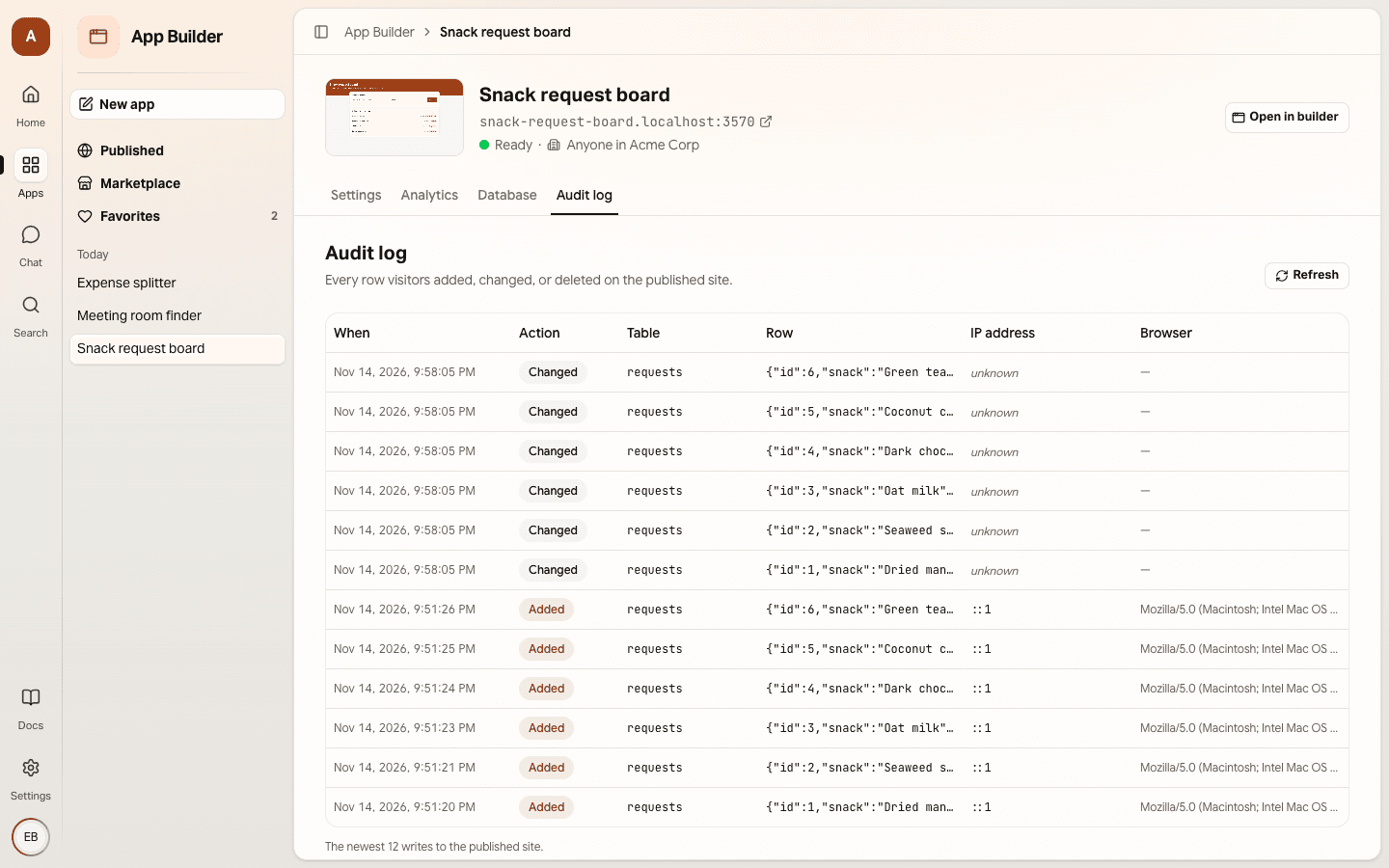
Each write shows when, Added, Changed or Deleted, the table, the row, and the visitor's IP address and browser. Writes made by the app's migrations show the IP address as unknown. The newest 100 writes show, and the list refreshes every 2 seconds while you look at it.
When a section cannot load
| Message | Meaning |
|---|---|
| App not found — "It may have been deleted, or you don't have access to it." | The app is gone, or you are neither its owner nor a manager. |
| Could not load this app | Click Try again. The app and its site are unaffected. |
| "This server has no apps database, so there is no site data to show. Ask your administrator to set one up." | A server setting: ask whoever runs your AINOX server. |
| "What is shown may be out of date." | A refresh failed. Click Try again. |
An app that was never published opens in App Builder instead.