App Builder over MCP
Let Claude Code, Cursor or any MCP client build, read and publish your App Builder apps with an API key.
App Builder has a Model Context Protocol server. Connect an MCP client such as Claude Code, Cursor, VS Code or Codex with an API key, and it can start apps, follow the agent while it builds, read the code it wrote and publish the site, all without opening App Builder.
The agent inside App Builder still does the building. Your client sends it prompts, waits, and reads the result. Every app it starts is an ordinary app: it shows in App Builder's sidebar, and you can open it there at any time. See Build an app by chatting for App Builder in the browser.
Prerequisites
- Access to App Builder in the workspace, which comes with workspace membership. An account without it sees neither the scope nor the connection details below.
- An API key with the App Builder (MCP) scope, created in the workspace the apps should live in. A key belongs to one workspace: it reaches your apps in that workspace only.
What a client can do
| Task | Tools |
|---|---|
| Find your apps | list_apps, get_app |
| Start an app, or ask for changes | create_app, send_message |
| Follow the agent's reply | get_app, list_messages |
| Answer the agent's questions | resolve_tool_call |
| Read the code | list_files, read_file |
| Publish the site | publish |
| Share it to the Marketplace, or find others' apps | set_marketplace_listing, list_marketplace |
| Cancel a reply | stop_run |
A client cannot rename or delete an app, change who can open its site, or take the site down. Do those in App Builder.
See Build an app over MCP for the loop a client follows, and the tool reference for every tool.
Set it up
-
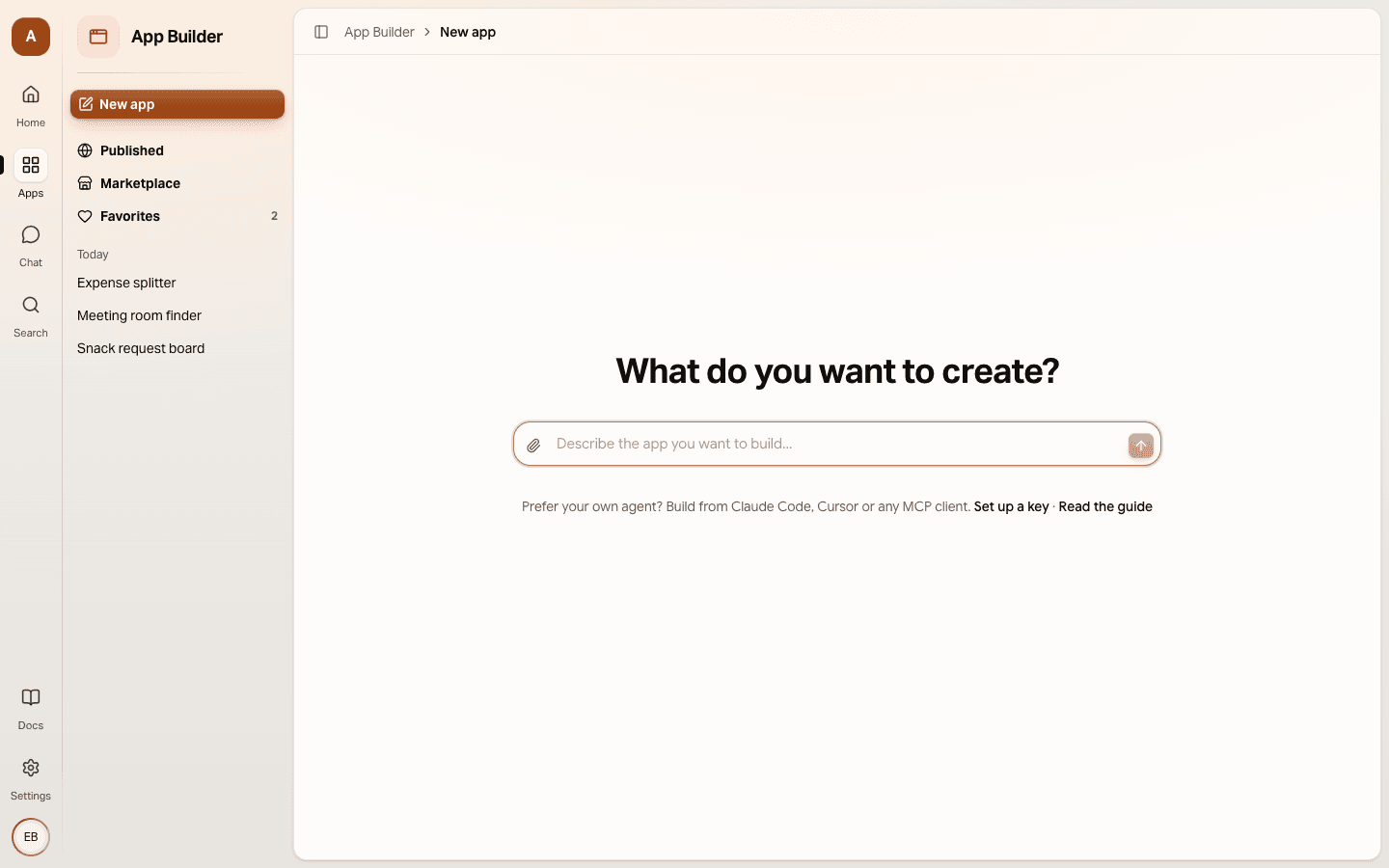
Open App Builder. Under the prompt on the New app page, Set up a key takes you to the API access settings, and Read the guide opens this page.
-
On Settings › API access, click Create key. Name the key after where it will live, such as
Claude Code on my laptop, and tick App Builder (MCP) in the scopes table. A key only needs this one scope to use App Builder; add others only if the same tool also calls the rest of the API.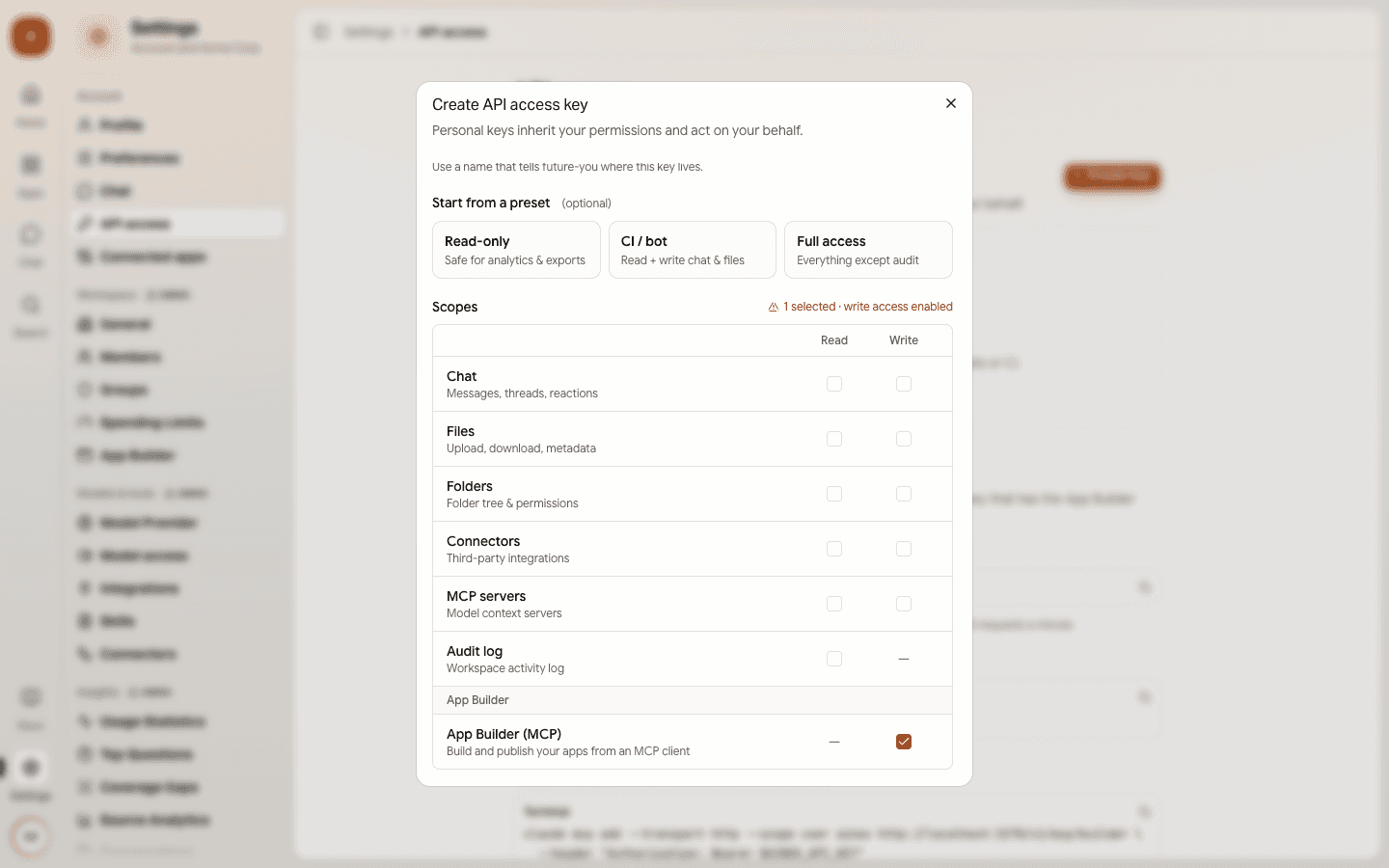
A key with this scope allows 120 requests a minute, the most the MCP server accepts. The rate limit defaults to 120 a minute. A lower rate, or a window shorter than 60 seconds under Advanced options, is refused, because the key would run out before the server does.
-
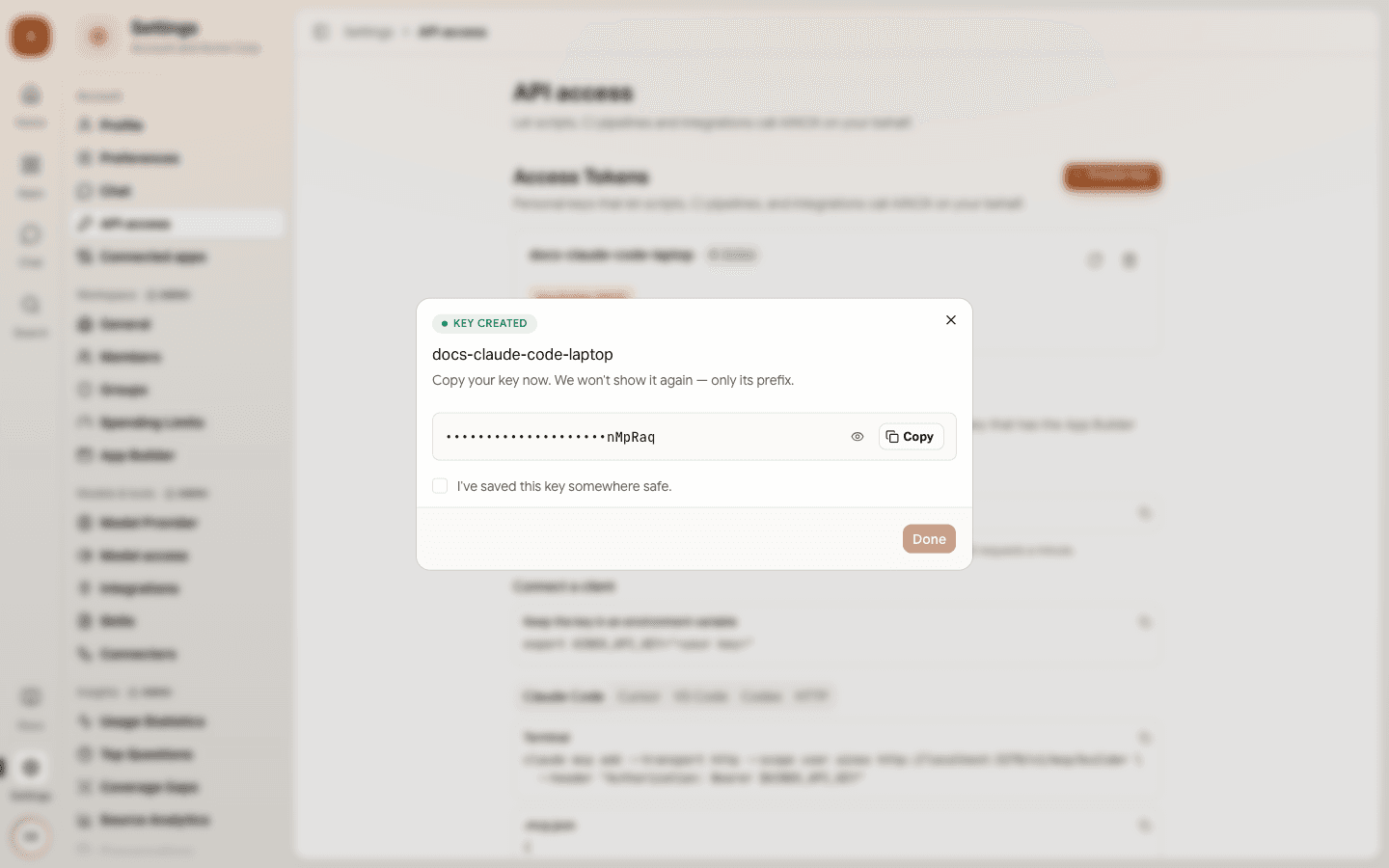
Click Create key and copy the key. It is shown only once.
-
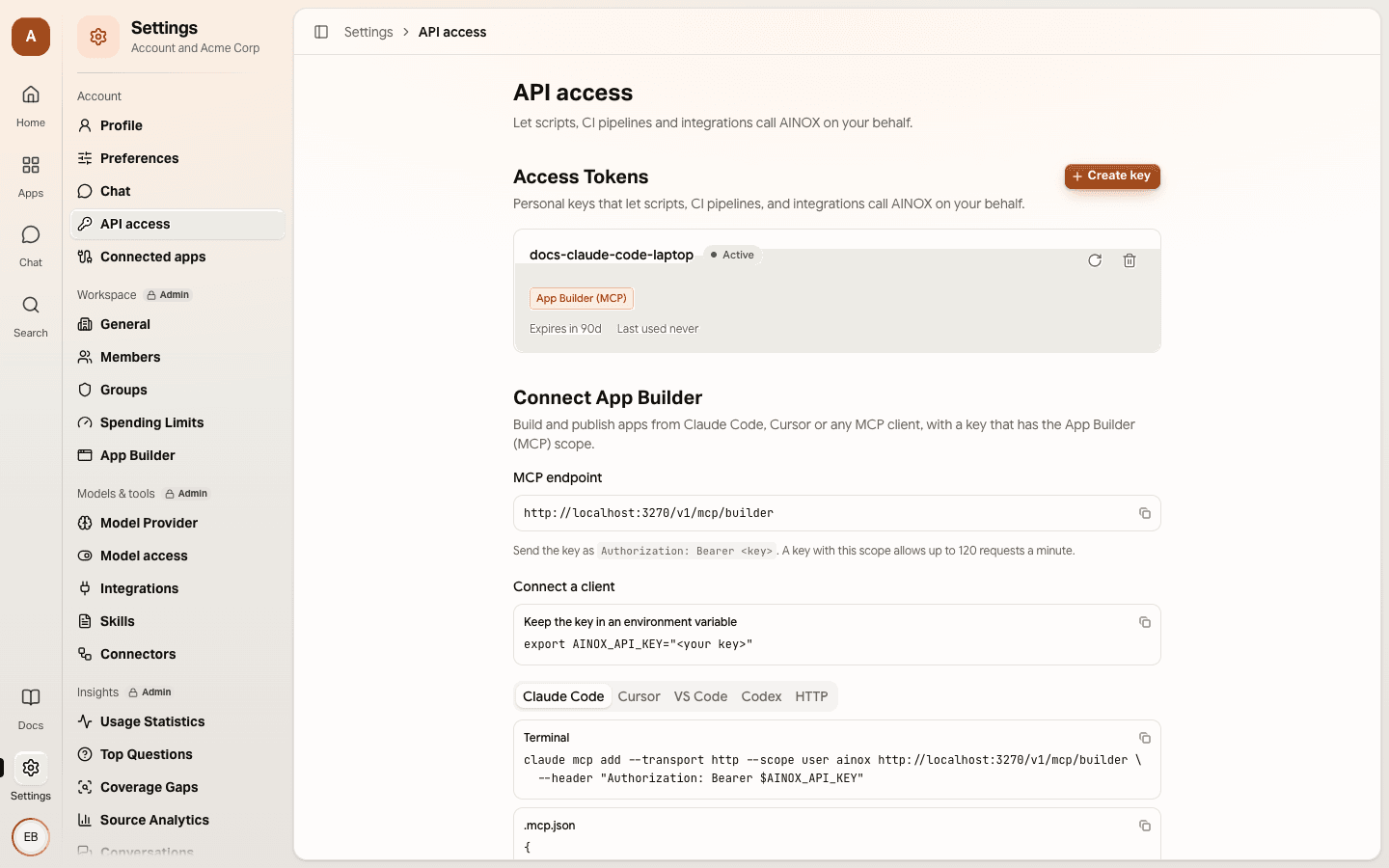
The key appears in the list with the App Builder (MCP) scope.
-
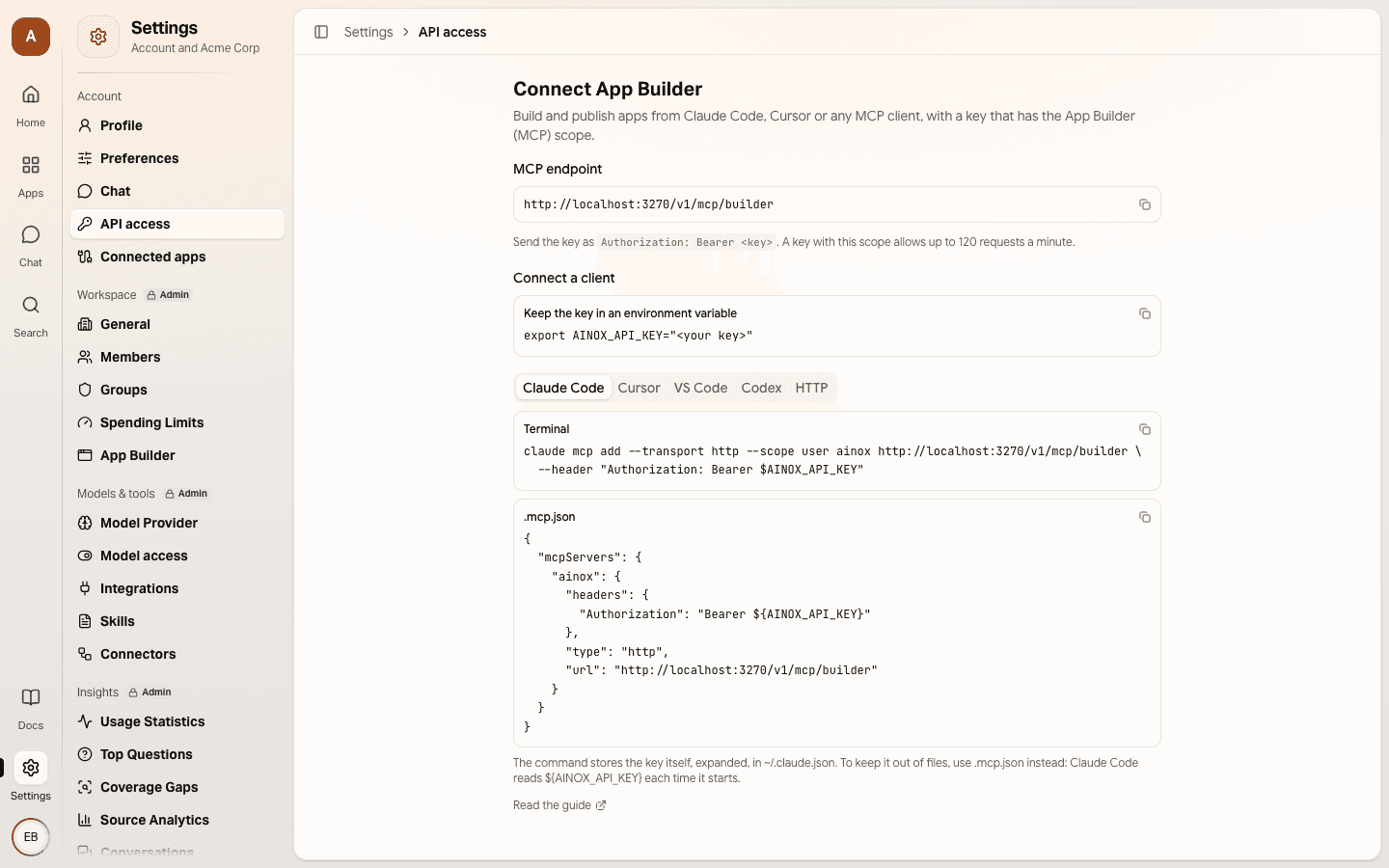
Below your keys, Connect App Builder shows the MCP endpoint with a copy button, and the setup for each client. Follow Connect a client from here.
How the server works
-
One endpoint. MCP over Streamable HTTP at
/v1/mcp/builderon the AINOX API, the address Connect App Builder shows. -
One header. Send the key as
Authorization: Bearer <key>on every request. -
No session. Every request stands alone: there is no session to open or keep alive, and a client may call
tools/listortools/callstraight away. -
One call per request. Send one JSON-RPC message per request; a batch (a JSON array) is refused.
-
Tools return at once. The agent keeps working after
create_app,send_message,resolve_tool_callandpublishanswer. The client pollsget_appto see where it stands. -
Audited as you, through the key. A publish, and a Marketplace listing change, made over MCP appear in the workspace's Settings › Audit Log under your name, with "Through API key “<key name>”" at the end of the row, so admins can tell which key made them.
A key is your account
Anything that holds the key can read your apps and publish them as you, in the key's workspace. Keep it in an environment variable or a secret store, not in a committed file, and give each machine or tool its own key so you can revoke one without breaking the others.
Give your agent this guide
The pages of this guide are also served as one agent skill at
/skills/app-builder/SKILL.md on this site.
For Claude Code, save it as ~/.claude/skills/ainox-app-builder/SKILL.md; the
agent then reads it when you ask it to work with App Builder.
Revoke a key
On Settings › API access, click the bin icon on the key and confirm. A client using it is refused from its next request. Rotate key issues a new key with the same name, scopes, lifetime and rate limit, and revokes the old one. A key with App Builder (MCP) that allowed fewer than 120 requests a minute comes back with 120.