App Builder in your workspace
Find your apps in workspace search, read App Builder events in the workspace Audit Log, and give members App Builder permissions through groups.
App Builder shows up outside its own pages too: in the workspace search, in the workspace Audit Log, and in the permissions a group can grant.
Search with ⌘K
Press ⌘K (Ctrl+K on Windows and Linux), or click Search in the left rail, and type.
-
Under App Builder: your own apps, by name. They show once you type. Pick one to open it in App Builder.
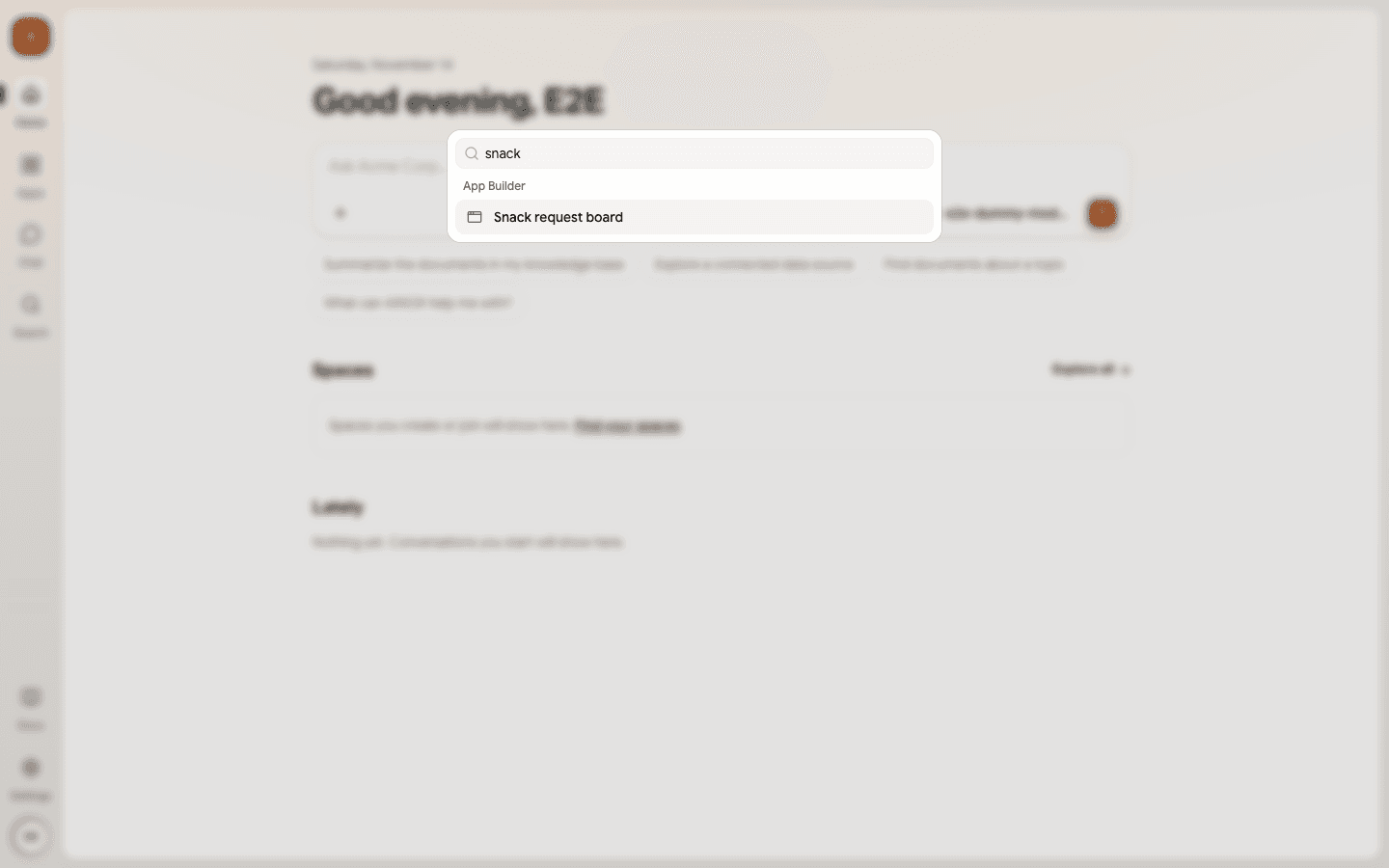
-
Under Pages: Published, Marketplace and Favorites, tagged App Builder.
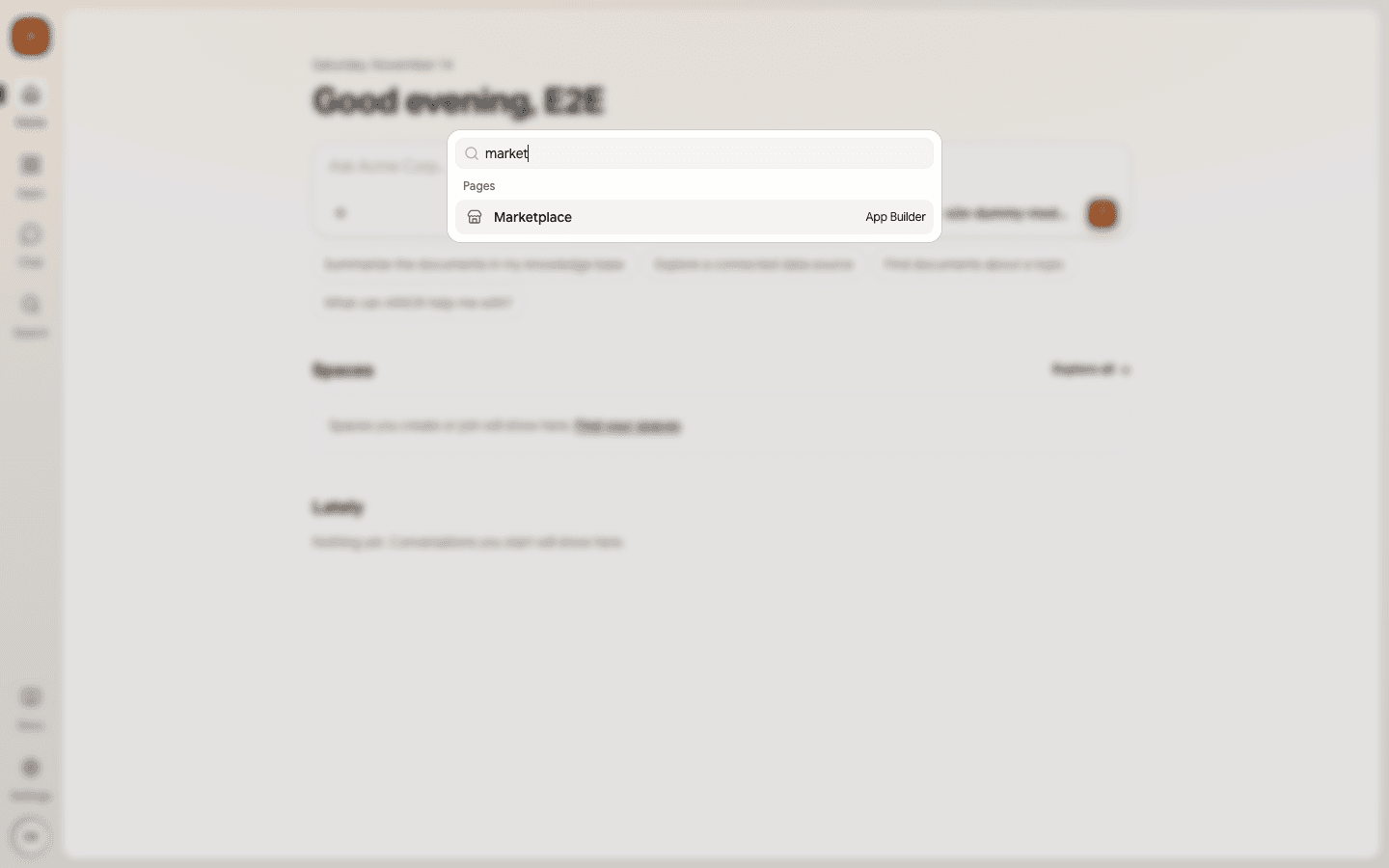
-
Under Apps: App Builder itself.
Search finds only your own apps, published or not. To find apps others built, use the Marketplace.
Workspace Audit Log
Admins with access to Settings › Audit Log (under Insights) see what members did to their apps, and what managers did to sites and Marketplace categories. App Builder events have the category App Builder and the entity App, or Category for category events. Filter by category, or search for "app".
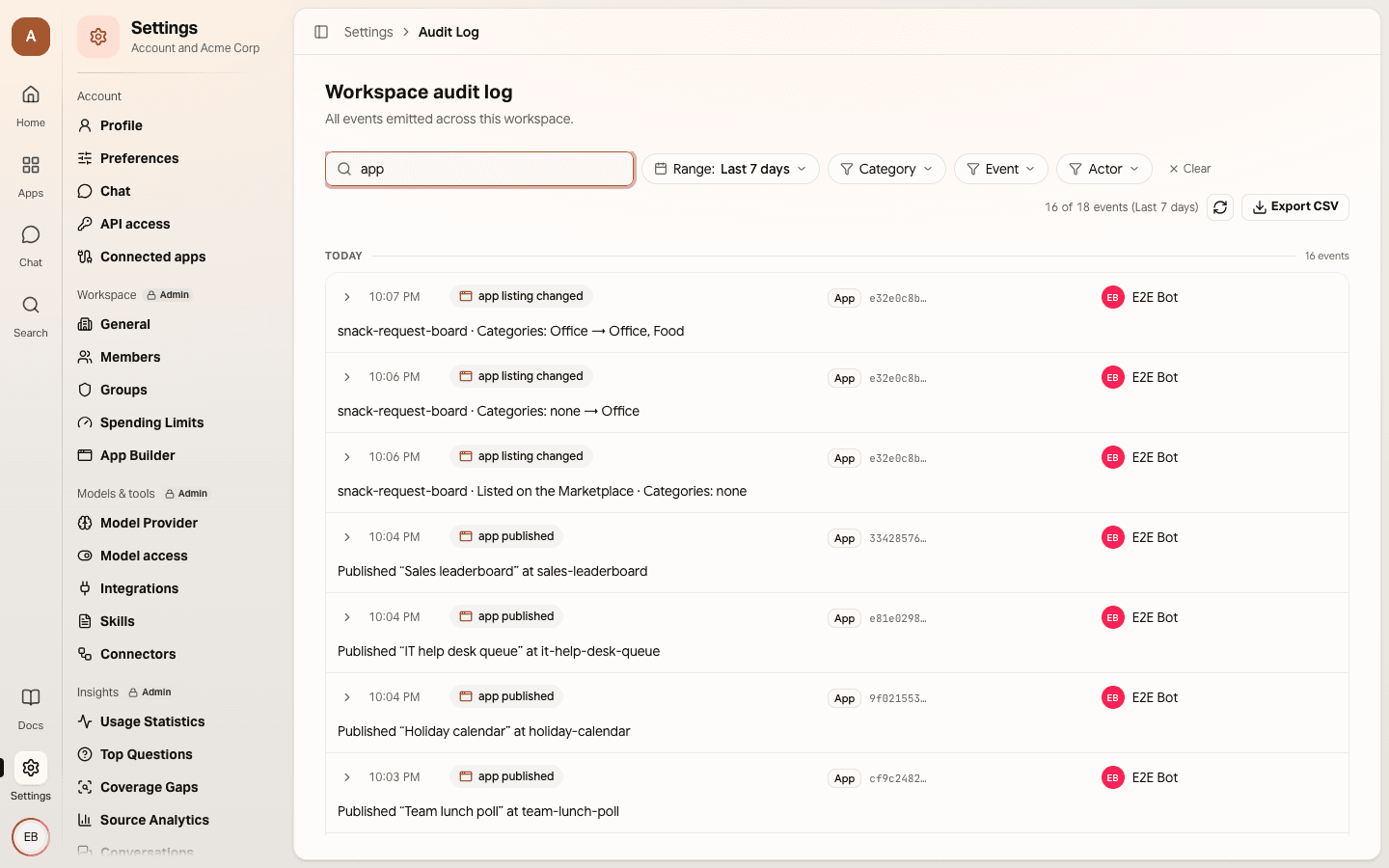
| Event | Summary line |
|---|---|
| app published | "Published “{name}” at {site id}" |
| app republished | "Republished {site id} · Attempt {n}" |
| app access changed | "{site id}", then " · {before} → {after}" if the mode changed, " · Added {people}", " · Removed {people}" and " · Taken off the Marketplace" when they apply |
| app listing changed | "{site id} · Listed on the Marketplace · Categories: …", "{site id} · Categories: {before} → {after}" or "{site id} · Taken off the Marketplace" |
| app deleted | "Deleted “{name}” and its site {site id}", or "Deleted “{name}”" for an app never published |
| app site taken down | "Took down {site id} of “{name}” · {reason}", or "… of “{name}” by a platform admin · {reason}" |
| category created | "Created “{name}”" |
| category renamed | "Renamed “{old name}” to “{name}” · Used by {n} apps" |
| category icon changed | "Changed the icon of “{name}” · {old icon} → {new icon}", such as "Wallet → Sparkles" |
| category deleted | "Deleted “{name}” · Taken off {n} apps", or "Deleted “{name}” · No apps used it" |
- app published is recorded when the first publish starts, so it also shows for a first publish that later failed.
- Up to 3 people are named, then "and {n} more". Someone who left the workspace shows as "a former member".
- An action made through an API key, such as from an MCP client, ends with " · Through API key “{key name}”", or " · Through an API key" if the key has no name.
- A site taken down or an app deleted from the AINOX platform console shows Platform admin as the actor, not a person.
- The category events come from Settings › Workspace › App Builder only. Creating a category or changing its icon while listing an app is not recorded. See Manage App Builder in your workspace.
What visitors change in a site's data is in that app's own Audit log, not here. See Workspace audit log for filters and export.
Permissions
Every workspace member can use App Builder: build apps, publish them, share them with people in the workspace and list them in the Marketplace. This comes with membership; it cannot be taken away per member or group.
Two more permissions delegate what owners and admins do. Grant them under Settings › Groups, in the App Builder scope of a group.
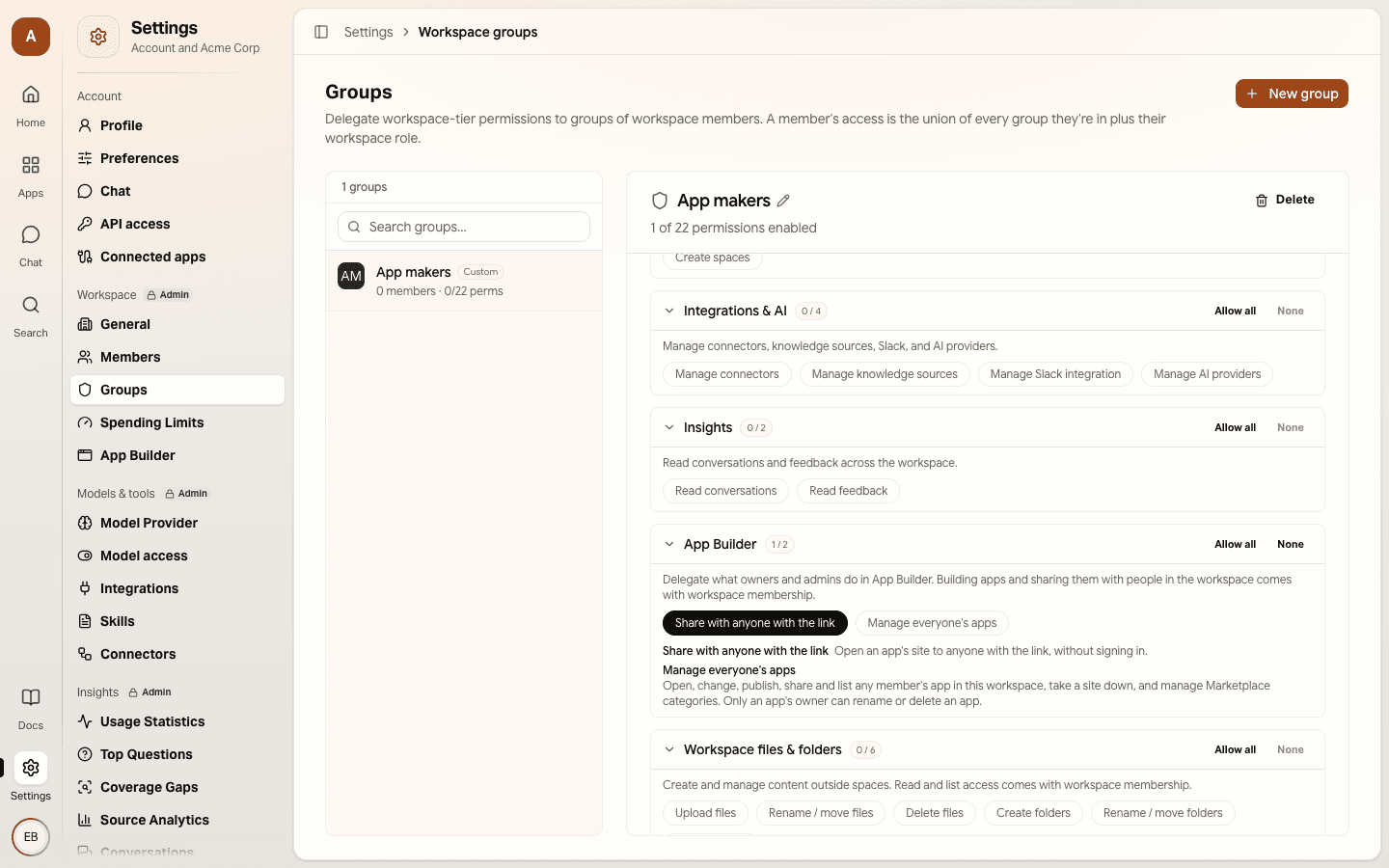
| Permission | Lets members |
|---|---|
| Share with anyone with the link | "Open an app's site to anyone with the link, without signing in." |
| Manage everyone's apps | "Open, change, publish, share and list any member's app in this workspace, take a site down, and manage Marketplace categories. Only an app's owner can rename or delete an app." |
| Role | Use App Builder | Share with anyone with the link | Manage everyone's apps |
|---|---|---|---|
| Owner | Yes | Yes | Yes |
| Admin | Yes | Yes | Yes |
| Member | Yes | Through a group | Through a group |
The Full access group preset includes both. Manager, Content editor and Viewer include neither. You can grant only permissions you hold yourself; see Groups and permissions.
What a manager can do
A member with Manage everyone's apps can, on any member's app:
- open its chat, send prompts, and restore versions;
- download its code and publish it;
- change who can open it and its Marketplace listing;
- see its Settings, Analytics, Database and Audit log;
- take its site down, and create, rename, re-icon and delete the workspace's Marketplace categories.
They cannot rename or delete it; only the owner can. Their own Published list and ⌘K still show only their own apps. To find another member's published app, open Settings › Workspace › App Builder: it lists every published app in the workspace, with Open in builder in each row's ⋯ menu. See Manage App Builder in your workspace. An app that was never published opens only from its address in App Builder, such as a link the owner sends.
Notes
- Permission changes can take up to a minute to show in the app.
- Usage limits for App Builder prompts are set per Model Provider under Settings › Model Provider. See Usage limits.
Marketplace and Favorites
List your App Builder app in the workspace Marketplace with categories, find apps others built, and keep the ones you use in Favorites.
Manage App Builder in your workspace
Find any member's published app, take a site down with a reason, and create, rename, re-icon or delete the workspace's Marketplace categories.