Versions
See every version of your App Builder app and go back to an earlier one when a change goes wrong.
App Builder saves a version of your app at the end of every reply that changed its files. If a change breaks something, or you liked an earlier look better, restore that version. Nothing is lost: newer versions stay in the list.
Prerequisites
- An app in App Builder with at least one finished reply. See Build an app by chatting.
- No reply running. While the agent replies, the restore dialog says "Wait for the agent to finish before restoring a version." and Restore is greyed out.
See your versions
Click Latest at the left of the preview toolbar. The list shows the newest version first. Each version is named after the message that made it, with when it was saved. The one the app is on now says Current and has a tick.
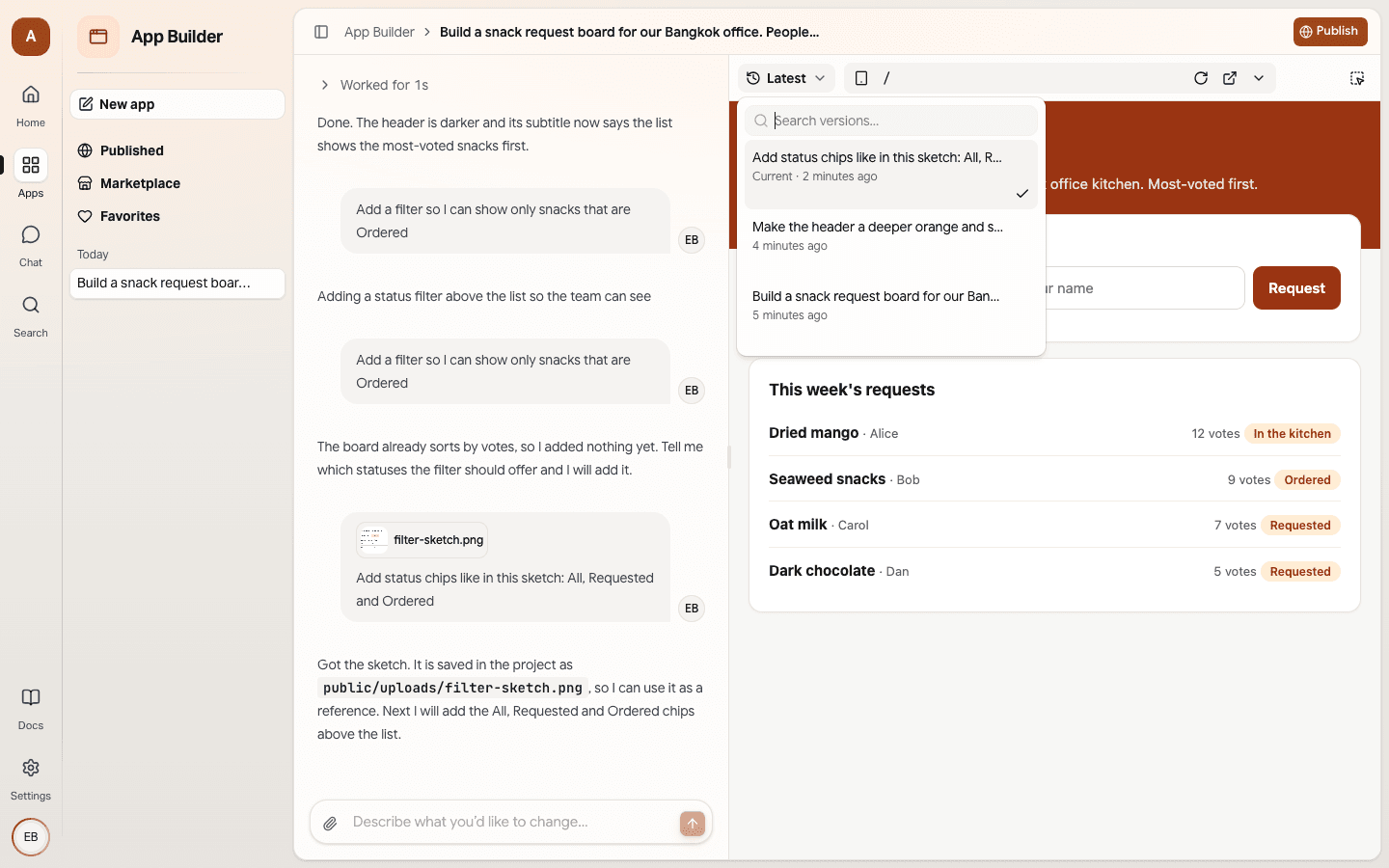
Type in Search versions… to find one by its message. The list holds up to 100 versions, and a version's name is cut to 200 characters.
| What the list says | Meaning |
|---|---|
| No versions yet | No reply has changed any files yet. |
| No versions match | Nothing matches your search. |
| "Versions need a sandbox, and this server has none." | The server cannot run apps. Ask a workspace admin. |
Restore a version
-
Open the version list and click the version you want.
-
Read the dialog and click Restore.
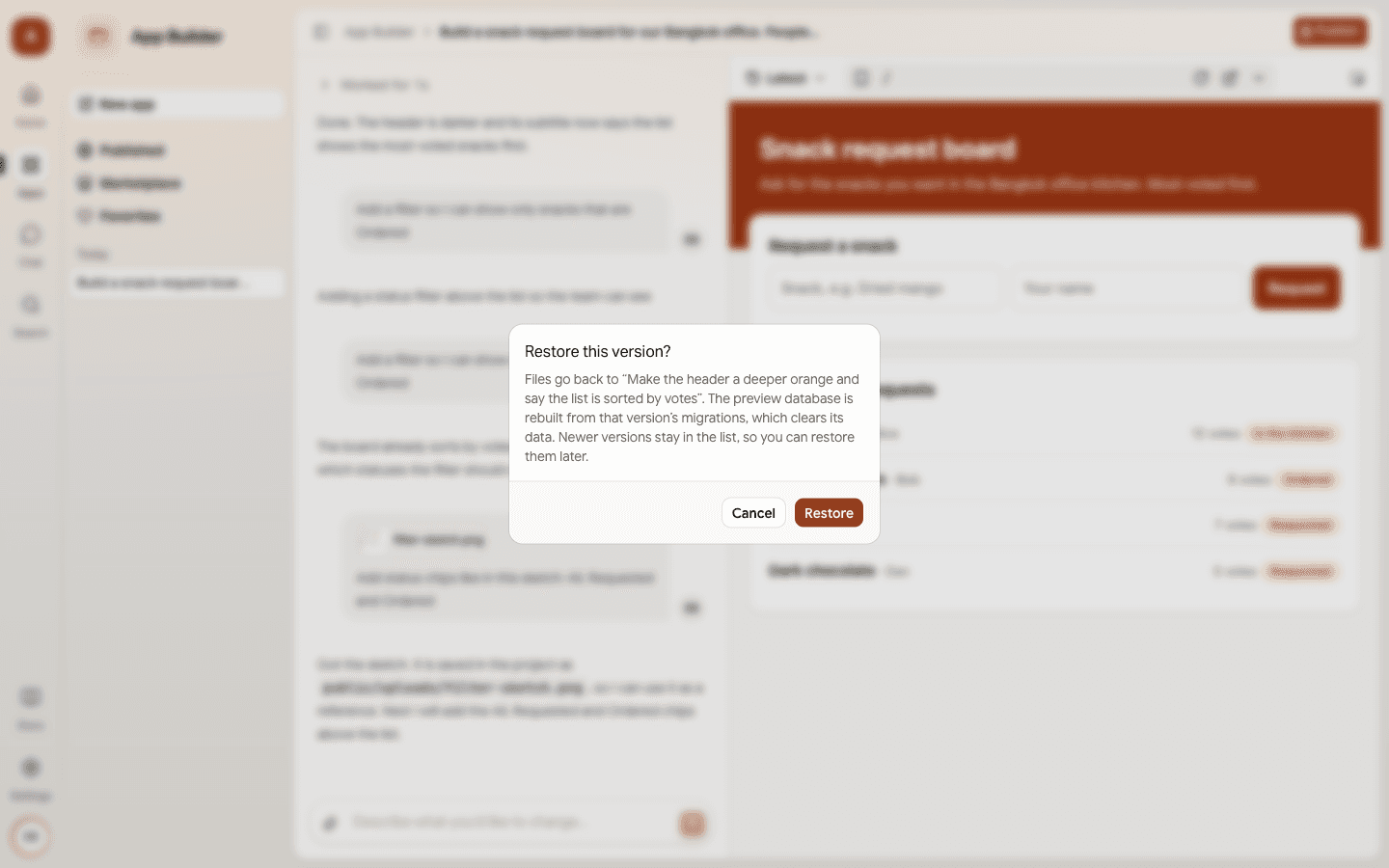
The dialog says what happens: "Files go back to “{message}”. The preview database is rebuilt from that version’s migrations, which clears its data. Newer versions stay in the list, so you can restore them later."
-
A toast confirms Version restored, and the restore itself becomes the newest version, named Restore "…". To undo it, restore the version above it.
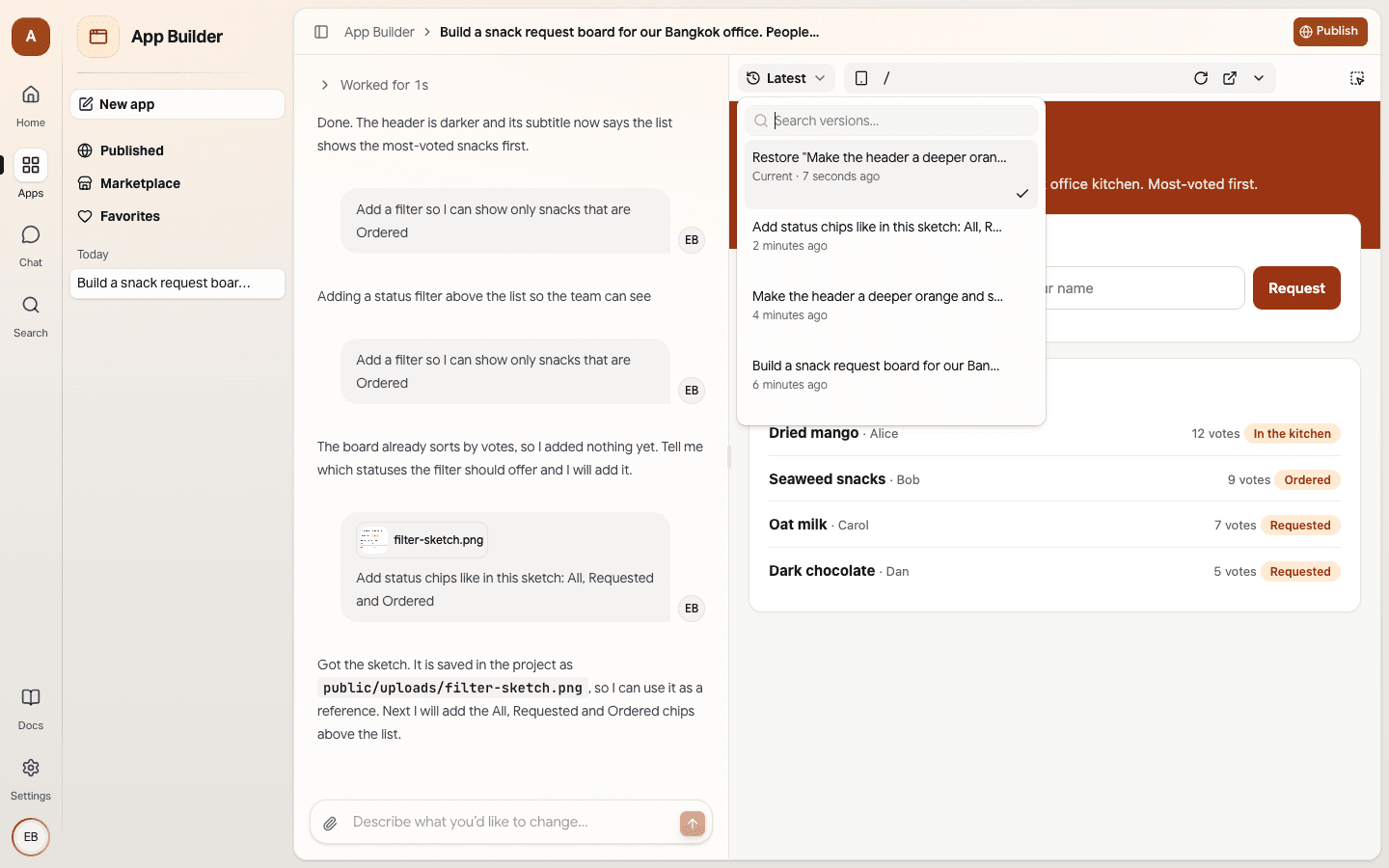
Restoring changes the preview, not the published site. To put the restored version on the web, republish.
When a restore is refused
| Message | What to do |
|---|---|
| "Wait for the agent to finish before restoring a version." | A reply is running. Wait for it, or stop it, then open the dialog again. |
| Already on this version — "The files already match it, so nothing changed." | The app's files already match that version. |
| Version not restored — "This version is missing database changes the published app already has. Restore a later version instead." | The published site's database already has tables or columns this version does not know. Restoring it would break the next publish. Pick a later version. |
| Version not restored — "This version's migrations no longer build the preview database: …" | The version's database changes fail on the preview database, for the reason shown. Pick another version, or ask the agent to fix the migrations. |
| Version not restored — "A restore is already running for this app." | Someone else, or another tab, is restoring this app. Wait, then try again. |
Compare versions
App Builder cannot show the differences between two versions. To compare them, download the zip before and after a change, or read the files over MCP.
Notes
- A reply that changed no files does not make a version.
- The preview database keeps your test data between versions, except when you restore: then it is rebuilt empty.