Connect an MCP client
Add App Builder's MCP server to Claude Code, Cursor, VS Code or Codex, or call it over plain HTTP.
Every client needs the same two things: the MCP endpoint, and an API key with
the App Builder (MCP) scope sent as Authorization: Bearer <key>.
App Builder over MCP shows how to
create the key.
Copy the endpoint
Open Settings › API access. Under Connect App Builder, the MCP
endpoint field holds the address for this AINOX installation, ending in
/v1/mcp/builder. Click its copy button. The examples below write it as
<endpoint>.
The same section has every snippet on this page with your endpoint already filled in, one tab per client, each with its own copy button.
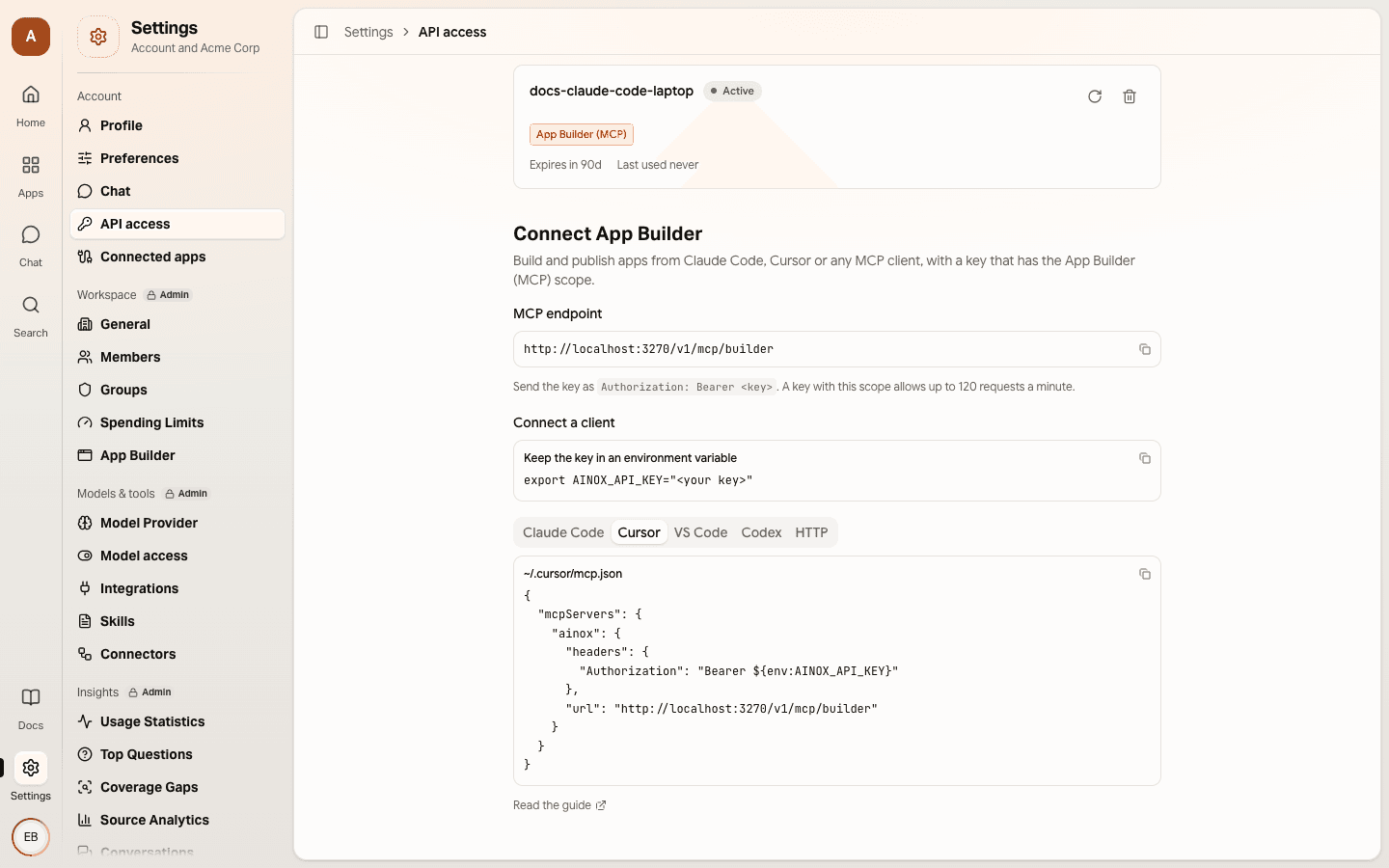
Keep the key in a variable
The snippets read the key from an AINOX_API_KEY environment variable, so it
never lands in a file you might commit:
export AINOX_API_KEY="<your key>"Add the server
Add it for yourself, in every project:
claude mcp add --transport http --scope user ainox <endpoint> \
  --header "Authorization: Bearer $AINOX_API_KEY"
Your shell expands $AINOX_API_KEY before the command runs, so Claude Code
stores the key itself in ~/.claude.json. After you rotate the key, run the
command again.
To keep the key out of files, use .mcp.json instead, in a repository or
your home folder. Claude Code expands ${AINOX_API_KEY} each time it
starts, so the file holds only the variable's name and each teammate uses
their own key:
{
  "mcpServers": {
    "ainox": {
      "type": "http",
      "url": "<endpoint>",
      "headers": { "Authorization": "Bearer ${AINOX_API_KEY}" }
    }
  }
}
Run /mcp inside Claude Code to check that ainox is connected.
Check the connection
Ask your agent to "list my AINOX apps". It should call list_apps and show
your most recently updated apps in the key's workspace. If it is refused, see
Troubleshooting.
Coming from the old App Builder
The old App Builder's server had a different address and accepted the key in
an x-api-key header. Neither works here. In an old config:
- Replace the URL (it ended in
/api/mcp/code/mcp) with the endpoint from Connect App Builder. - Replace
x-api-key: <key>withAuthorization: Bearer <key>. - Create a new key with the App Builder (MCP) scope: keys from the old App Builder do not carry over.
- Send the key on
tools/listtoo. The old server listed its tools without a key; this one answers every request without a key withMissing or malformed Authorization header. - Rename
list_threads,get_threadandcreate_threadin any saved prompts or scripts tolist_apps,get_appandcreate_app, andthreadIdtoappId.