Coverage gaps
Find the topics your workspace knowledge does not cover — questions the assistant answered without resolving them, clustered into gaps with a finding and a recommendation.
Admin → Coverage Gaps is the mirror image of Top questions. Top Questions tells you what people ask; Coverage Gaps tells you what the assistant failed to answer. Every assistant reply in the period is judged as either resolving its question or not, the unresolved ones are grouped by topic, and each group is presented as a Finding (what people asked and why the answer fell short) next to a Recommendation (what to add or fix in workspace knowledge).
Like Top Questions it is a precomputed report, not a live query, and the two share the same period tabs, the same nightly refresh, the same analysis model and the same Compute now mechanics. If you have already read the Top questions page, everything about how the computation is triggered will look familiar — this page concentrates on what is different: the judging step, and what a gap actually contains.
Prerequisites
- The
workspace:read_usagepermission — listed as Read usage & top questions when you build a group. Workspace owners and admins have it; other members need it granted through a group. Without it the page shows "Coverage Gaps is restricted to admins and owners." - The
conversation:readpermission, if you want to click a sample question through to its transcript. Optional — without it the questions are still listed, just not clickable, and a note reads "Conversations access is required to open transcripts." - An analysis model configured by whoever runs the platform. It is the same server-side setting Top Questions uses, and the same model also does the resolved / unresolved judging, so one setting switches both reports on. There is no screen for it.
- Real chat activity: at least 5 distinct unresolved questions inside the selected period. Duplicates are collapsed first, so five people asking the same thing counts as one.
Read the report
-
Open Admin from the left navigation, then choose Coverage Gaps under Usage in the admin sidebar — directly below Top questions.
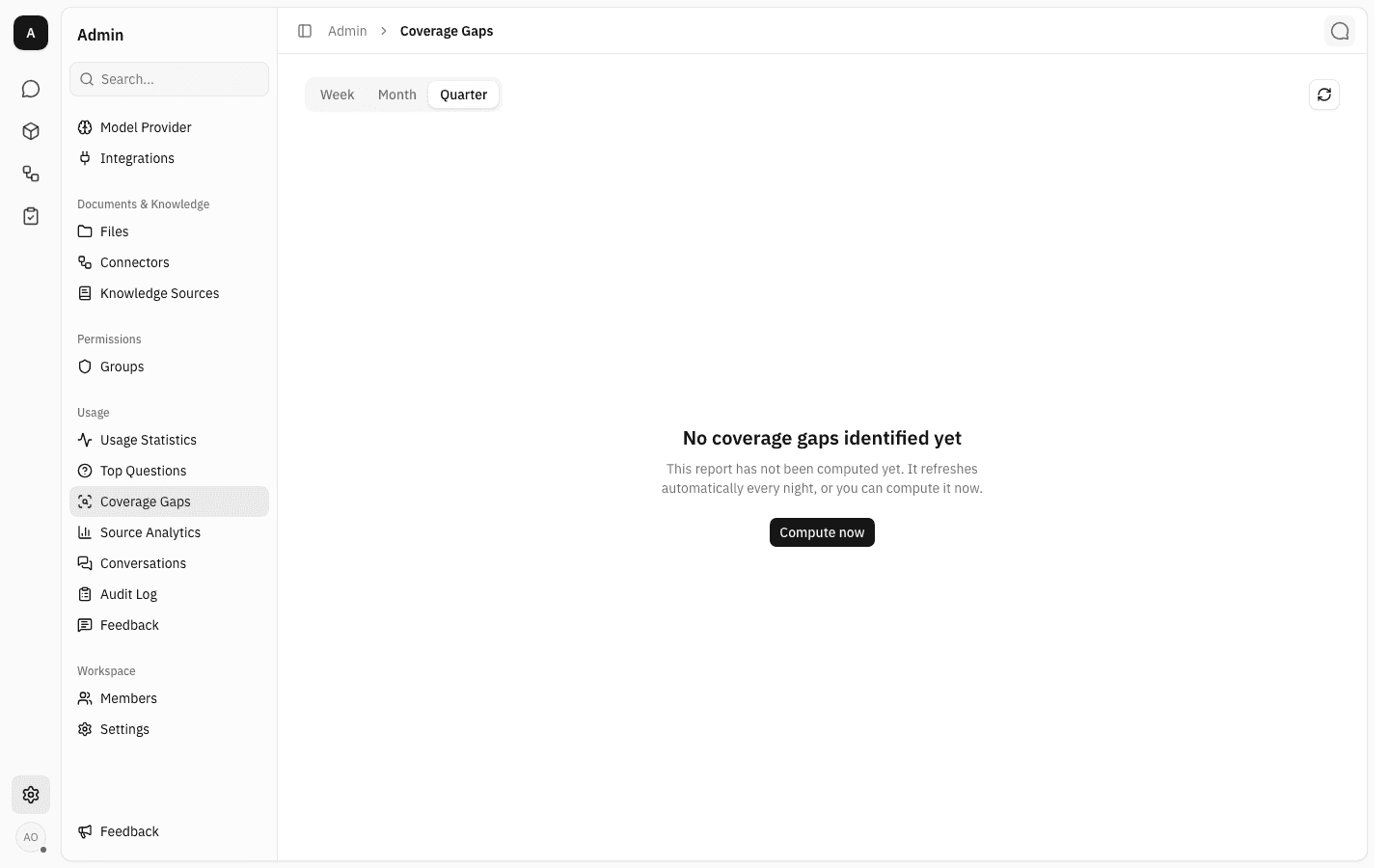
A period that has never been computed shows only the period tabs and the refresh button above a centred No coverage gaps identified yet, explained by "This report has not been computed yet. It refreshes automatically every night, or you can compute it now." The page heading and the description underneath it appear only once a report exists, and the refresh caption in the top-right is blank because nothing has been computed.
-
Week, Month and Quarter are three separate reports, each stored and computed on its own. They are calendar periods, not rolling windows: Week starts on Monday, Month on the 1st, and Quarter on 1 January, 1 April, 1 July or 1 October — all up to right now. Switching tabs changes the
periodin the page address, so a particular period can be linked to or bookmarked.Because each period is stored independently, one tab can hold a full report while another is still waiting for its first computation. Recomputing one tab never touches the others.
-
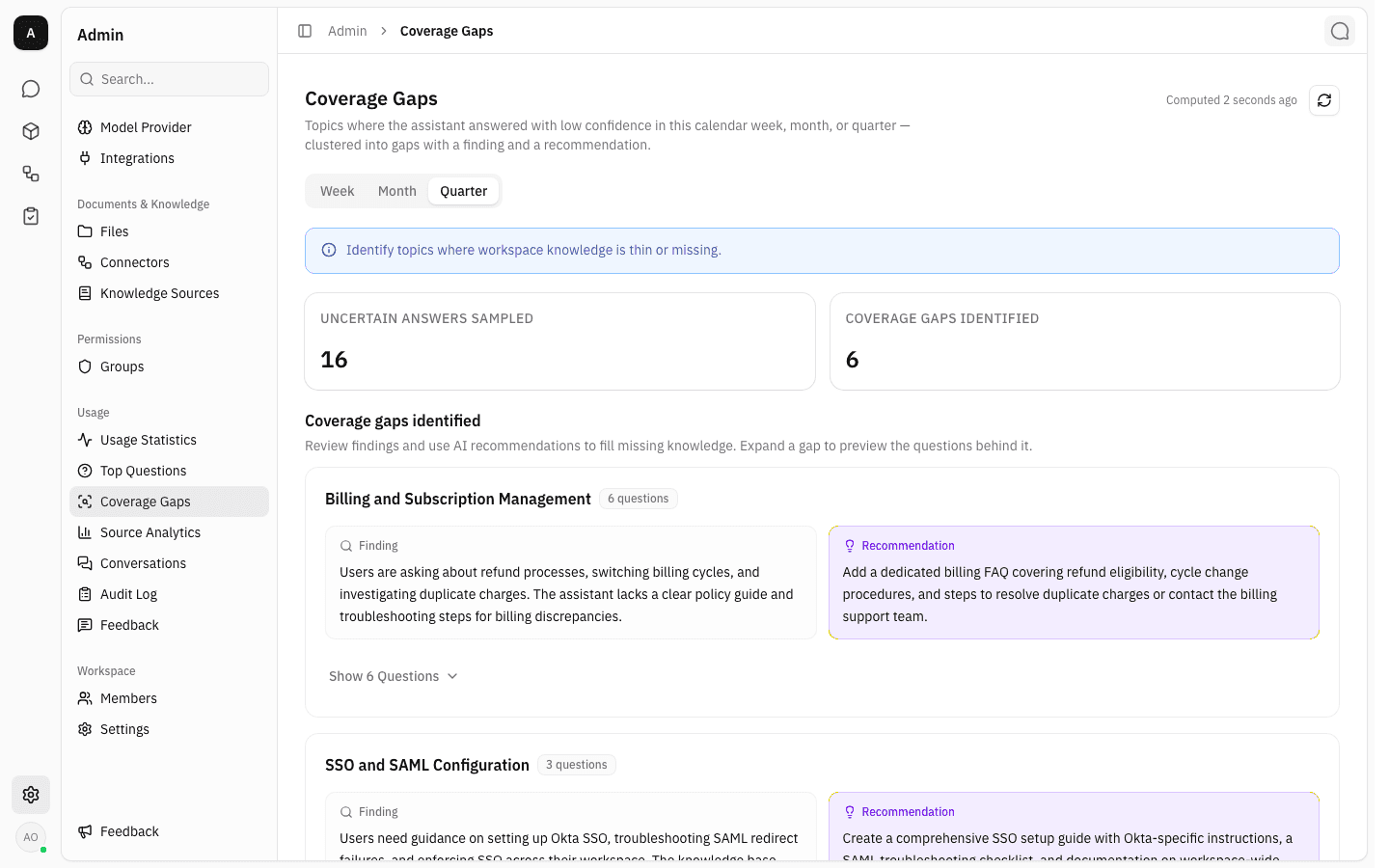
A computed report opens with the Coverage Gaps heading, the caption Computed <time> ago beside the refresh button, an info banner reading "Identify topics where workspace knowledge is thin or missing.", and two stat cards:
- Uncertain answers sampled — how many distinct unresolved questions went into the grouping, after duplicates were collapsed.
- Coverage gaps identified — how many groups the model came back with.
Below them, Coverage gaps identified lists every gap, largest first.
-
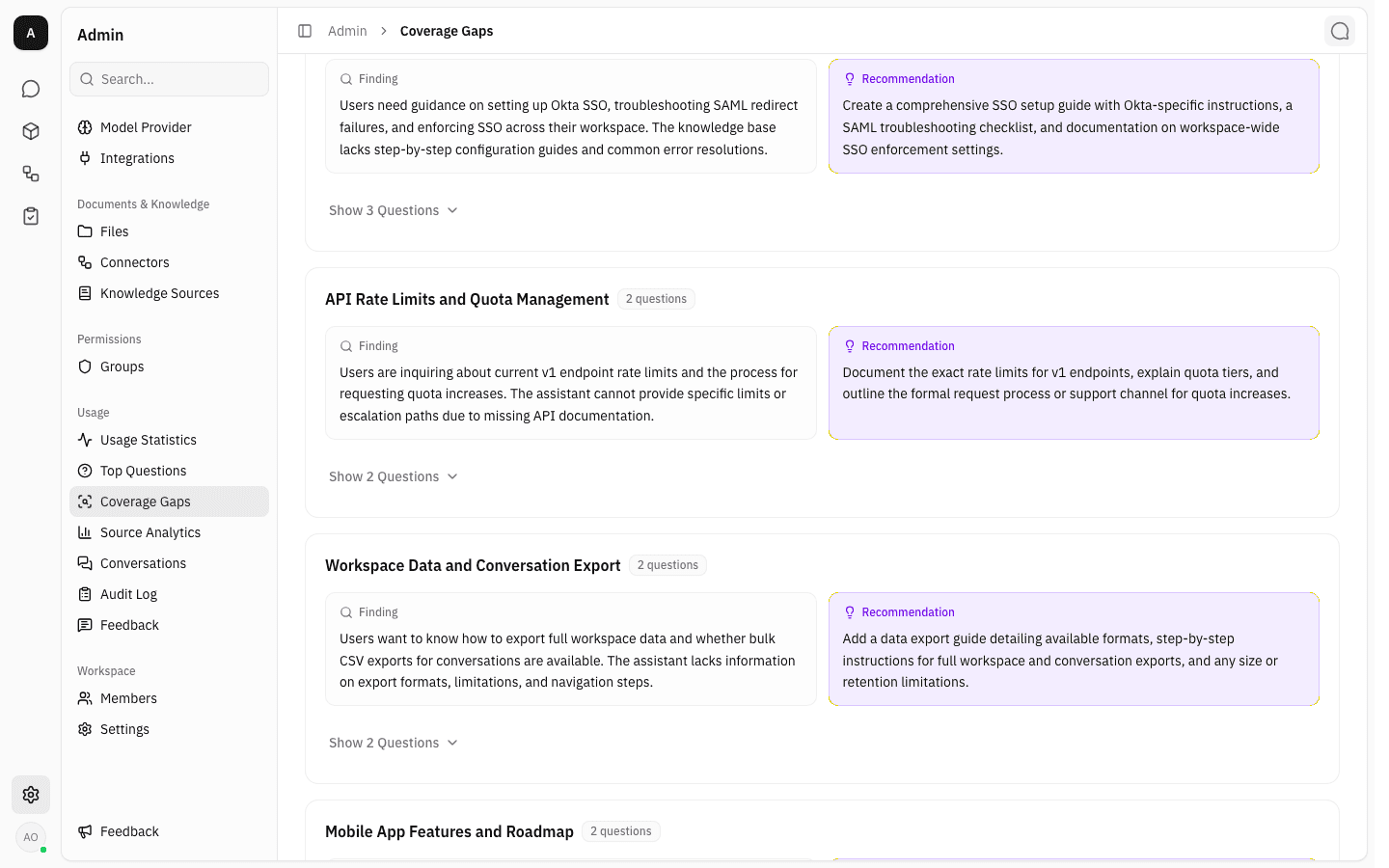
Each gap is a card carrying its title, an N questions badge, and two side-by-side panels. Finding describes what members asked and why the assistant could not resolve it. Recommendation — the violet panel — is the model's suggestion for filling the gap, usually naming the page or guide that ought to exist. Both are written by the analysis model in whichever language dominates the questions, so a Thai-speaking workspace gets Thai text.
The badge counts threads, not distinct wordings, so it can be larger than the number of separate questions inside.
-
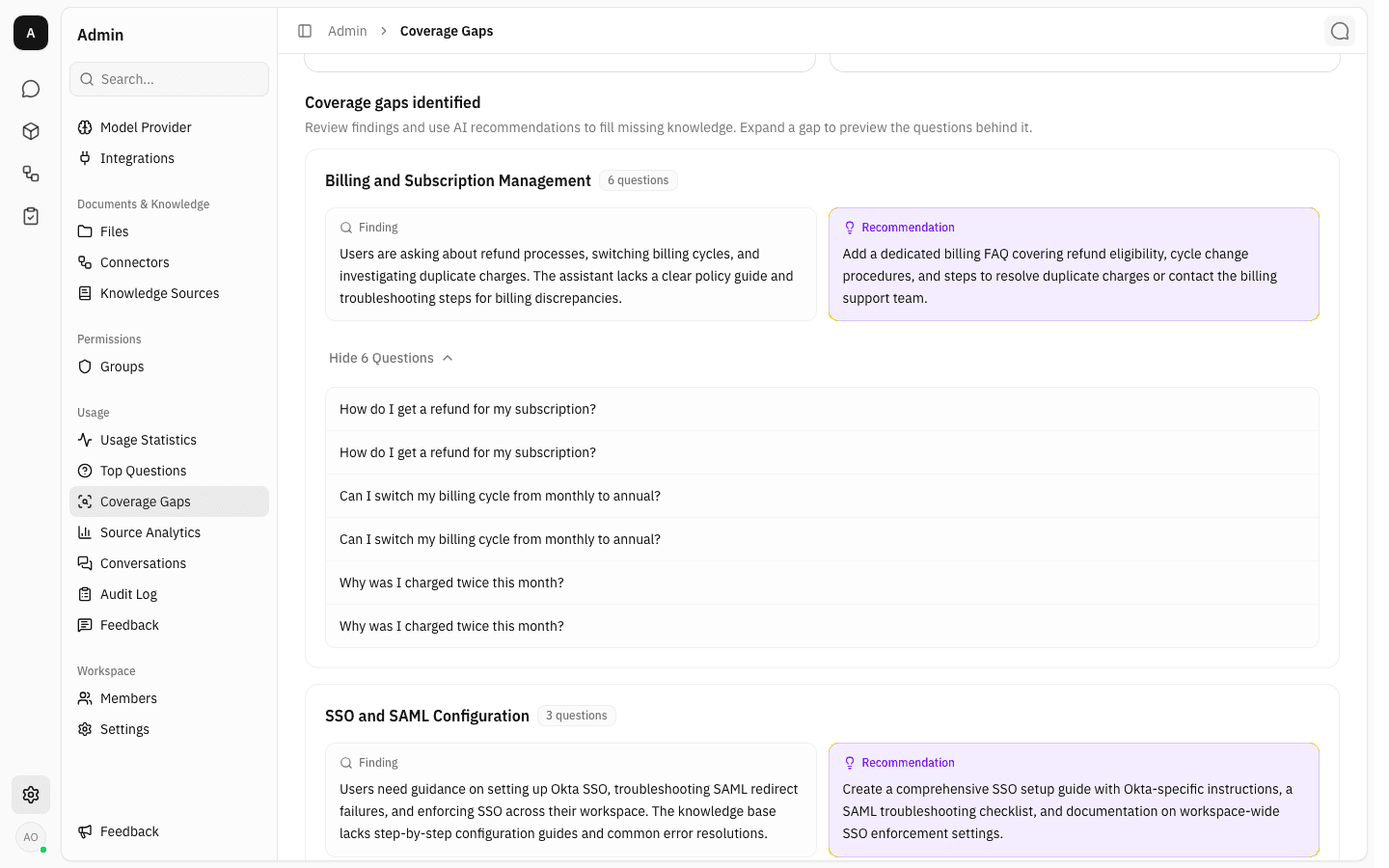
Show N Questions at the bottom of a card expands it to reveal the member questions behind the gap; the label flips to Hide N Questions. Only one gap is expanded at a time, and the open one is recorded in the page address (
gap=gap-1), so a specific gap can be linked to.Repeated wordings are listed once per thread, so a question two people asked separately appears twice — each row opens its own transcript. If the gap holds more threads than were stored as samples, a line underneath reads "Showing X of Y questions."; if none were stored it reads "No sample questions stored for this gap."
-
With
conversation:read, click any sample question to open that conversation in the Conversation Detail side panel — the same panel used on the Conversations page, with the participant, feedback rating, start and last-activity times, the transcript, and a Comments tab. Close it with the ✕ in the corner to return to the gap list, which stays expanded where you left it.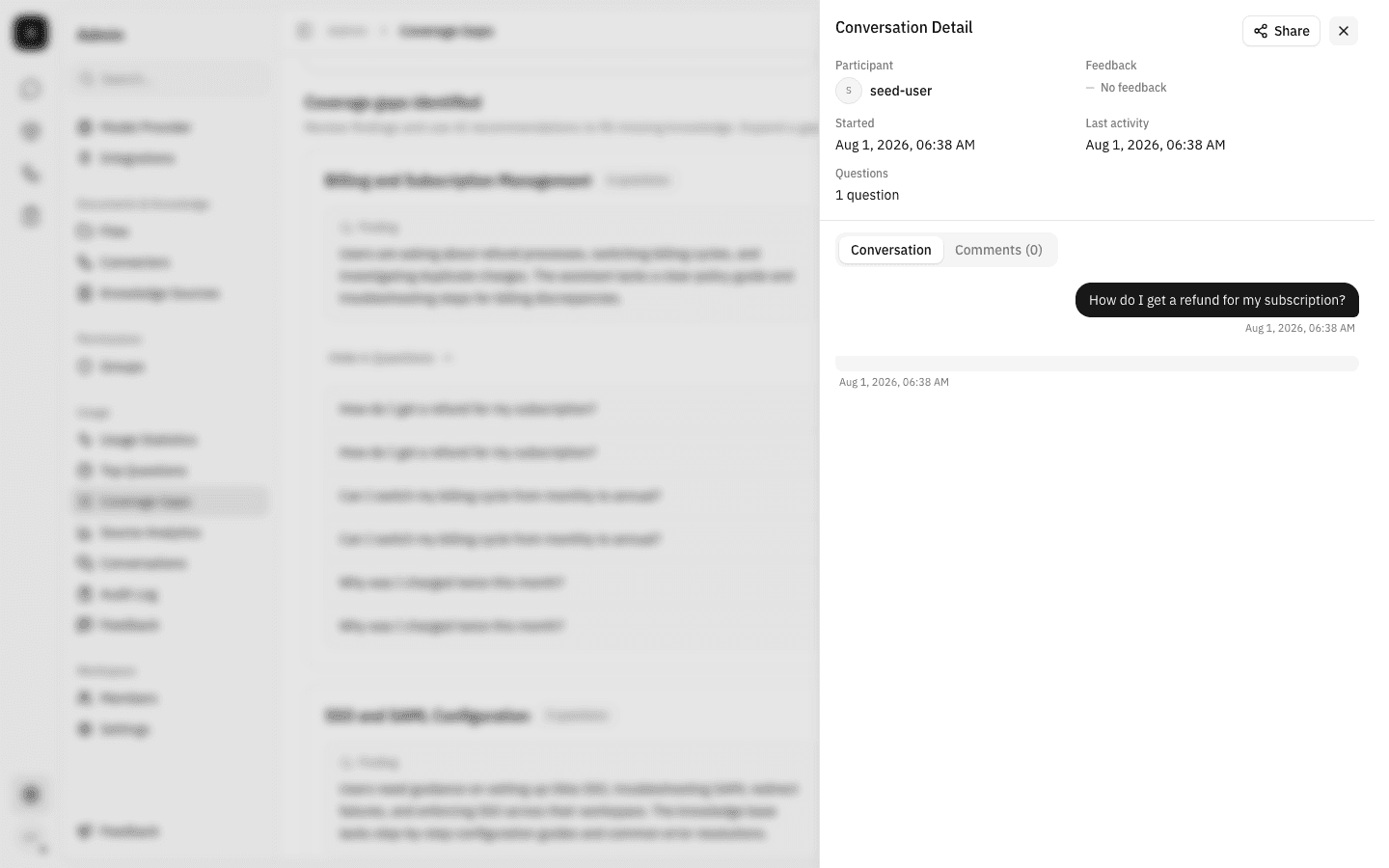
Compute a report
-
The report refreshes by itself once a night for every workspace that has had chat activity in the last hundred days, so in normal use you never have to press anything. When you do want it sooner, press Compute now on the empty state, or the circular refresh button in the top-right corner of a report that already exists.
-
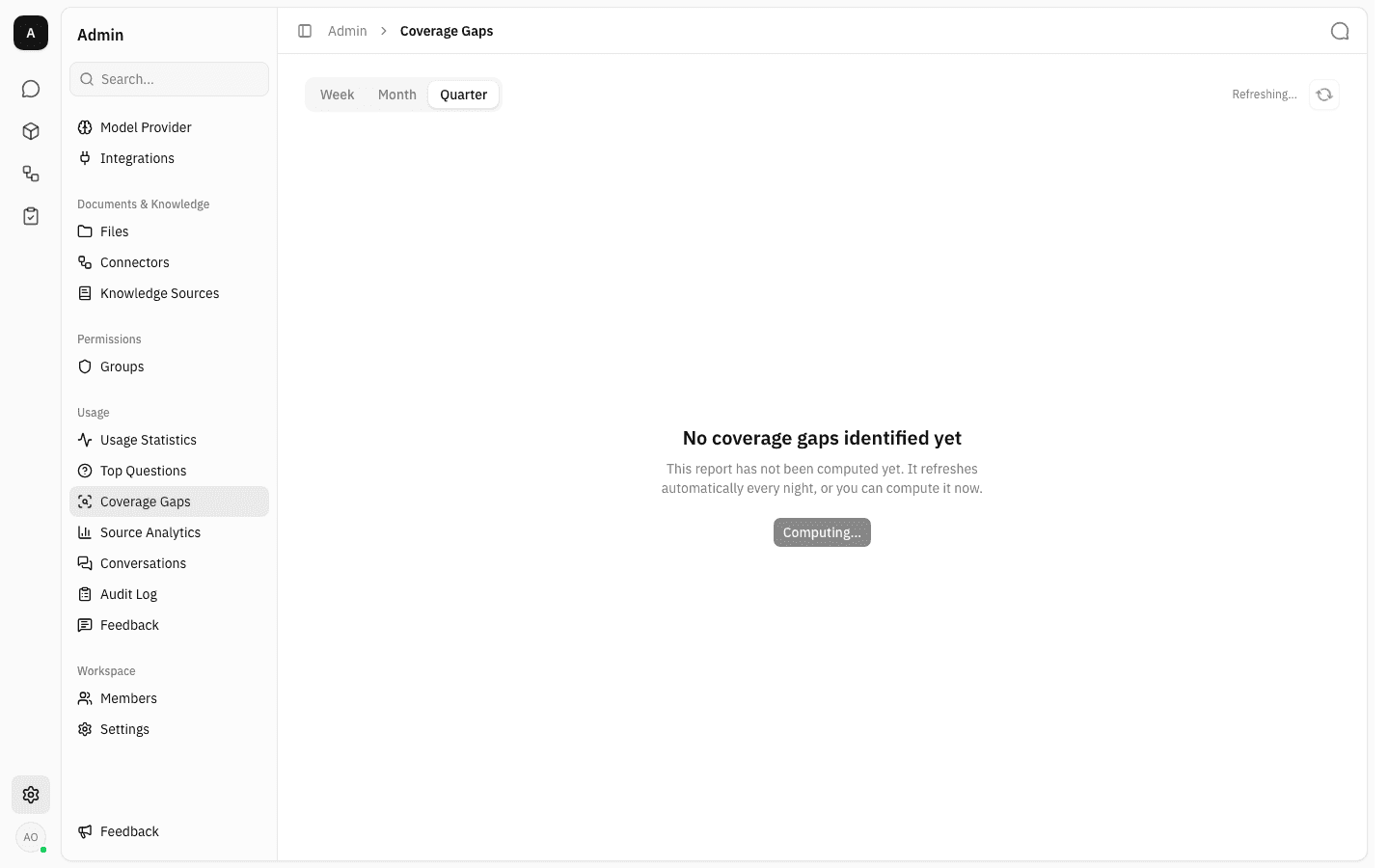
The request is queued rather than run in the browser. The button changes to Computing…, the caption beside the refresh button reads Refreshing…, and the page polls in the background until the result arrives. You can leave the page and come back; the work continues. Only the period whose tab you are on is recomputed.
-
Coverage Gaps does more work per run than Top Questions, because it has to judge every answer it has not judged before and then group the unresolved ones — expect it to take noticeably longer on the first run in a busy workspace. The report above, covering twenty conversations that had never been judged, took a little under two minutes; the equivalent Top Questions run took about twenty-five seconds. Later runs are cheaper, since verdicts already recorded are not recomputed.
-
When it finishes, the caption changes to Computed <time> ago and the body shows either the gaps or the reason there are none. Pressing Compute now repeatedly does nothing extra: a refresh already in flight is reused for up to ten minutes, and duplicate requests for the same workspace and period are collapsed into one job.
What the other outcomes look like
A computation that produces no gaps keeps the same centred layout — heading, explanation, and sometimes a button. The wording tells you which case you are in:
-
No coverage gaps identified yet / "There are not enough uncertain answers in this period to identify gaps yet. Check back once there is more chat activity." — the report ran, but fewer than five distinct unresolved questions were found. This is also the outcome when the assistant is simply doing well: no unresolved answers means no gaps.
-
No coverage gaps identified yet / "Gaps appear after enough uncertain answers have been processed for this period." — the run succeeded and had enough questions, but the model grouped them into nothing usable.
-
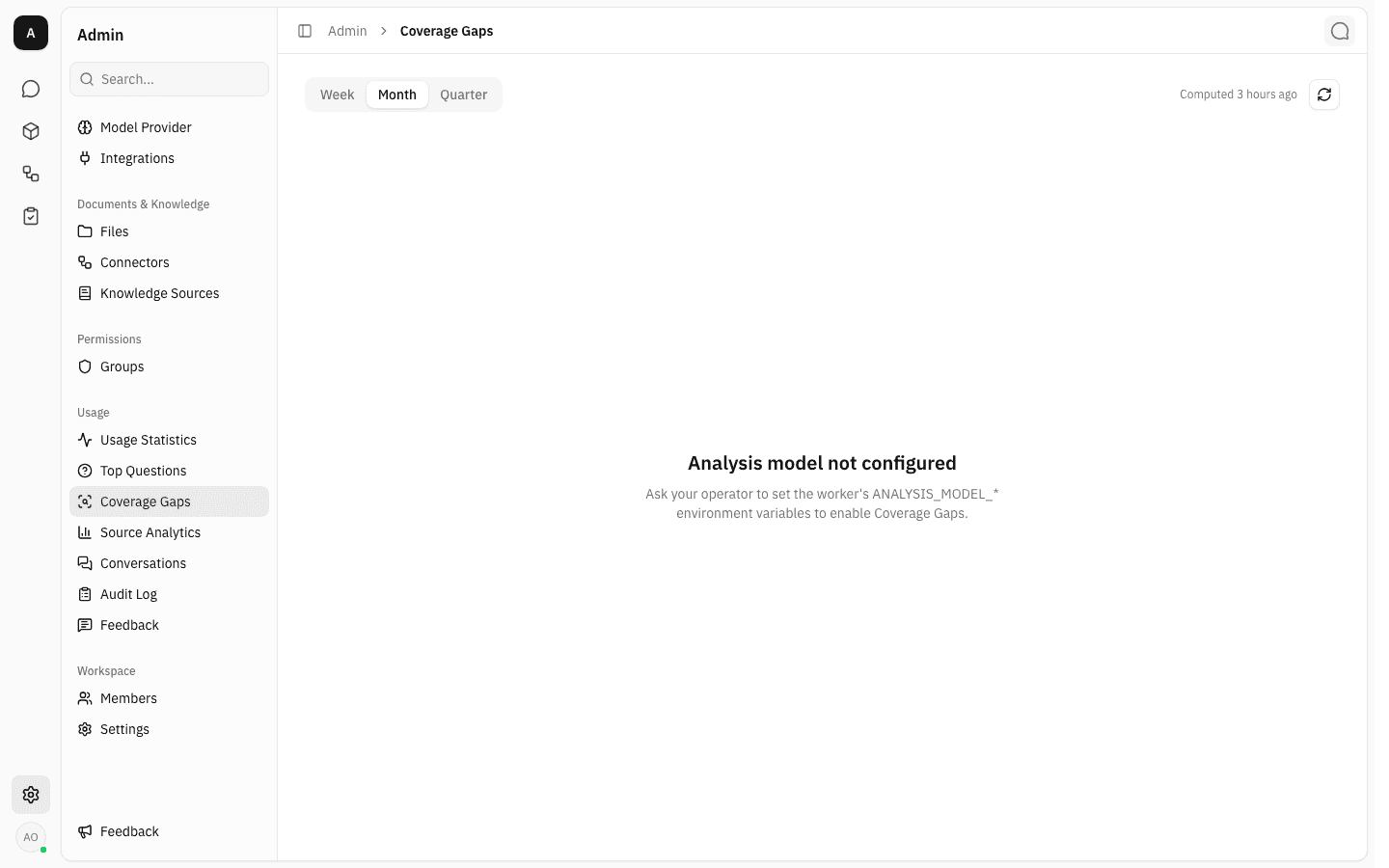
Analysis model not configured / "Ask your operator to set the worker's ANALYSIS_MODEL_* environment variables to enable Coverage Gaps." — no analysis model has been set up on the server. There is nothing an admin can do about this from inside the app. Note that this verdict is stored, so a period keeps saying it until that period is recomputed — even after an operator has fixed the configuration and other periods are producing gaps, as the Month tab is doing below. The same setting also gates Top questions, so one server-side fix clears both.
-
Computation failed / "The last computation failed and no earlier results exist for this period." with a Retry button — the analysis model was reachable but the run errored. Retry queues it again.
-
A Last refresh failed — showing previous results. line above an otherwise normal report — a refresh failed, but an earlier successful report exists, so the old gaps stay on screen rather than disappearing.
-
Failed to load coverage gaps / "Something went wrong while loading the report. Try again." — the page could not fetch the stored report at all. This is a loading problem, not a computation one.
How a gap is decided
Understanding what counts as a "gap" makes the report far easier to act on:
- Judging. Each assistant answer in the period that has not been judged before is read by the analysis model together with the question that prompted it, whether the answer cited any sources, and how strong those source matches were. The model returns a verdict: did this answer conclusively resolve the question? The verdict is stored on the message, so the next run only judges what is new.
- Selecting. The report then takes the opening question of every conversation that contains at least one answer judged not resolved. That is the population — a conversation whose answers all resolved never appears.
- Grouping. Identical questions are collapsed, and the analysis model groups the rest into gaps, writing the title, finding and recommendation for each.
The verdict is about whether the question was answered, not about whether the user was happy. A gap is therefore a different signal from a thumbs-down on the Feedback page — an answer can be unresolved without anyone rating it, and rated badly while still resolving the question.
Notes
- Only the first question of each conversation is analysed. Follow-up turns are ignored, so a gap's N questions count is a count of threads, not of messages. Every unjudged assistant answer in the thread is still judged, but always against that opening question.
- A period samples at most the 500 most recent items at each stage — 500 answers to judge, 500 unresolved questions to group — so a very busy quarter is summarised from a sample rather than from everything.
- Duplicate questions are collapsed before grouping. Uncertain answers sampled and the five-question minimum both count the distinct wordings; the per-gap N questions badge counts every copy. At most 50 sample questions are stored per gap — that is when the "Showing X of Y questions." line appears.
- Only the current week, month and quarter are kept. There is no history: once a new week starts, last week's report is replaced rather than archived, and there is no export.
- If the model cannot judge a particular answer, that answer is left unjudged and the run continues — it is excluded from this report and retried on the next one, rather than failing the whole computation.
- The nightly run only covers workspaces with chat activity in the last hundred days. A dormant workspace keeps whatever report it last had until someone presses Compute now.
Top questions
See the topics your workspace asks about most — chat questions grouped into themes by an analysis model, recomputed nightly for the current week, month or quarter.
Source analytics
See which knowledge sources, pages and files the assistant actually cites in its answers, how often, and which questions sent it there.