Download the code
Download your App Builder app's source code as a zip, to read it, keep a copy or run it elsewhere.
Every App Builder app is ordinary code: an npm project the agent wrote in its sandbox. Download zip gives you that project as it is now, so you can read the code, keep a copy, or run it on your own machine.
Prerequisites
- An app in App Builder that the agent has worked on at least once. See Build an app by chatting.
- You do not need to publish the app first.
Download the project
- Open the app in App Builder.
- Click Publish at the top right. The popover opens, published or not.
- Click Download zip. A spinner shows while the project is packed, and your browser saves the file.
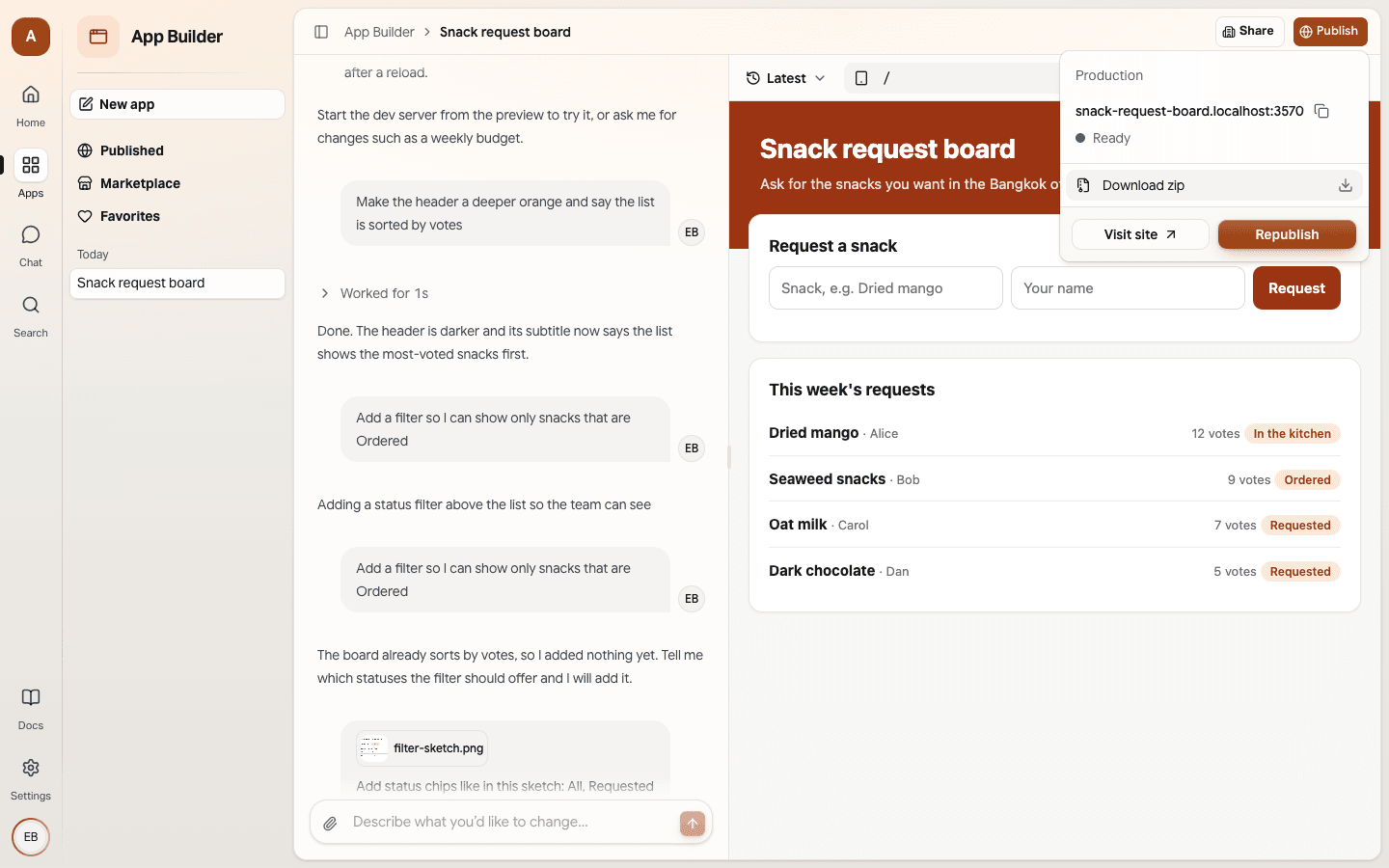
The file is named after the app, such as snack-request-board.zip, cut to 60
characters. An app whose name has no Latin letters or digits downloads as
project.zip.
What is in the zip
The zip holds the current files, the same ones the preview runs:
- the source code,
package.jsonandpackage-lock.json; - database migrations under
db/migrations; - files you attached that the agent saved under
public/uploads.
It leaves out what can be rebuilt or is private to the sandbox: node_modules,
.git, .npm, .pnpm-store, .cache, .next and .vite anywhere in the
project, and the top-level dist build output.
It holds the current version only. To download an earlier one, restore it first.
The zip does not include any data: not the preview database's rows, and not the published site's. To see the published site's data, open the app's Database section.
Run it on your machine
In the unzipped folder, run npm install, then npm run dev. The project's
README, when the agent wrote one, says what else it needs.
When the download fails
| Message | What to do |
|---|---|
| "This app has no project yet. Send the agent a prompt first, then try again." | The agent has not written anything yet. |
| "The project is larger than 200 MB, the most an export can take. Remove large files, then download again." | The project is over 200 MB without the folders above. Ask the agent to remove large files, then try again. |
| "The export stopped partway: the project may have grown past the export limit, or its sandbox stopped. Try again." | The download broke off. Try again. |
| "Export failed ({code})." | The server refused the download without saying why. Try again in a moment. |
| "Could not export the project." | Try again in a moment. |
Notes
- You can also read files without downloading them, one by one, from an MCP client. See App Builder over MCP.
- The app's owner and members who manage everyone's apps can download an app.