Marketplace and Favorites
List your App Builder app in the workspace Marketplace with categories, find apps others built, and keep the ones you use in Favorites.
The Marketplace is where people in a workspace find each other's apps. You choose which of your apps appear there, in up to five categories. Heart the apps you use, and they wait for you in Favorites.
Prerequisites
- Membership of the workspace. Every member can browse the Marketplace and keep favorites.
- To list an app: a published app that everyone in the workspace can open (Anyone in {workspace} or Anyone with the link), and that you own or manage.
List your app
-
Open the app's Settings.
-
Under Marketplace, turn on Share to Marketplace: "Everyone in {workspace} can find this app in the Marketplace, shown with your name and avatar." A toast says Shared to the Marketplace.
-
Under Categories, pick a category people already use, or type a new one.
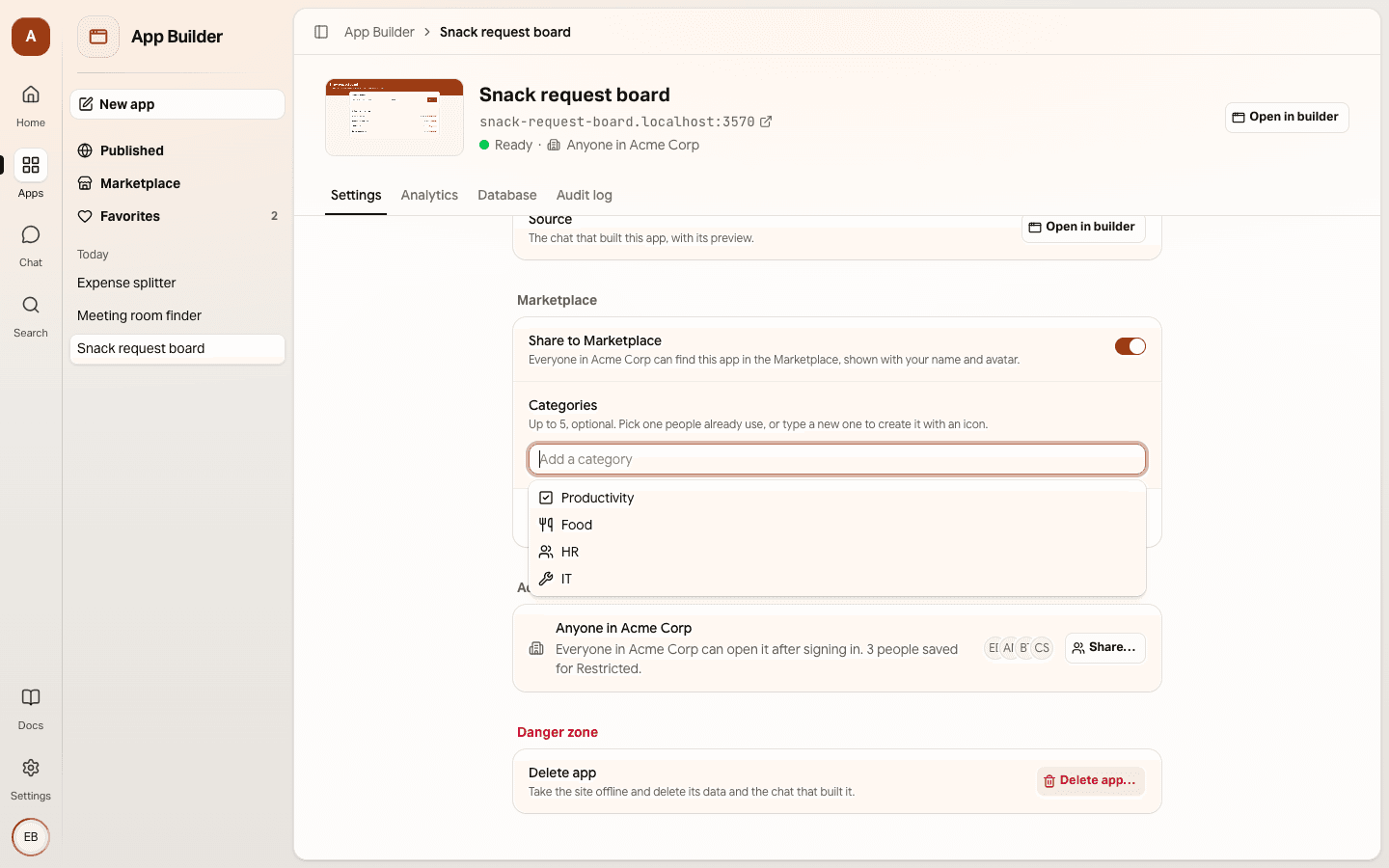
-
To create one, pick Create “{name}”…, choose an icon, and click Create category. The icon is guessed from the name, in English or Thai.
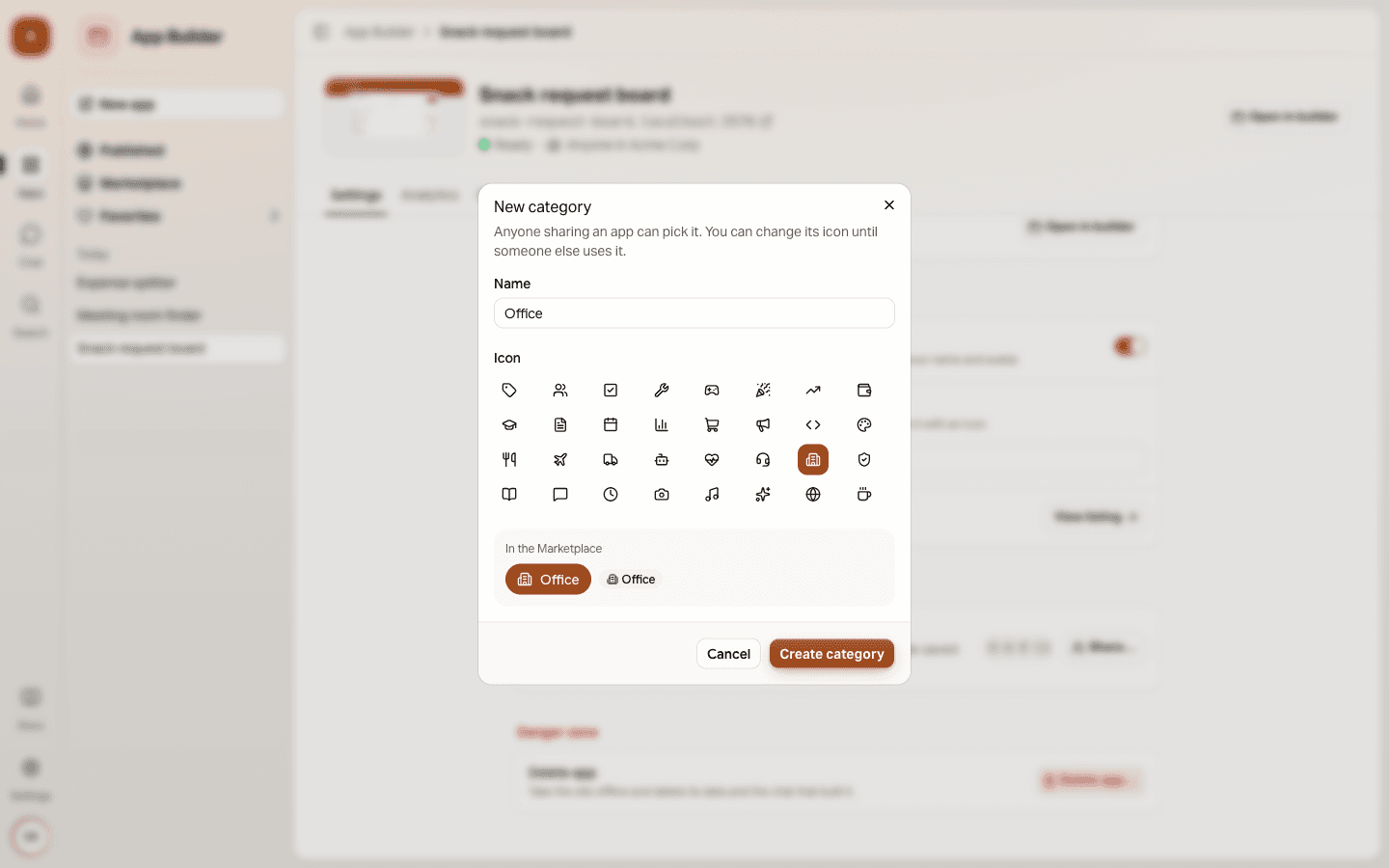
-
View listing ↗ opens the app in the Marketplace.
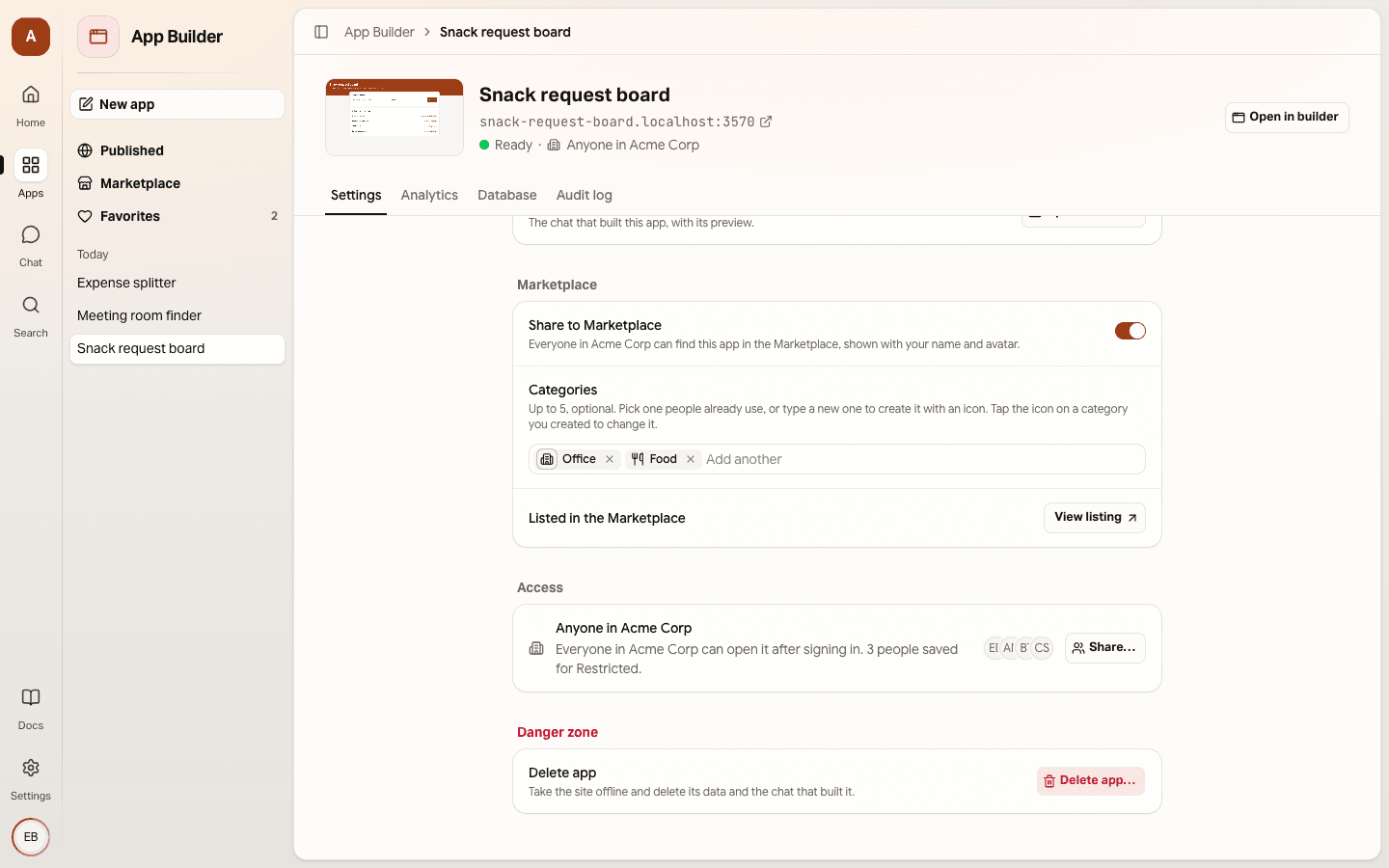
To take the app off the Marketplace, turn Share to Marketplace off. A toast says Removed from the Marketplace. Turning it on again starts with no categories.
Categories
- Up to 5 per app, each up to 30 characters. Categories are optional.
- Categories belong to the workspace: anyone listing an app can pick one. Typing an existing name, in any case, picks the existing category.
- The person who created a category can change its icon, by tapping the icon on its chip, until someone else's app uses it.
- Members who manage everyone's apps can create, rename, change the icon of and delete any category under Settings › Workspace › App Builder. A rename or a new icon shows on every app that uses the category; a deleted category comes off those apps, which stay in the Marketplace. See Manage Marketplace categories.
| Message | Meaning |
|---|---|
| "Up to 5 categories. Remove one to add another." | Remove one first. |
| "Use 30 characters or fewer." | Shorten the name. |
| "Already added." | The app already has that category. |
| "“{name}” already exists. Close this and pick it from the list." | Pick the existing category. |
| "Other people's apps use “{name}” now, so its icon can only be changed in Settings › App Builder, by someone who manages everyone's apps." | You can no longer change it here. A member who manages everyone's apps can, under Settings › Workspace › App Builder. |
When listing is refused
The switch is greyed out, with the reason under it:
| Reason | What to do |
|---|---|
| "Publish the app before sharing it to the Marketplace." | Publish first. |
| "Wait for the app to finish publishing, then share it." | Wait for the first publish. |
| "Only apps everyone in {workspace} can open can be listed. Change who can open it under Share first." | Open it to the workspace in Share. |
While a republish runs or after one failed, the section notes that the Marketplace opens the version that is live now.
Find apps
Click Marketplace in App Builder's sidebar. It lists apps people in the workspace shared, newest first, and restricted apps someone shared with you.
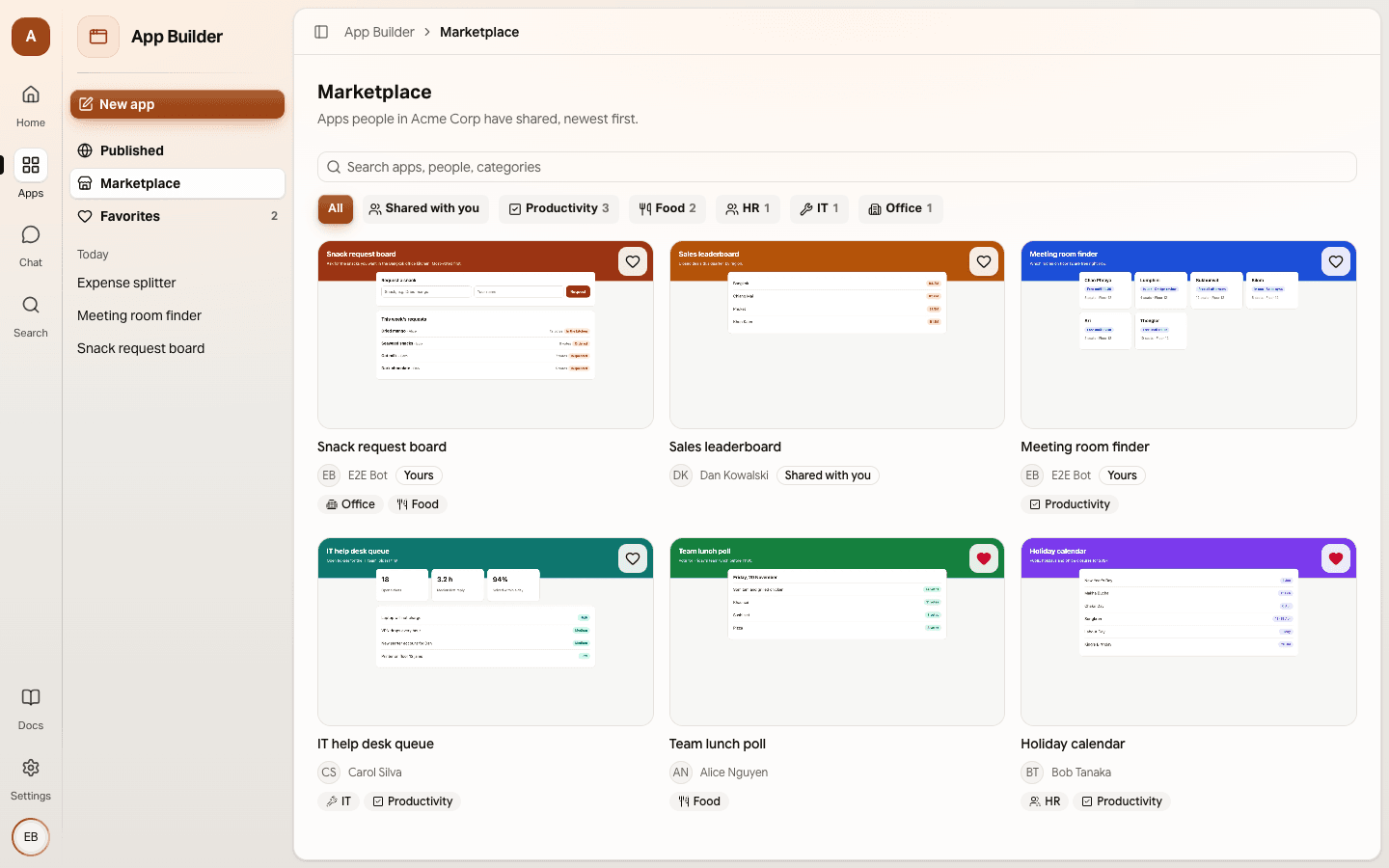
- Search apps, people, categories matches the app's name, its owner's name or a category.
- The chips filter by category. Each shows how many apps use it, most used first; after 8 chips, More {n} shows the rest and Less hides them again.
- Shared with you shows only restricted apps someone added you to. It appears when there are any.
- Click a category on a card to filter by it.
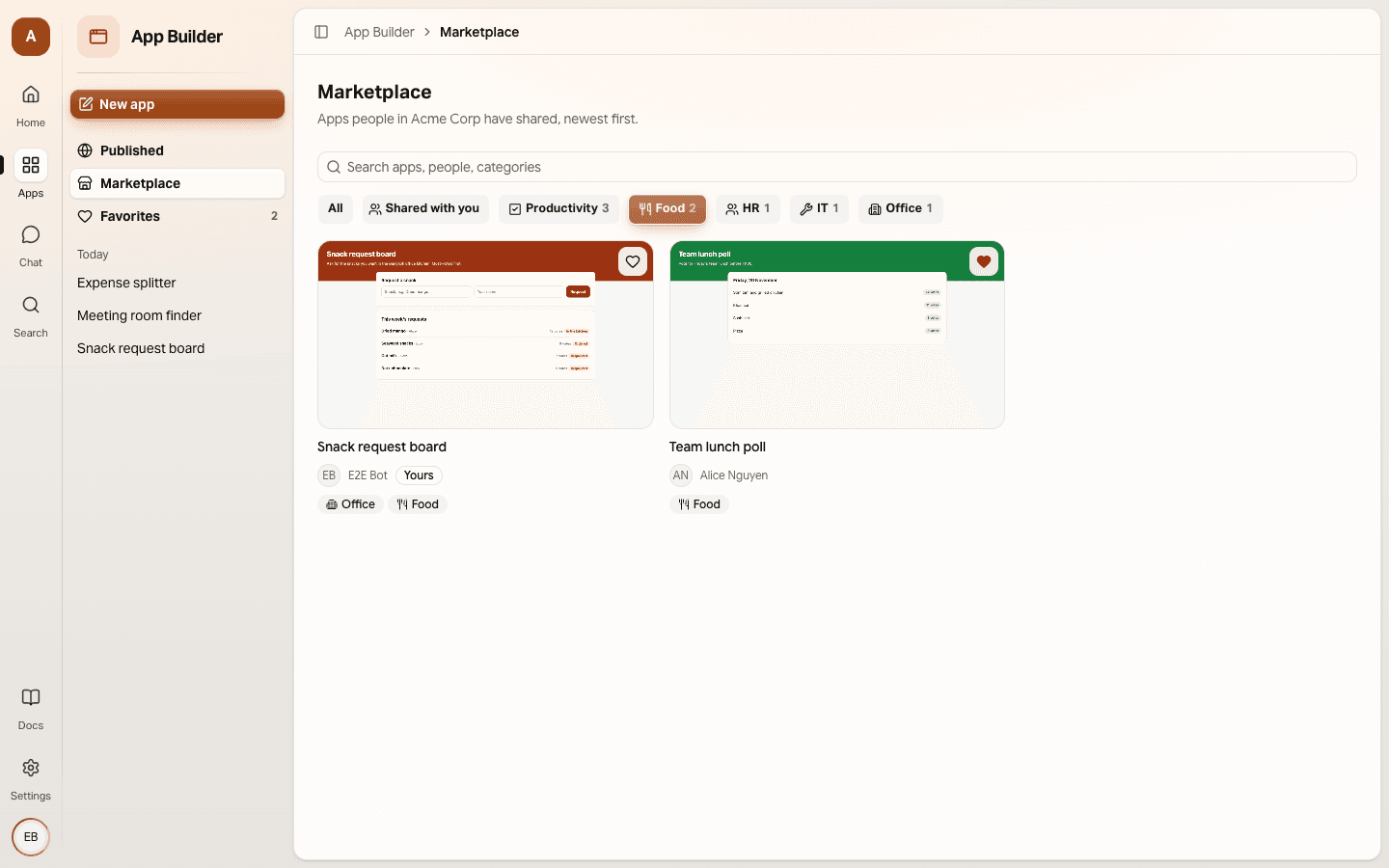
Each card shows the app's picture, name, owner and categories. Yours marks your own apps; click it to open the app's Settings. Shared with you marks apps someone added you to.
Click a card to open the site in a new tab. Sites open to the workspace or restricted ask you to sign in with your AINOX account first. See What visitors see.
Apps whose owner left the workspace, and apps whose site is not live, do not show. With nothing listed, the page says Nothing in the Marketplace yet. A search with no results says No apps match, with Clear filters.
Favorites
Click the heart on a card to add the app to Favorites; click it again to remove it. The Favorites link in the sidebar shows how many you have.
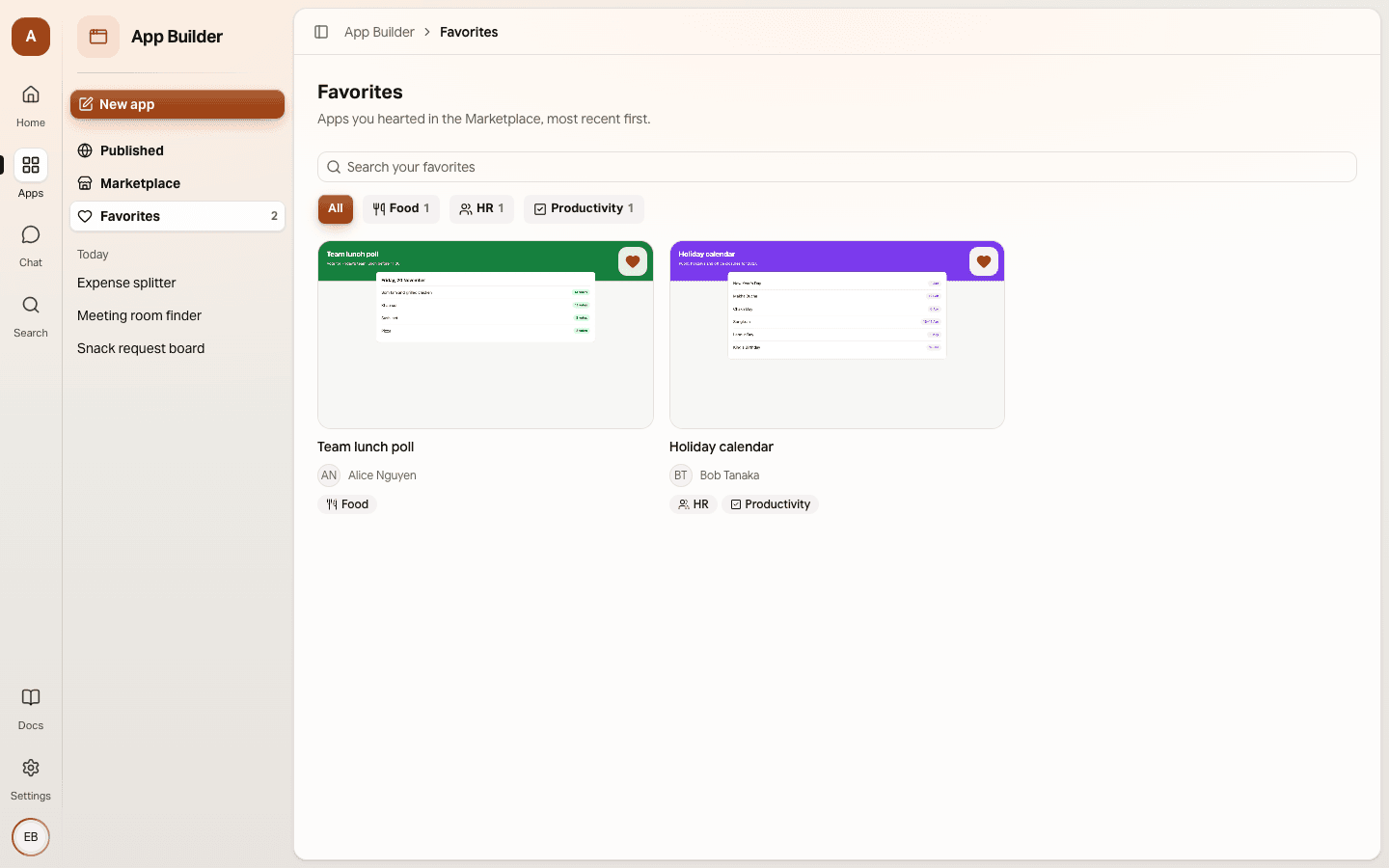
Favorites lists your hearted apps, most recently hearted first, with search and category chips for them.
If its owner takes an app off the Marketplace, it disappears from your favorites, and comes back if it is listed again. If its site is taken down, the favorite is gone for good. Hearting an app that left in the meantime says "This app is no longer in the Marketplace."
With no favorites yet, the page says No favorites yet with Browse the Marketplace.
Notes
- Listing changes are recorded in the workspace's Audit Log, and so are category changes made under Settings › Workspace › App Builder. Creating a category or changing its icon while listing an app is not recorded.
- An MCP client can list an app with
set_marketplace_listingand browse withlist_marketplace. See the MCP tool reference.