Publish your app
Put your App Builder app on the web at its own address, republish changes, and fix a publish that failed.
Publishing builds your app and puts it on the web at its own address, with its own database. The address stays the same for good: republish whenever the app changes, and everyone who has the link sees the new version.
Prerequisites
- An app in App Builder that builds. The agent sets that up: the project needs
package.json,package-lock.jsonand annpm run buildthat writesdist/index.html. - You own the app, or you hold Manage everyone's apps. See Permissions.
Publish for the first time
-
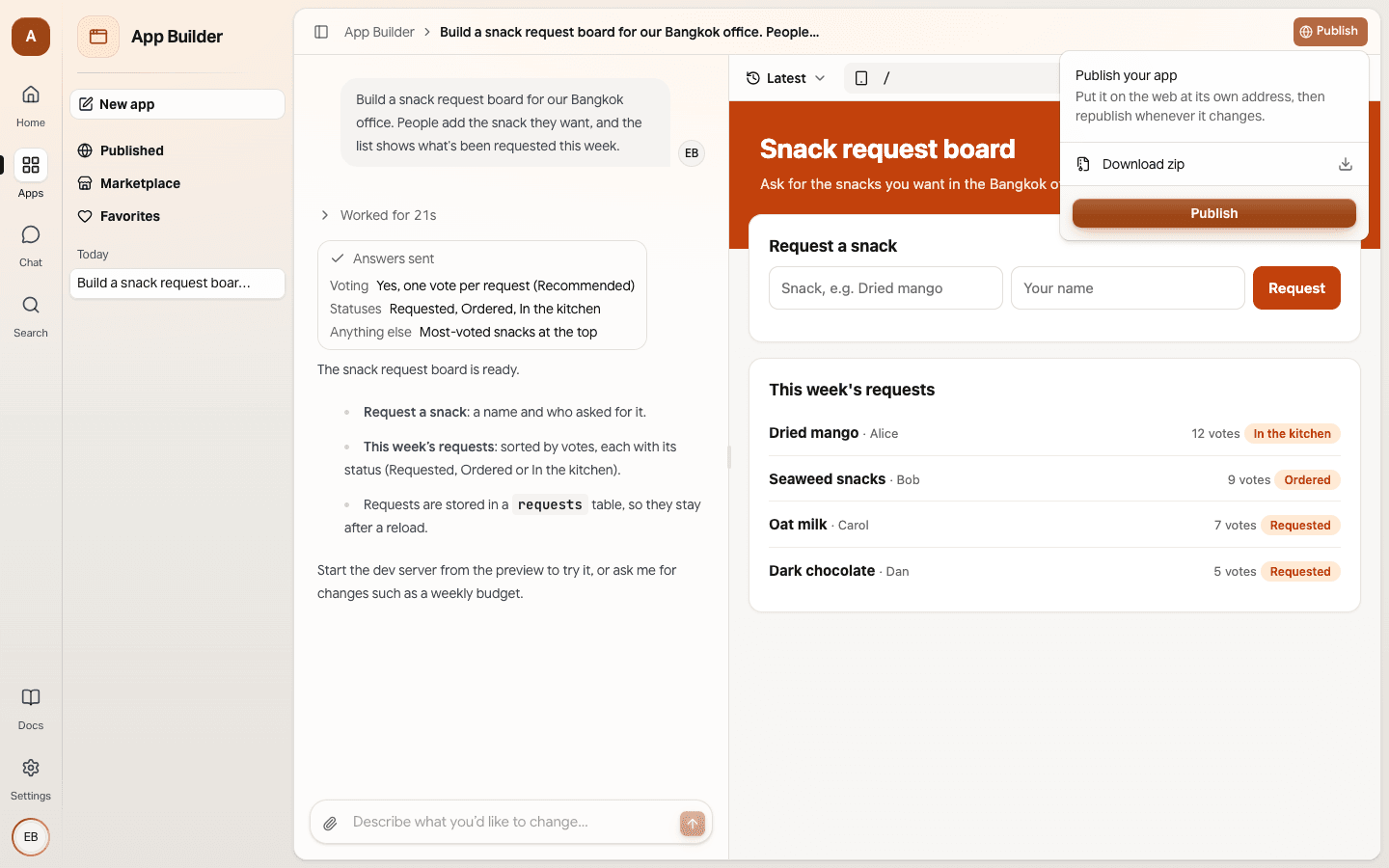
Click Publish at the top right of the app. The popover says Publish your app: "Put it on the web at its own address, then republish whenever it changes."
-
Click Publish in the popover. Name your app asks for the app's name, which sets its address. The dialog shows the address it will get, such as
snack-request-board.…, "numbered if that address is taken".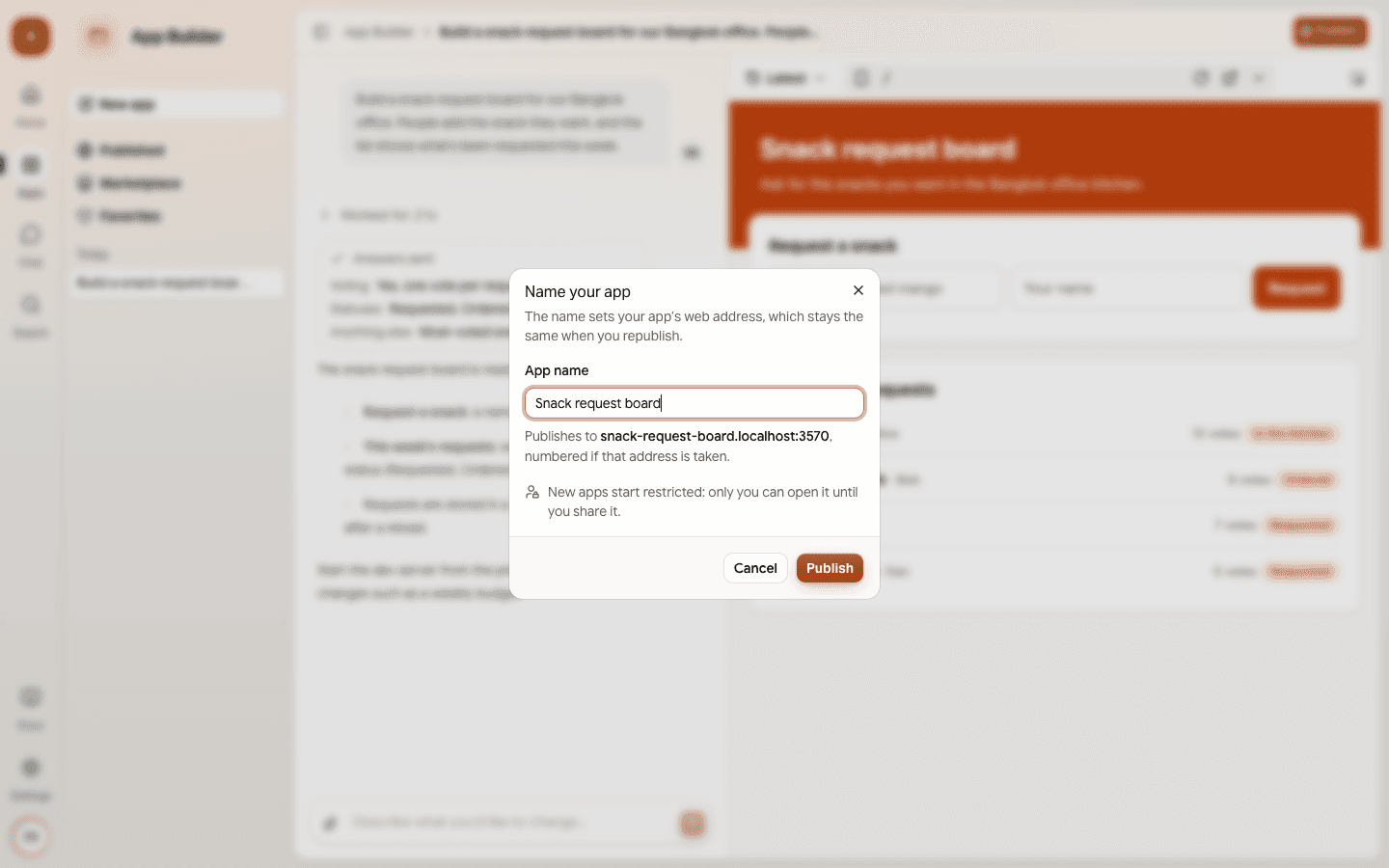
-
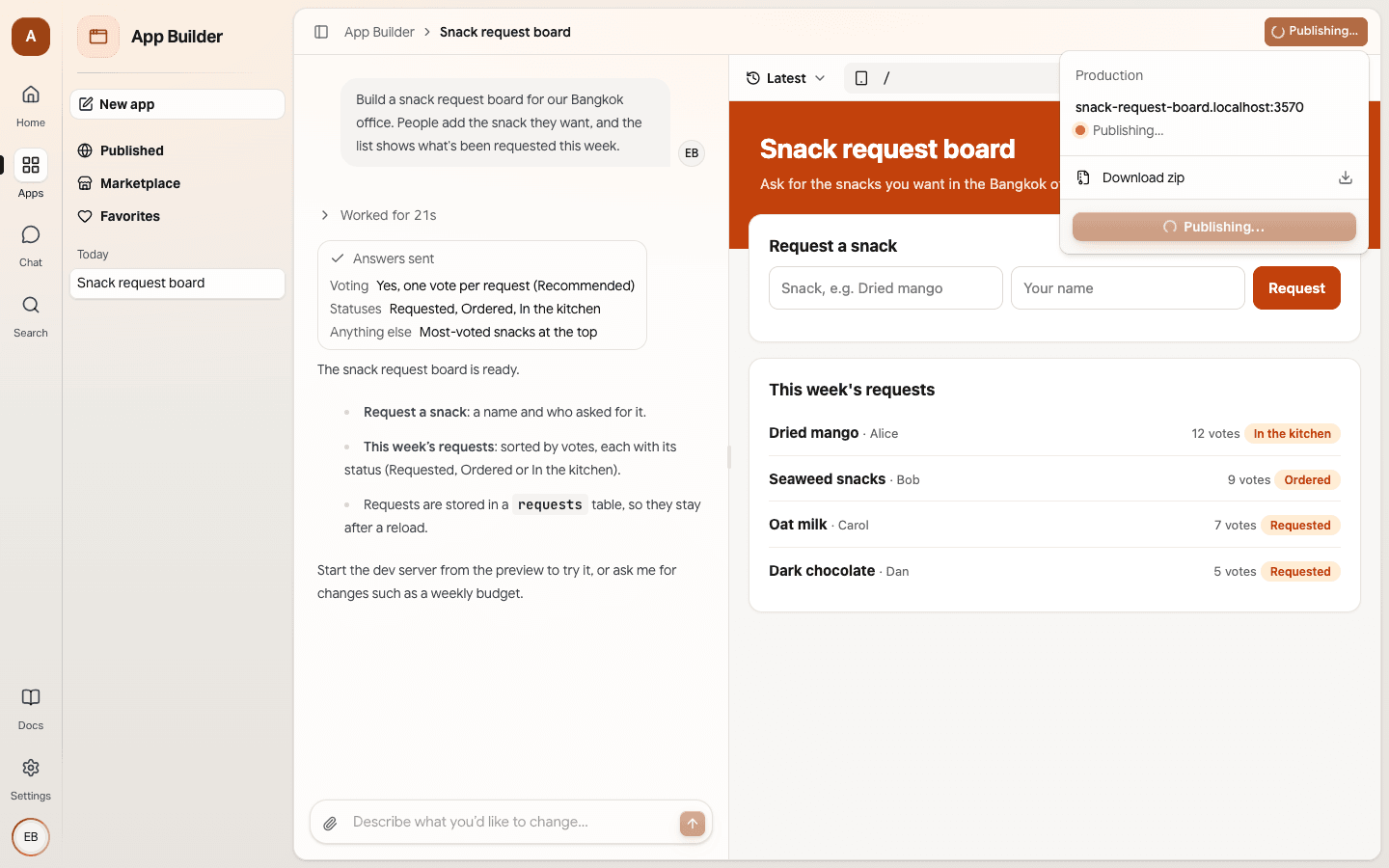
Click Publish. The button reads Publishing… while App Builder packs the project, installs its dependencies, builds it and uploads it.
-
When it is done, a toast says App published., the status turns Ready, and the Share dialog opens so you can choose who can open it. You can close the popover while it runs: the toast and the Share dialog still come.
While the first publish runs, the popover shows the address it will get as plain text; it becomes a link once the site is live.
New apps start restricted: only you can open the site until you share it.
How the address is made
- The name becomes a lower-case address of up to 32 characters: "Snack
request board" becomes
snack-request-board. - If that address is taken in this App Builder, a number is added after those
32 characters:
-2,-3. - A name with no Latin letters or digits, such as a Thai name, publishes to a random address of 5 characters. The dialog says "Publishes to a random address, since the name has no Latin letters or digits."
accounts,admin,api,auth,login,staticandwwware reserved.- The name can be up to 200 characters. Renaming the app later does not change the address.
Open the live site
Click Visit site in the popover. The copy button next to the address copies it, and the toast says "Address copied." Once the site is live, the popover also links to the app's Settings, Analytics, Database and Audit log, above Download zip.
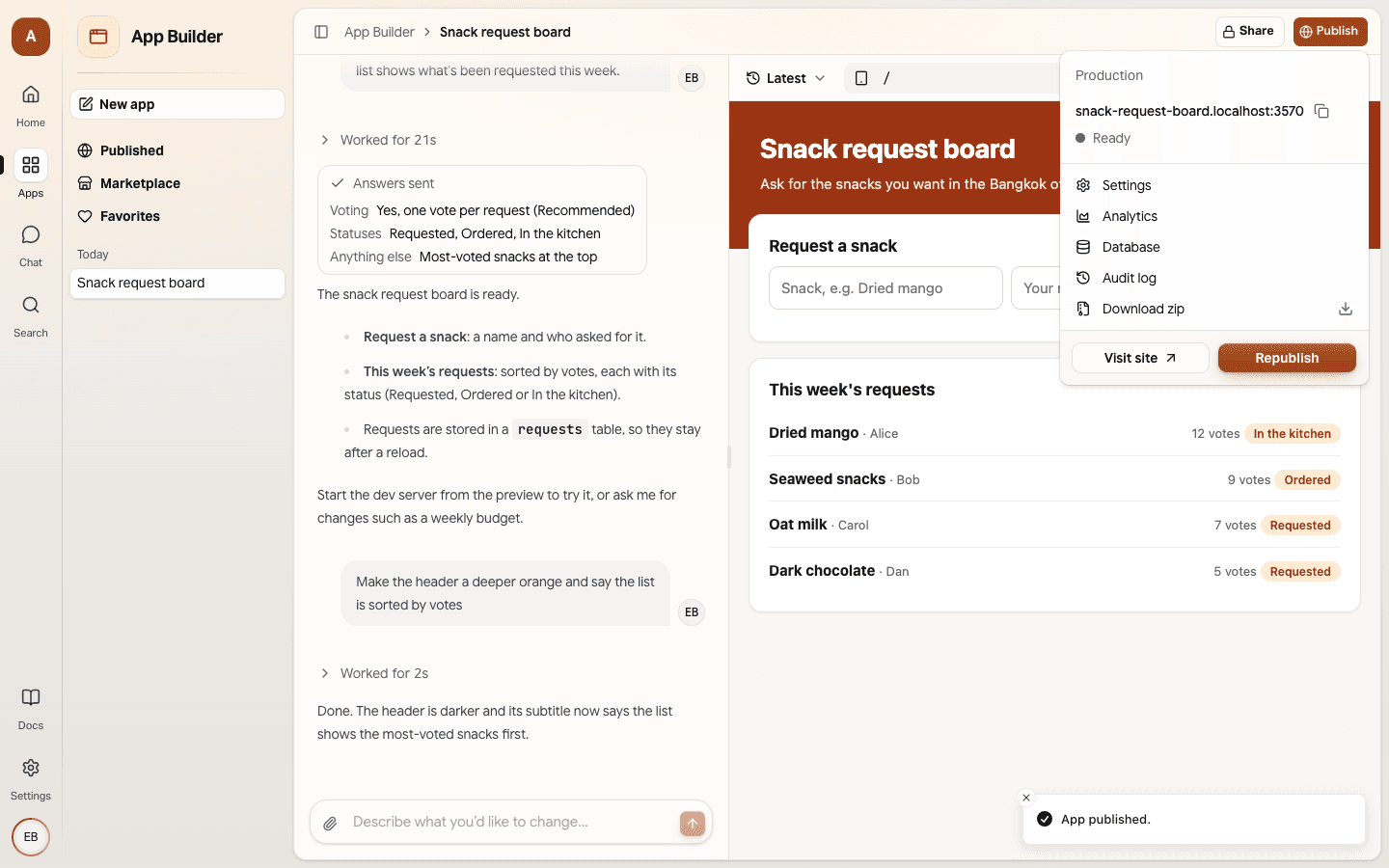
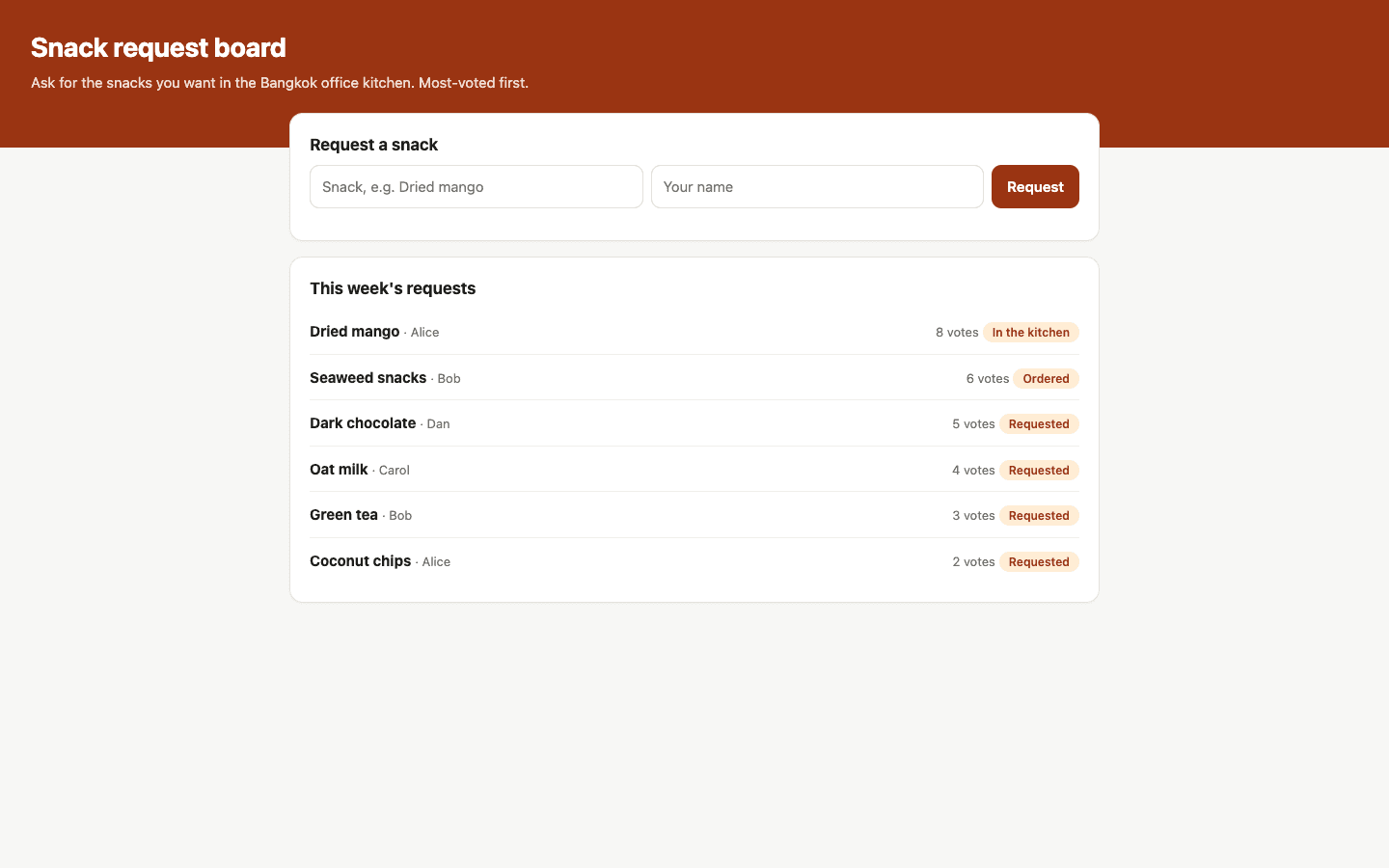
The site has its own database, created from the app's migrations when you publish. What visitors store there shows under the app's Database section.
Republish changes
Changes you make in the chat stay in the preview until you republish. Click Publish, then Republish. The popover reads Publishing… while the new version builds; the version that is live now keeps serving visitors until the new one is ready.
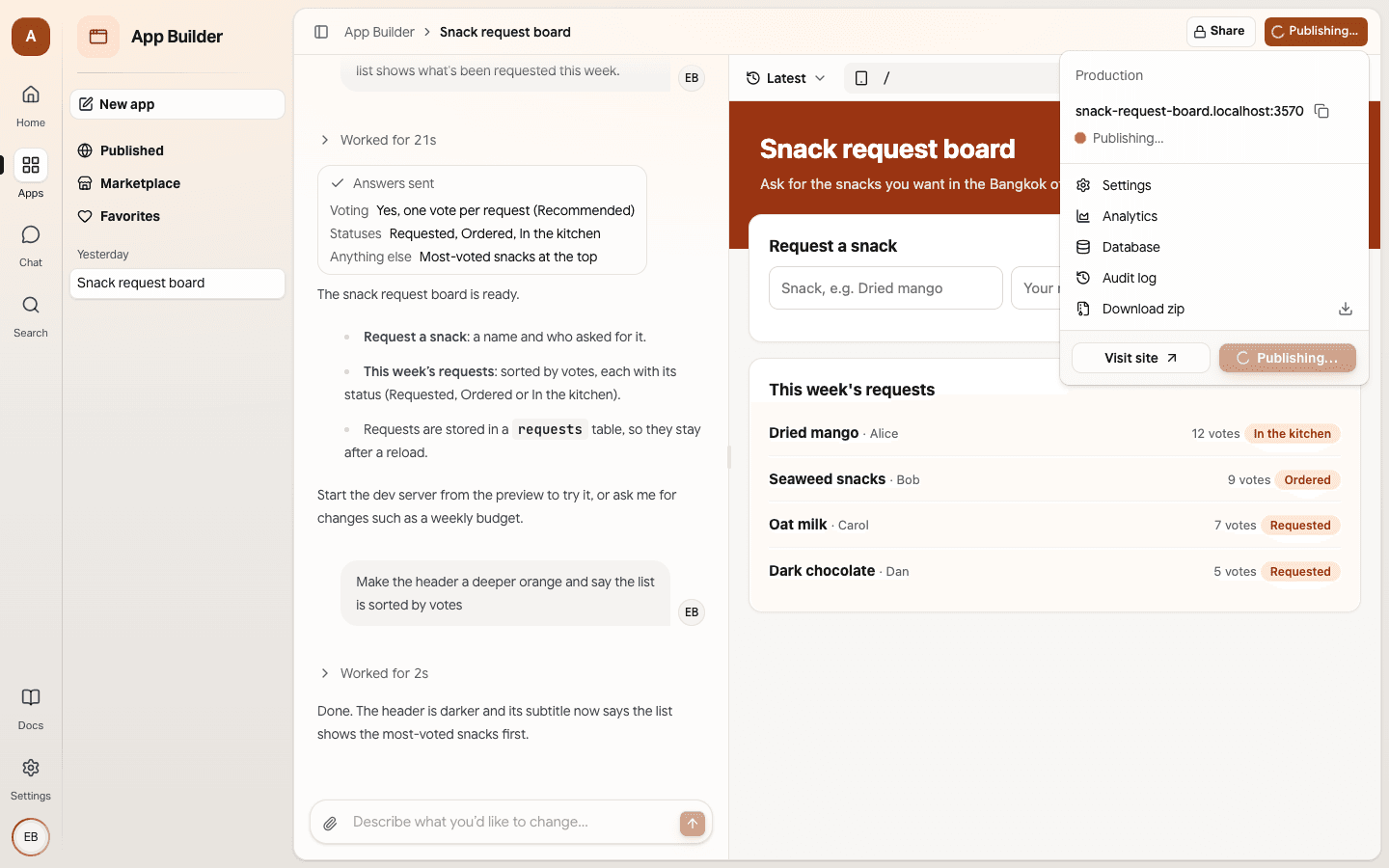
Republishing applies the app's new database migrations to the live database and keeps the data already in it.
Publish status
| Status | Meaning |
|---|---|
| Publishing… | A publish is running. It packs, installs, builds and uploads. |
| Ready | The latest publish is live. |
| Last publish failed | The latest publish stopped. The reason shows under it. If an earlier version was live, it still is. |
| Status unknown | App Builder could not read the status: "Could not check whether this app is published. Check again to see where it stands." Check again reads it again; it does not publish. |
Ready, Publishing… and Last publish failed also show on your published apps; Status unknown shows only in the popover.
A site a manager took down shows Site taken down in the app's header instead. See If your site was taken down.
When a publish is refused
Some publishes never start. The popover stays as it was, and a toast says Could not publish. with the reason:
| Reason | What to do |
|---|---|
| "Nothing to publish yet. Send the agent a prompt first, then publish." | The app has no project yet. |
| "This app is already publishing. Wait for it to finish, then try again." | Wait for the running publish. |
| "The project is too large to publish. Remove large files, then try again." | Ask the agent to remove large files, such as videos or generated data. |
| "The app's sandbox stopped while its project was being packaged. Try again." | Try again. |
| "The project could not be stored. Try again." | Try again. |
| "The build could not be queued. Try again." | Try again. |
| "Publishing is not available right now. Try again later." | Publishing is not set up on this server, or is down. It is a server setting: ask whoever runs your AINOX server. |
| "Check the app name, then try again." | Change the name in Name your app. |
If publishing is not set up on the server at all, Name your app already says "Publishing isn't set up on this server yet. Ask your administrator." where the address would be.
When a publish fails
A publish that started and then stopped shows Last publish failed in the popover, with the reason, and a toast says Could not publish. with the reason. If no version was ever live, the button still reads Publish and no address shows.
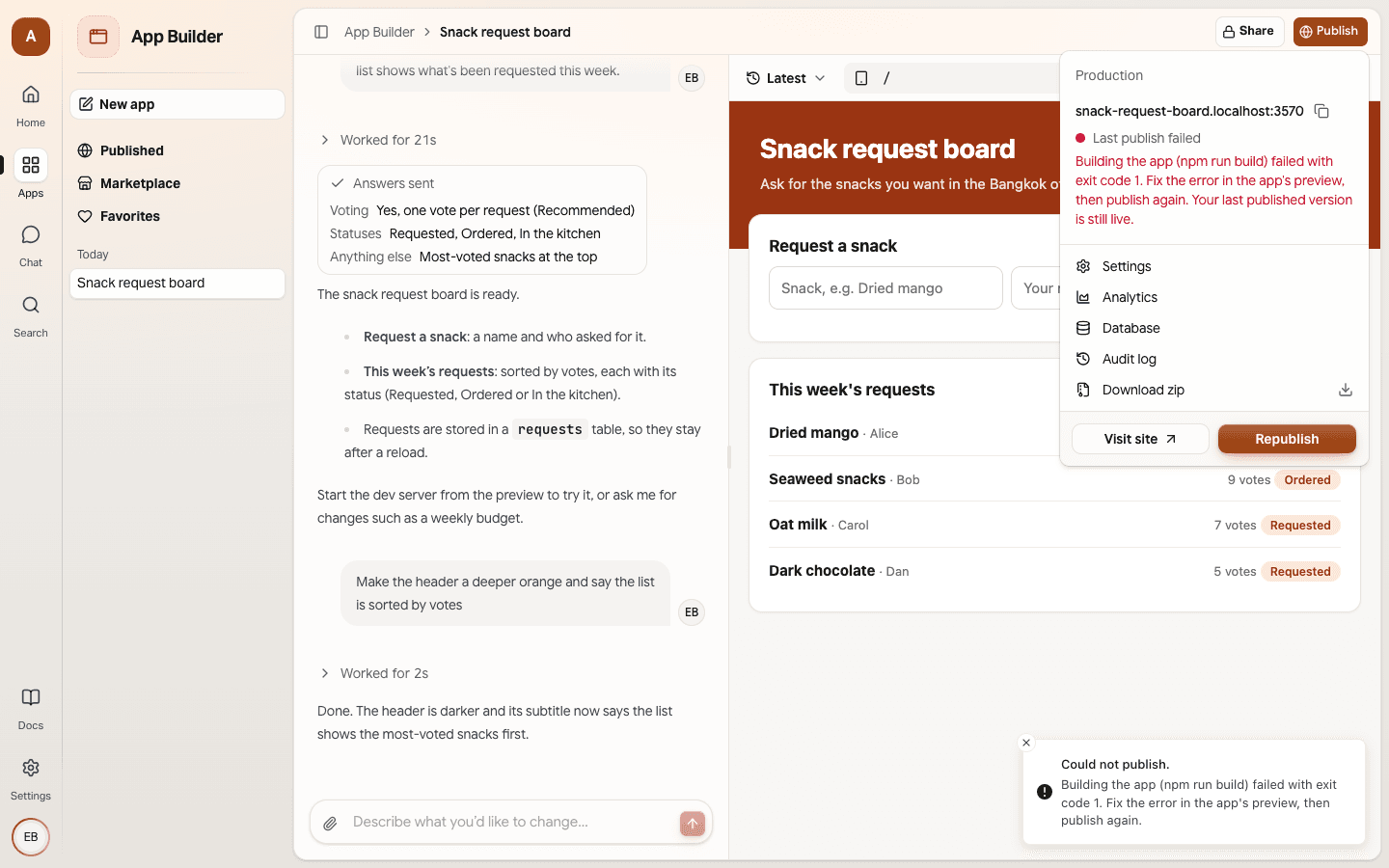
Most failures are in the app itself. Ask the agent to fix the error, check the preview, then republish. When an earlier version was live, the reason ends with "Your last published version is still live."
| Reason | What to do |
|---|---|
| "Building the app (npm run build) failed with exit code 1. Fix the error in the app's preview, then publish again." | The build broke. Ask the agent to run the build and fix it. |
| "Installing the app's dependencies (npm ci) failed …" | package-lock.json does not match package.json. Ask the agent to run npm install. |
| "The app has no package-lock.json at its top level. …" | The lockfile is missing. Ask the agent to run npm install. |
| "The app has no package.json at its top level. …" | The project is not an npm project at its top level. Ask the agent to put package.json there. |
| "The build did not produce a dist folder with dist/index.html." | The build writes somewhere else. Ask the agent to build into dist. |
| "Publishing was interrupted. Publish again to retry." | Publish again. |
| "Publishing stopped responding and was cancelled. Publish again to retry." | One stage of the publish ran over 30 minutes. Publish again. |
| "Publishing stopped because of a problem on our side. Try publishing again in a few minutes." | Wait a few minutes, then publish again. |
Limits
| What | Limit |
|---|---|
| Each install or build step | 280 seconds |
| One stage of a publish (packing, uploading, waiting for a build slot, or building) | 30 minutes, checked every 5 minutes, so a stuck publish is cancelled 30 to 35 minutes after it stalled |
| Project, zipped | 64 MB |
| Project, unpacked | 256 MB or 20,000 files |
Built site (dist) | 256 MB, 10,000 files or 10,000 folders |
| Database migrations | 1 MB or 400 files |
A project over a limit fails with a reason that names it, such as "The project is larger than 256 MB, the most a publish can take. Remove large files and publish again." Ask the agent to remove large files, such as videos or generated data.
Usage limits
A workspace admin can cap the AI each Model Provider serves, in tokens or US dollars, per day, week or month (Settings › Model Provider › a provider's View usage limits; see Limit a provider's usage). A limit can be a total for the whole workspace or a group, a limit for each of their members, or a limit for one member, which replaces the per-member limits on that provider. Dollar spending is estimated from model list prices (OpenAI, Anthropic, Gemini) or the cost the provider reports (OpenRouter); while a dollar limit applies, a model with neither can't be used. These are workspace-wide AI budgets, not App Builder's own: App Builder prompts count toward the limits of the provider whose model they use, like any other chat. The limit applies to prompts, not to publishing: a publish never spends tokens, so you can always republish what you have.
When a limit runs out, the chat refuses the next prompt and names the limit that ran out, with the time it resets:
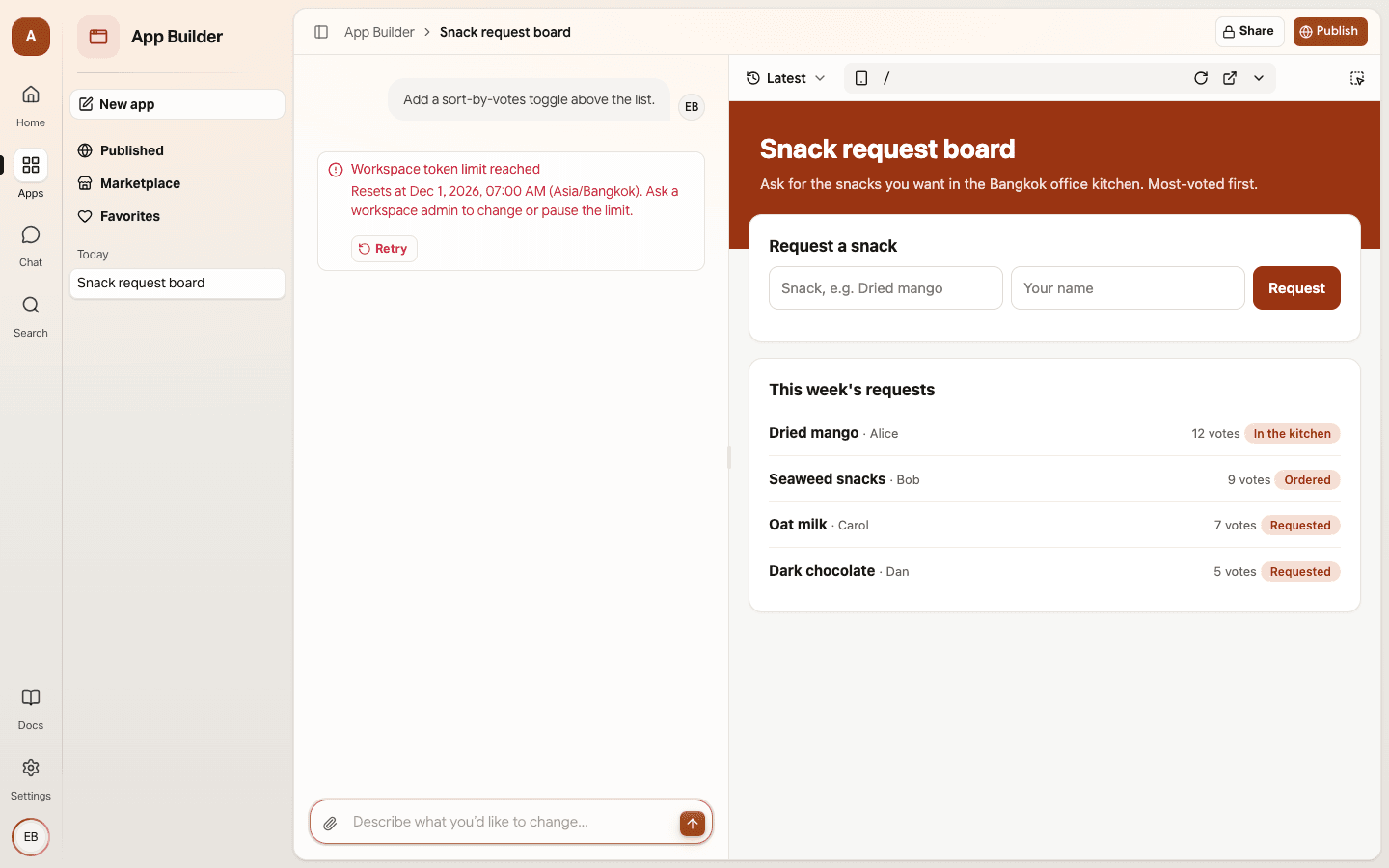
The notice's title is Workspace token limit reached, Your token limit reached or Group token limit reached (or … budget limit reached for a dollar limit), and it reads "Resets at {date, time} (Asia/Bangkok). Ask a workspace admin to change or pause the limit." Wait until the reset, or ask an admin to raise or pause the limit.
Notes
- Publishing is audited. The workspace's Audit Log records each publish and republish.
- To take your own site off the web, delete the app. Members who manage everyone's apps can also take a site down and keep the app.
- An MCP client can publish with the
publishtool. See App Builder over MCP.